cb460e734f
- Document Connection Profiles as 4th extraction source in providers.md
  with creation steps, settings table, and usage instructions
- Add screenshots: Settings Modal tabs (connection, profile, extraction,
  storage), Connection Profile toolbar bar and creation dialog
- Refresh wizard-step1.png and panel-full.png screenshots
- Document "Protect recent messages" feature in managing-memories.md
- Add Connection Profile mentions to getting-started.md, README.md,
  and architecture.md
- Bump manifest.json version to 2.1.9
- Fix tooltip "Injection Sidebar" → "Injection Viewer" in settings.html
- Add issue #10 per-chat memory storage backlog analysis

Co-Authored-By: Claude Opus 4.6 <noreply@anthropic.com>
8.4 KiB
CharMemory — SillyTavern Extension
CharMemory automatically extracts structured memories from your chats and stores them in the character's Data Bank. SillyTavern's built-in Vector Storage retrieves the most relevant ones at generation time — your character remembers what happened.
Upgrading from 1.x? This release contains extensive under the hood code changes, alters the extraction prompts and the structure of the extracted memories. If you used previous versions, you should back up your current files before updating and you'll want to compare your edited prompts with the new ones.
Is this for you?
CharMemory is built for setups where character cards define who a character is, and Data Bank character memories capture what happens to them over time.
This is for you if:
- You use character cards and want characters to remember things across sessions
- You chat 1:1 or in group chats
- You want memories stored as plain, editable files — not locked in a database
This probably isn't for you if:
- Your memory workflow is lorebook-based (World Info trigger entries)
- Your character cards are for multiple characters
- You don't use character cards
CharMemory and lorebook-based memory extensions can coexist — they use different storage mechanisms.
CharMemory does not touch your lorebooks so if those contain information about the character's world, they can supplement Data Bank memories. CharMemory does use its own structured markdown format for new Data Bank files. It will optionally process your existing files into the same format.
How it works
CharMemory gives your characters persistent memory across chats. Here's the short version:
-
You chat normally. Every 20 messages (configurable), CharMemory sends the recent conversation to an LLM and asks it to pick out the important stuff — relationships, events, facts, emotional moments.
-
Memories are saved as a plain text file attached to the character (in SillyTavern's "Data Bank"). You can read and edit this file at any time — it's just bullet points in markdown.
-
When the character speaks, relevant memories are retrieved automatically. SillyTavern's Vector Storage acts like a search engine for the memory file. It finds the memories most relevant to the current conversation and quietly includes them in the prompt the LLM sees. The character doesn't "know" it's reading memories — it just has relevant context available, like how a person recalls things related to what's being discussed.
The key benefit: start a new chat with the same character, and they can reference things that happened before. It's not perfect photographic recall — it's closer to how people actually remember, where relevant details surface based on what's being talked about.
What is Vector Storage? It's a built-in SillyTavern feature (not part of CharMemory) that works like a search engine for text files. It converts text into numerical representations ("embeddings") so it can find passages that are semantically similar to the current conversation, even if they don't share exact words. Without it, memories are stored but never retrieved — the character won't recall anything. See Getting Started → Make sure Vector Storage is enabled for setup steps.
Feature Highlights
- Automatic extraction — automatically extracts memories from your current chat. No manual steps after setup.
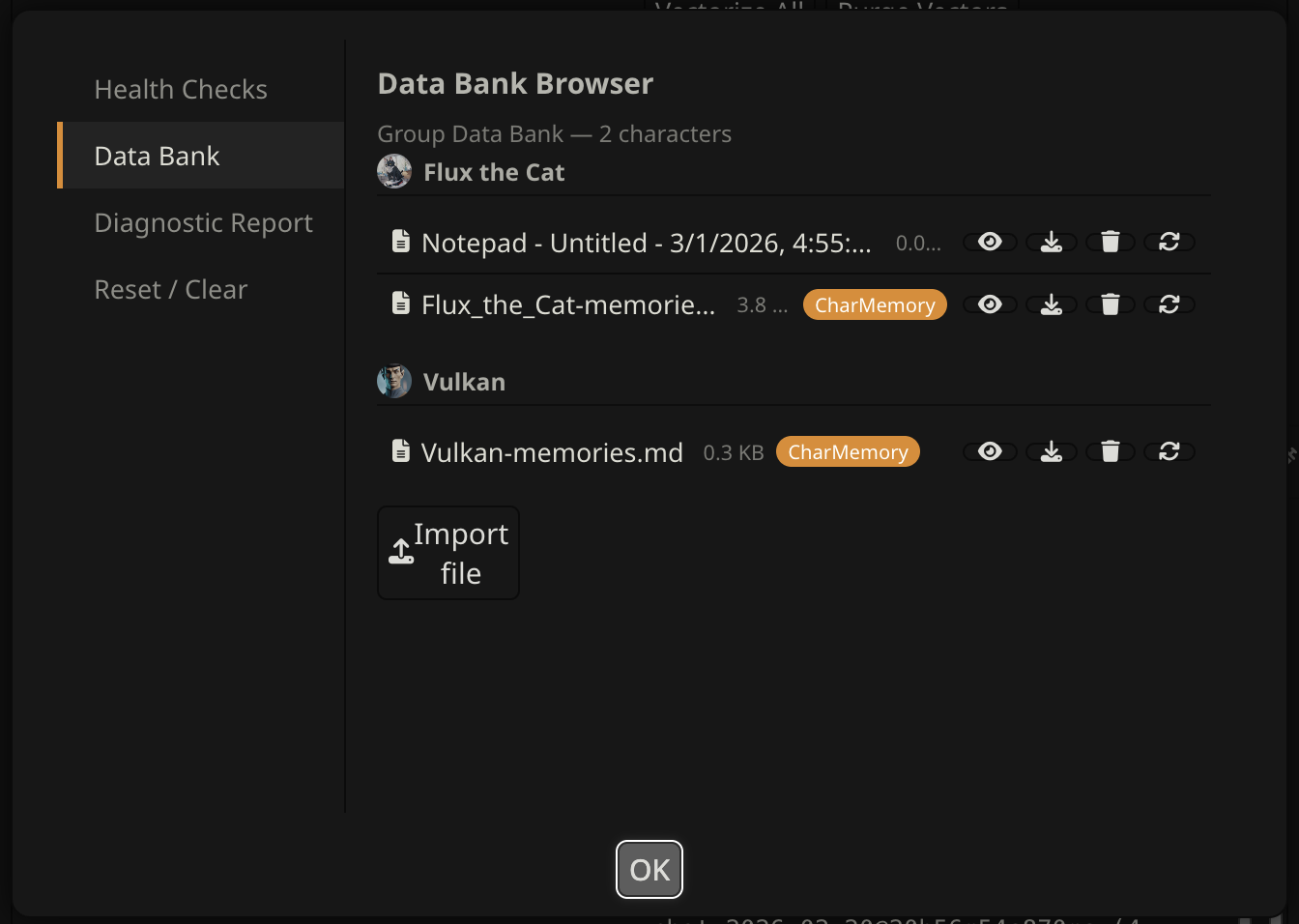
- Group chat support — each group member gets their own memory file, extracted in a single pass. View and edit all members' memories from one place, including a full Data Bank browser per character.
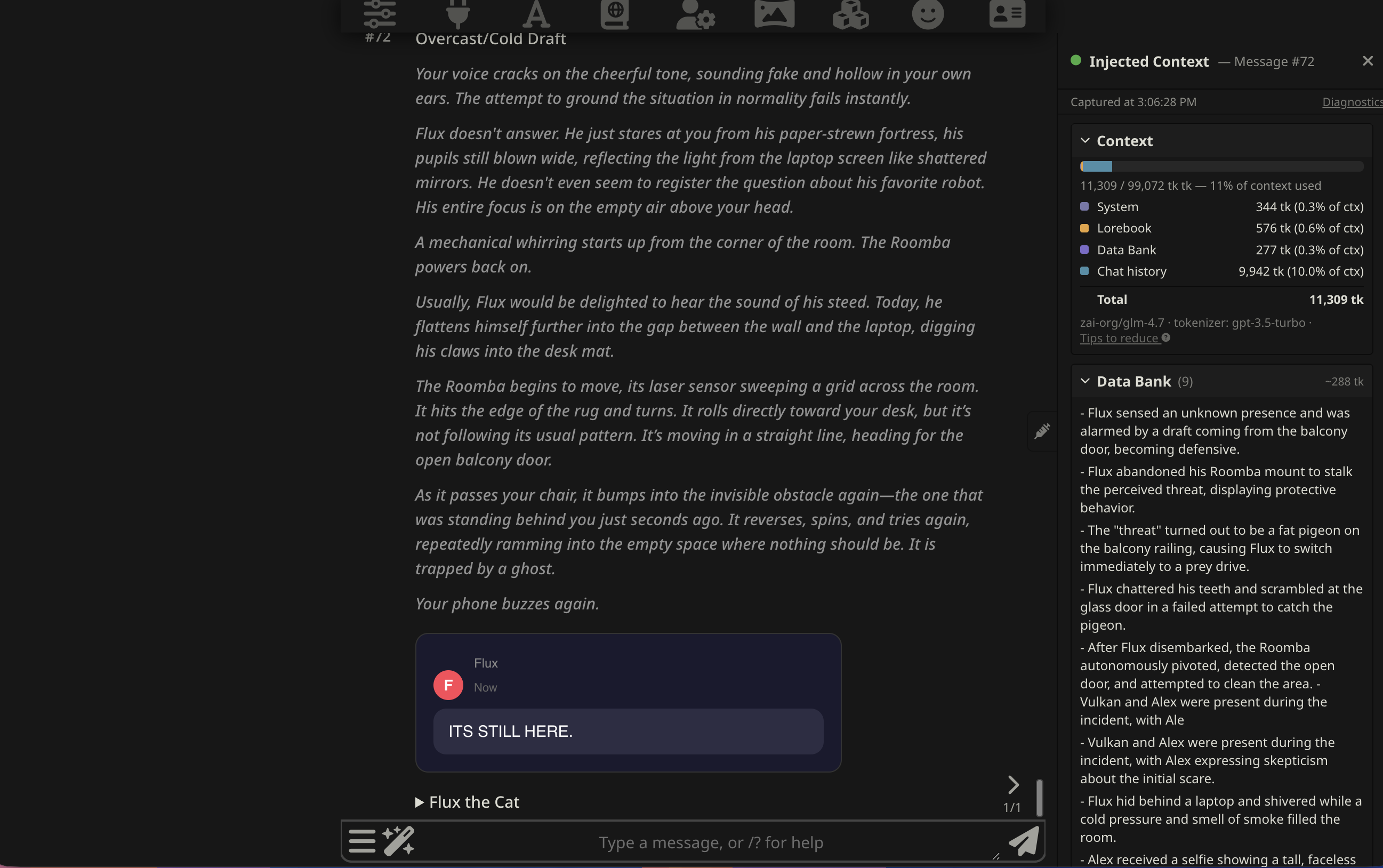
- Injection Viewer — a real-time sidebar showing exactly which memories were injected for any message, with lorebook entries, extension prompts, and per-source token estimates.
- Prompt Breakdown — see exactly where your context window is going. The injection viewer shows a per-category token breakdown (System, Char card, Lorebook, Data Bank, Examples, Chat history) with a stacked bar and actionable tips for reducing usage.
- Vector Storage health checks — a traffic-light indicator flags misconfigured settings and tells you what to fix, so you're not guessing why memories aren't showing up.
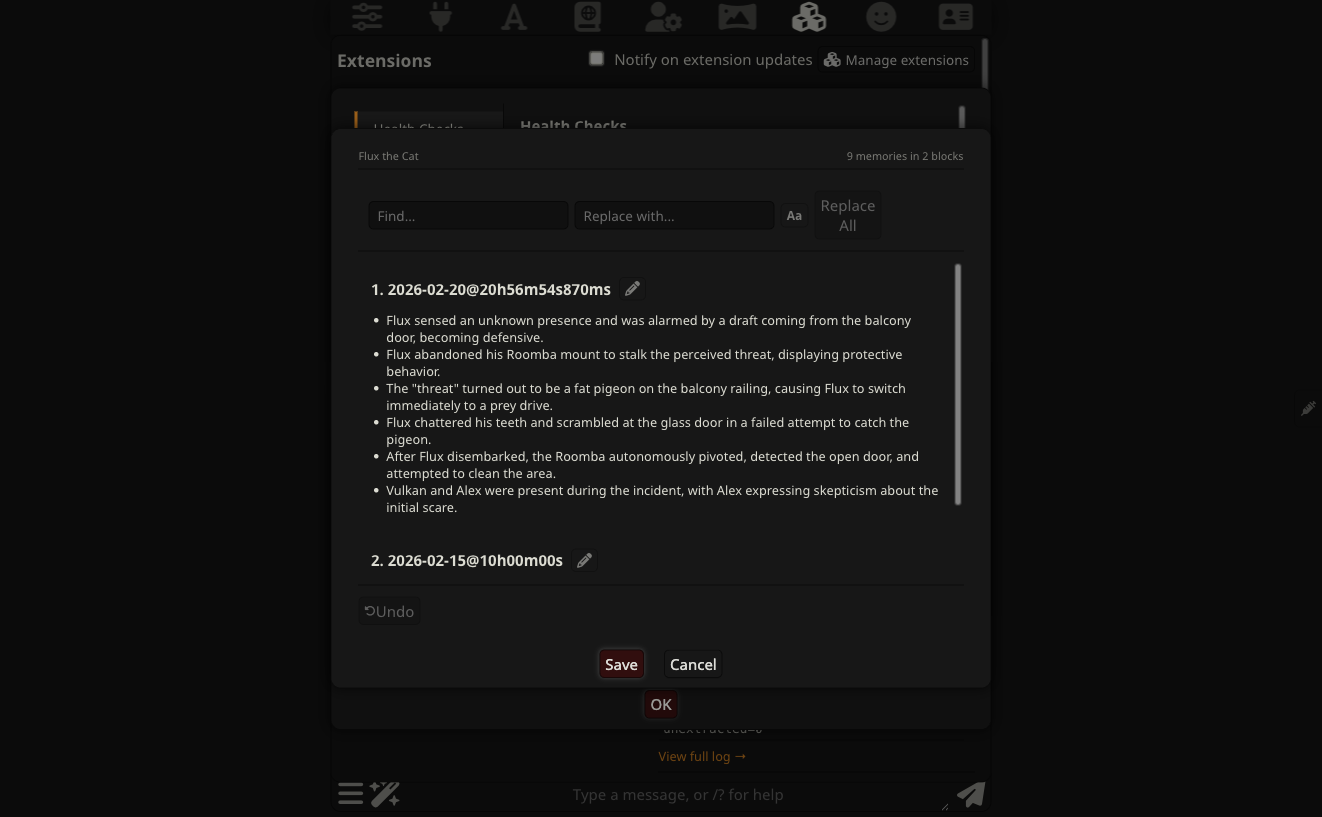
- Full memory control — browse, edit, or delete individual memories with a unified block editor (inline editing, undo, find/replace). Consolidate duplicates with preview and undo. Batch-extract from all chats at once.
- Flexible LLM connections — use a dedicated API provider, reuse an existing SillyTavern Connection Profile, run a local model via WebLLM, or piggyback on your main chat LLM.
- Highly configurable extraction prompts — separate prompts for 1:1 and group chats and memory file consolidation and conversion.
- Guided setup — the Setup Wizard tests your LLM connection, checks Vector Storage, and handles existing memory file conversion in about 2 minutes.
- Tablet & phone support — on touch devices, the dashboard opens as a floating panel with touch-friendly controls. Phone layout widens drawers for small screens. If auto-detection doesn't match your device, override it in Settings > Advanced > Display Mode. Please report issues on GitHub with how it behaves on your device.
- Plain files — memories are stored as readable, editable markdown in the character's Data Bank. No database, no lock-in.
What you need
- A working SillyTavern installation
- An LLM API key (OpenRouter, Groq, DeepSeek, NanoGPT, etc.) — or use Pollinations (free, no key) or a local server (Ollama, LM Studio, etc.)
- Vector Storage — ships with SillyTavern, just needs to be enabled
Install
1. Click the Extensions icon (puzzle piece) in SillyTavern's top bar
2. Click Install extension → paste this URL → Install just for me:
https://github.com/bal-spec/sillytavern-character-memory
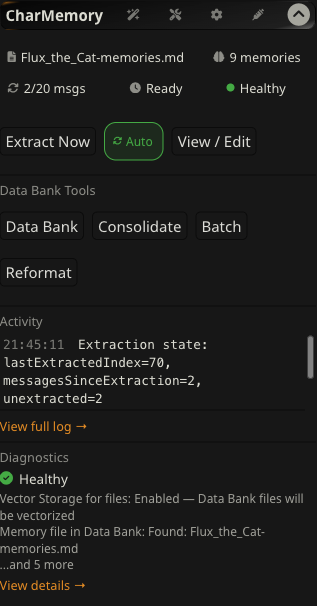
3. Open a chat and scroll down in Extensions — CharMemory appears at the bottom. The Setup Wizard should open automatically on first run. If it does not, click the wand icon in the panel header to open the Setup Wizard.
4. The wizard walks you through connecting an LLM and checking Vector Storage. Takes about 2 minutes.
→ Getting Started has a step-by-step walkthrough of the wizard and your first extraction.
Before you start
CharMemory stores memories as plain files in the character's Data Bank. Tools like Consolidate, Replace All, and Clear All Memories modify or delete these files and cannot always be undone. Back up your Data Bank files before making bulk changes — use SillyTavern's built-in backup tools or download individual files from the Data Bank.
Documentation
| Getting Started | Setup Wizard, "now what?", first extraction, verifying it works |
| Injection Viewer | See what memories are going into the prompt in real time |
| Group Chats | Multi-character extraction, Data Bank viewer for all members |
| Managing Memories | View/Edit, Consolidate, Batch, Reformat, Data Bank tools |
| Retrieval & Prompts | Vector Storage setup, tuning, and prompt design for better recall |
| Providers | API keys, model recommendations, free options |
| Troubleshooting | Health checks, diagnostics, reset tools |
| Architecture | Technical overview for developers and contributors |
About the examples
The documentation uses Flux (an orange tabby cat) and Alex as fictional test characters. Flux was the real character used during CharMemory's development — their memories were the test corpus that shaped the tuning recommendations, retrieval settings, and prompt design described throughout the docs.
What it looks like