mirror of
https://github.com/zed-industries/zed.git
synced 2026-05-26 07:24:46 +00:00
 6aa90e750d
Some checks are pending
Congratsbot / check-author (push) Waiting to run
Congratsbot / congrats (push) Blocked by required conditions
deploy_nightly_docs / deploy_docs (push) Waiting to run
run_tests / check_postgres_and_protobuf_migrations (push) Blocked by required conditions
run_tests / orchestrate (push) Waiting to run
run_tests / check_style (push) Waiting to run
run_tests / extension_tests (push) Blocked by required conditions
run_tests / clippy_windows (push) Blocked by required conditions
run_tests / clippy_linux (push) Blocked by required conditions
run_tests / clippy_mac (push) Blocked by required conditions
run_tests / clippy_mac_x86_64 (push) Blocked by required conditions
run_tests / run_tests_windows (push) Blocked by required conditions
run_tests / run_tests_linux (push) Blocked by required conditions
run_tests / run_tests_mac (push) Blocked by required conditions
run_tests / doctests (push) Blocked by required conditions
run_tests / check_workspace_binaries (push) Blocked by required conditions
run_tests / build_visual_tests_binary (push) Blocked by required conditions
run_tests / check_wasm (push) Blocked by required conditions
run_tests / check_dependencies (push) Blocked by required conditions
run_tests / check_docs (push) Blocked by required conditions
run_tests / check_licenses (push) Blocked by required conditions
run_tests / check_scripts (push) Blocked by required conditions
run_tests / tests_pass (push) Blocked by required conditions
Self-Review Checklist:

- [ ] I've reviewed my own diff for quality, security, and reliability
- [ ] Unsafe blocks (if any) have justifying comments
- [ ] The content is consistent with the [UI/UX
checklist](https://github.com/zed-industries/zed/blob/main/CONTRIBUTING.md#uiux-checklist)
- [ ] Tests cover the new/changed behavior
- [ ] Performance impact has been considered and is acceptable

Change the actions in docs to adopt the right format.

Release Notes:

- N/A
726 B
726 B
| title | description |
|---|---|
| Command Palette - Zed | Access any Zed action from the command palette. Fuzzy search commands, key bindings, and editor actions. |
Command Palette
The Command Palette is the main way to access actions in Zed. Its keybinding is one of the first shortcuts to learn: {#kb command_palette::Toggle}.
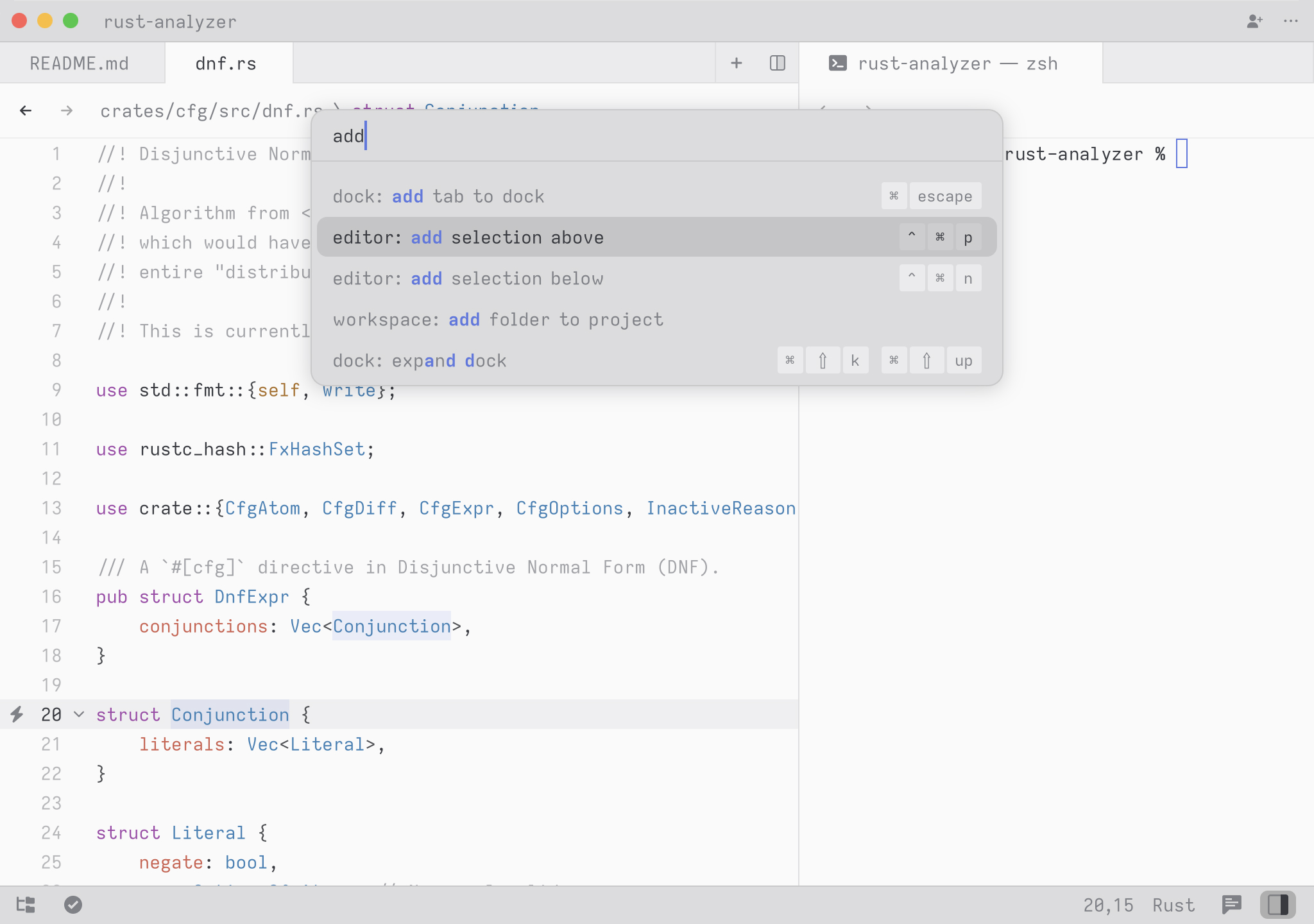
To try it, open the Command Palette and type new file. The command list should narrow to {#action workspace::NewFile}. Press Return to create a new buffer.
Any time you see instructions that include commands of the form zed: ... or editor: ... and so on that means you need to execute them in the Command Palette.