 5173fac0c1
Some checks are pending
CodeQL Advanced / Analyze (actions) (push) Waiting to run
CodeQL Advanced / Analyze (javascript-typescript) (push) Waiting to run
CodeQL Advanced / Analyze (rust) (push) Waiting to run
Publish Docker image / build (linux/amd64, ubuntu-latest) (push) Waiting to run
Publish Docker image / build (linux/arm64, ubuntu-24.04-arm) (push) Waiting to run
Publish Docker image / merge (push) Blocked by required conditions
Build with Nix / tests (push) Waiting to run
PR checks / nix_flake_check (push) Waiting to run
PR checks / rust_lint (push) Waiting to run
PR checks / koplugin_rust_lint (push) Waiting to run
PR checks / build_web_app (push) Waiting to run
PR checks / test_web_app (1) (push) Waiting to run
PR checks / test_web_app (2) (push) Waiting to run
PR checks / test_extensions (push) Waiting to run
PR checks / build_tauri_app (push) Waiting to run
Scorecard supply-chain security / Scorecard analysis (push) Waiting to run
Deploy to vercel on merge / build_and_deploy (push) Waiting to run
* fix(tts): hold the view still while a note is being typed during Read Aloud Following the voice called renderer.scrollToAnchor(range), which in foliate-js takes the 'navigation' path and focuses the spoken text inside the book's iframe. That took the caret, and any IME composition, out of a note being typed; a page or section change from following also relocated the view, and Annotator's relocate handler then closed the note popup. Opening the note editor clears the book selection, so the existing "user is selecting text" guard never applied. While a text area in the app has focus, the sentence mark, word, page-follow and section-change paths now leave the view where it is. The saved Read Aloud location still advances, and the next mark after the text area loses focus follows again. A scrubber-drag preview still navigates. Explicit navigation's focus behaviour is unchanged. Verified: five new tests in useTTSControl.test.tsx under "while a note is being typed (#6837)" fail without the change (e.g. "does not scroll to the next sentence but still saves its location": expected "vi.fn()" to not be called at all, but actually been called 1 times) and pass with it; hooks, app/reader and tts-controller suites pass 1468/1468; pnpm lint is clean. Not run: real Read Aloud playback with a Chinese IME on Windows; in the headless web build Edge TTS could not connect and Web Speech has no voices, so playback was not exercised. Reported by CaFeZn on GitHub (#6837). Co-Authored-By: Claude Opus 5.5 <noreply@anthropic.com> * fix(tts): hold the view still only while a note editor has focus The guard matched any focused textarea, so a field that is not a note editor (the custom template in Export Annotations, for one) also stopped Read Aloud from following the voice. TextEditor, the textarea behind every note editor, now carries data-note-editor, and the guard checks that marker instead of the element type. Verified: "keeps following while a text field that is not a note editor has focus" in useTTSControl.test.tsx fails without the change (expected "vi.fn()" to be called 1 times, but got 0 times) and passes with it; "marks its text area as a note editor" in TextEditor.test.tsx fails without the attribute (expected false to be true); the TTS control, TextEditor and note editor test files pass 107/107; pnpm lint is clean. Reported by CodeRabbit on #6849. Co-Authored-By: Claude Opus 5.5 <noreply@anthropic.com> --------- Co-authored-by: Claude Opus 5.5 <noreply@anthropic.com> |
||
|---|---|---|
| .devcontainer | ||
| .github | ||
| .husky | ||
| .vscode | ||
| .zed | ||
| apps | ||
| data | ||
| docker | ||
| docs/designs | ||
| fastlane | ||
| nix | ||
| packages | ||
| patches | ||
| scripts | ||
| .dockerignore | ||
| .editorconfig | ||
| .gitignore | ||
| .gitmodules | ||
| biome.json | ||
| Cargo.cef.lock | ||
| Cargo.lock | ||
| Cargo.toml | ||
| CODE_OF_CONDUCT.md | ||
| CONTRIBUTING.md | ||
| Dockerfile | ||
| flake.lock | ||
| flake.nix | ||
| LICENSE | ||
| package.json | ||
| pnpm-lock.yaml | ||
| pnpm-workspace.yaml | ||
| README.md | ||
| SECURITY.md | ||
| tsconfig.json | ||

Readest
Readest is an open-source ebook reader designed for immersive and deep reading experiences. Built as a modern rewrite of Foliate, it leverages Next.js 16 and Tauri v2 to deliver a smooth, cross-platform experience across macOS, Windows, Linux, Android, iOS, and the Web.













Features • Planned Features • Screenshots • Downloads • Documentation • Getting Started • Troubleshooting • Support • License

Features
| Feature | Description |
|---|---|
| Multi-Format Support | Support EPUB, PDF, MOBI, KF8 (AZW3), FB2, CBZ, TXT, HTML, MD (Markdown) |
| Scroll/Page View Modes | Switch between scrolling or paginated reading modes. |
| Full-Text Search | Search inside a book or across the current library shelf to find relevant sections. |
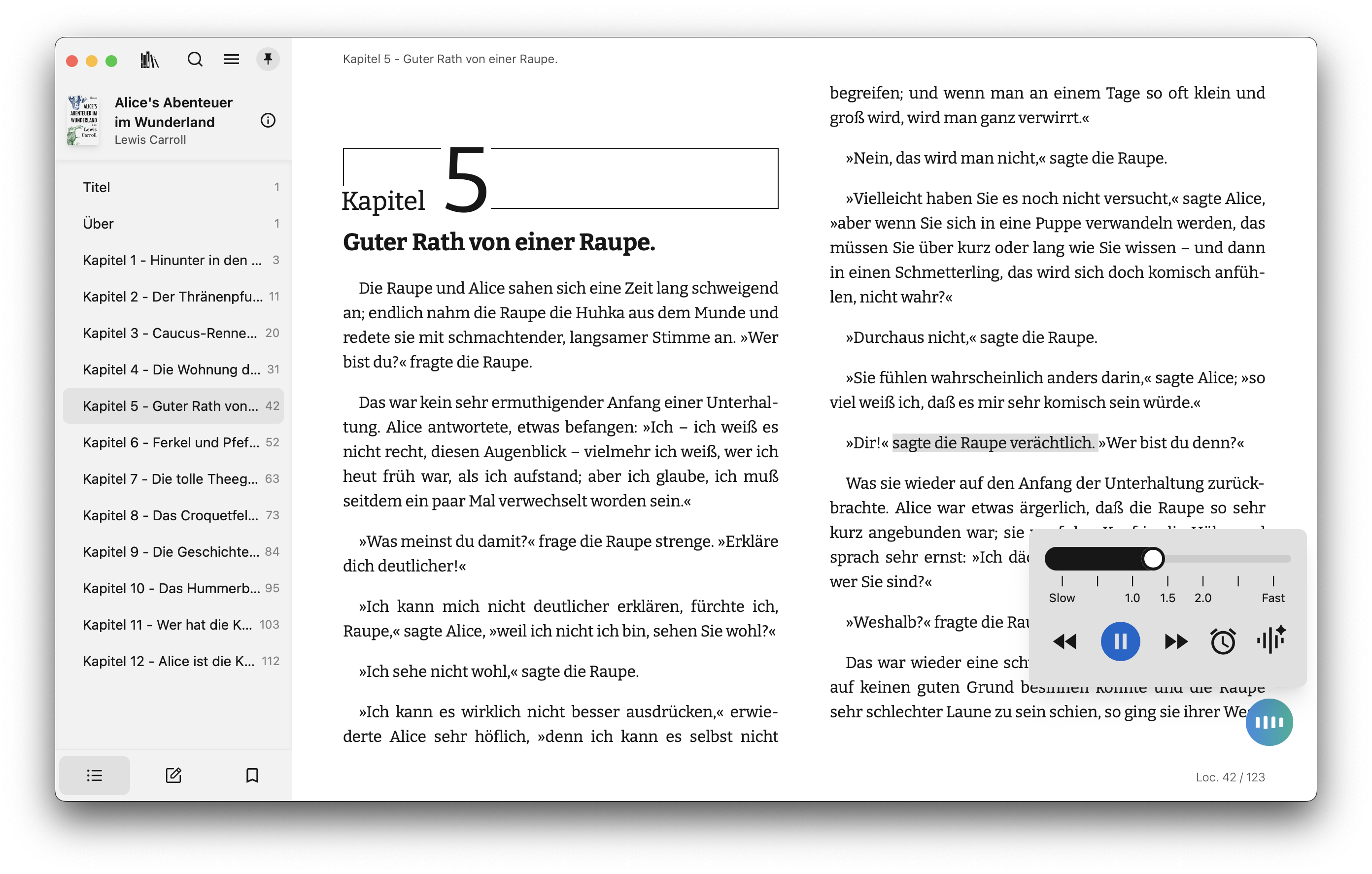
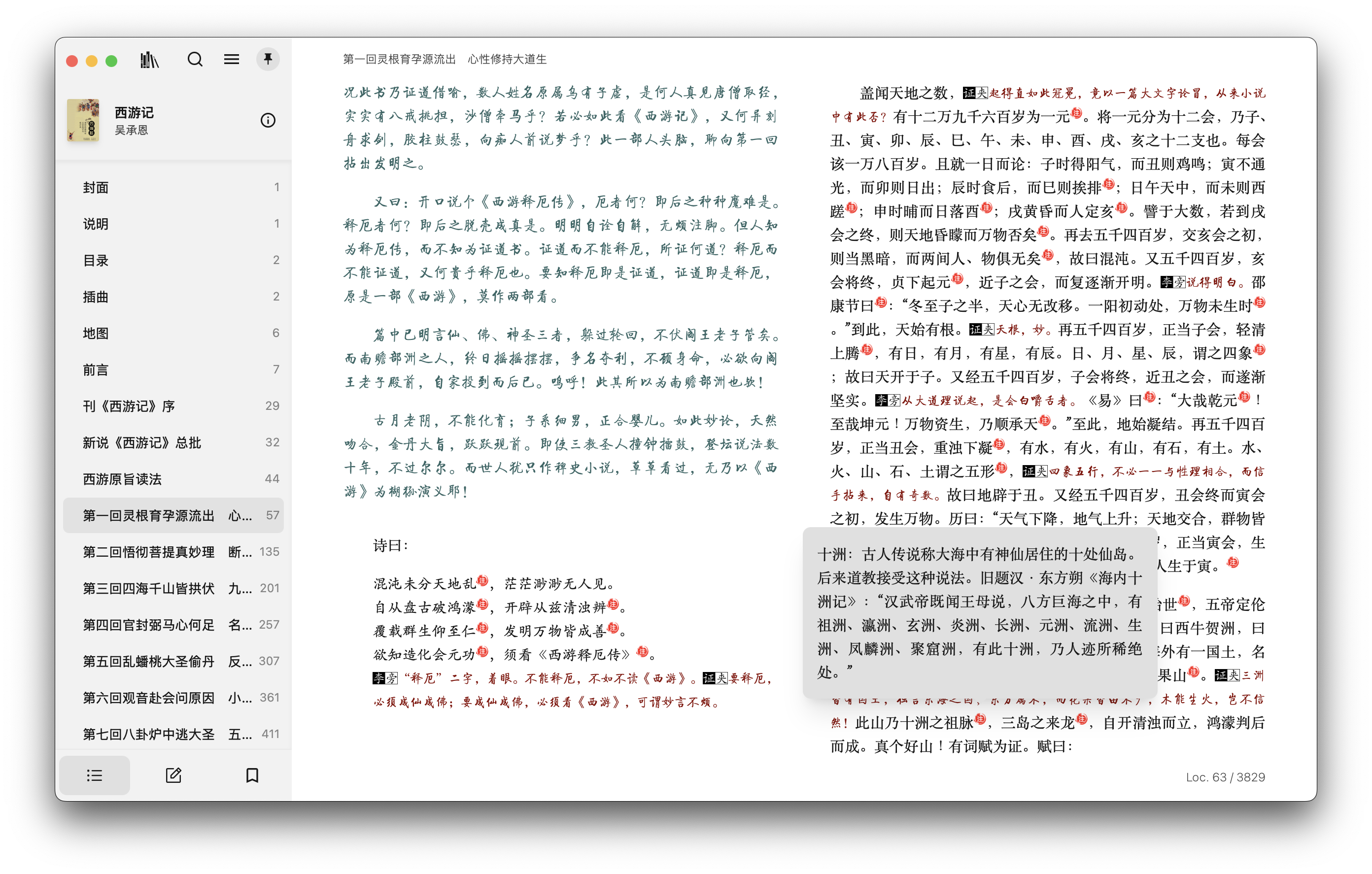
| Annotations and Highlighting | Add highlights, bookmarks, and notes to enhance your reading experience and use instant mode for quicker interactions. |
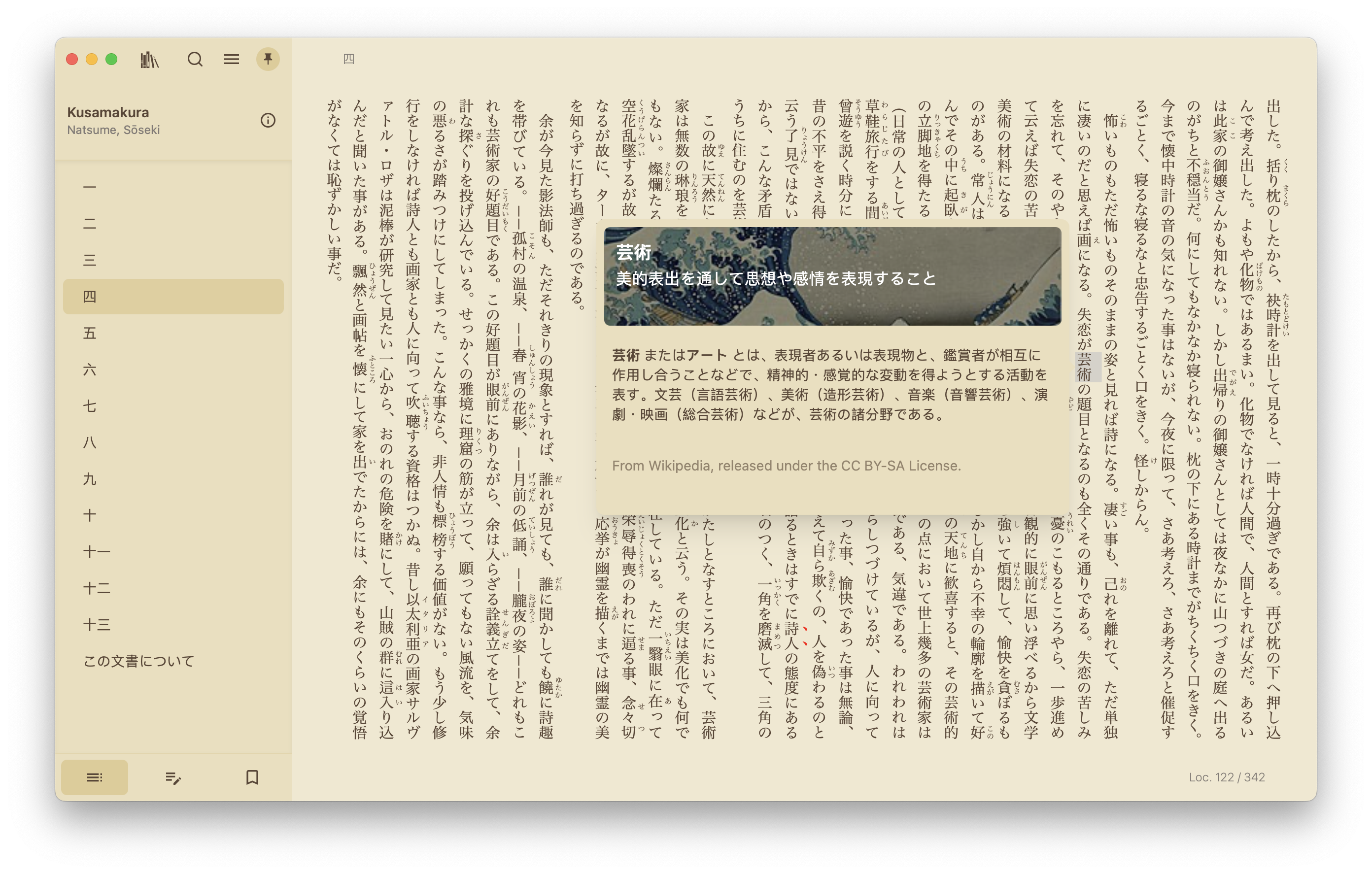
| Dictionary/Wikipedia Lookup | Look up words with built-in sources or import local packs, including Yomitan ZIP/RDICT, from Settings → Custom Dictionaries. |
| Parallel Read | Read two books or documents simultaneously in a split-screen view. |
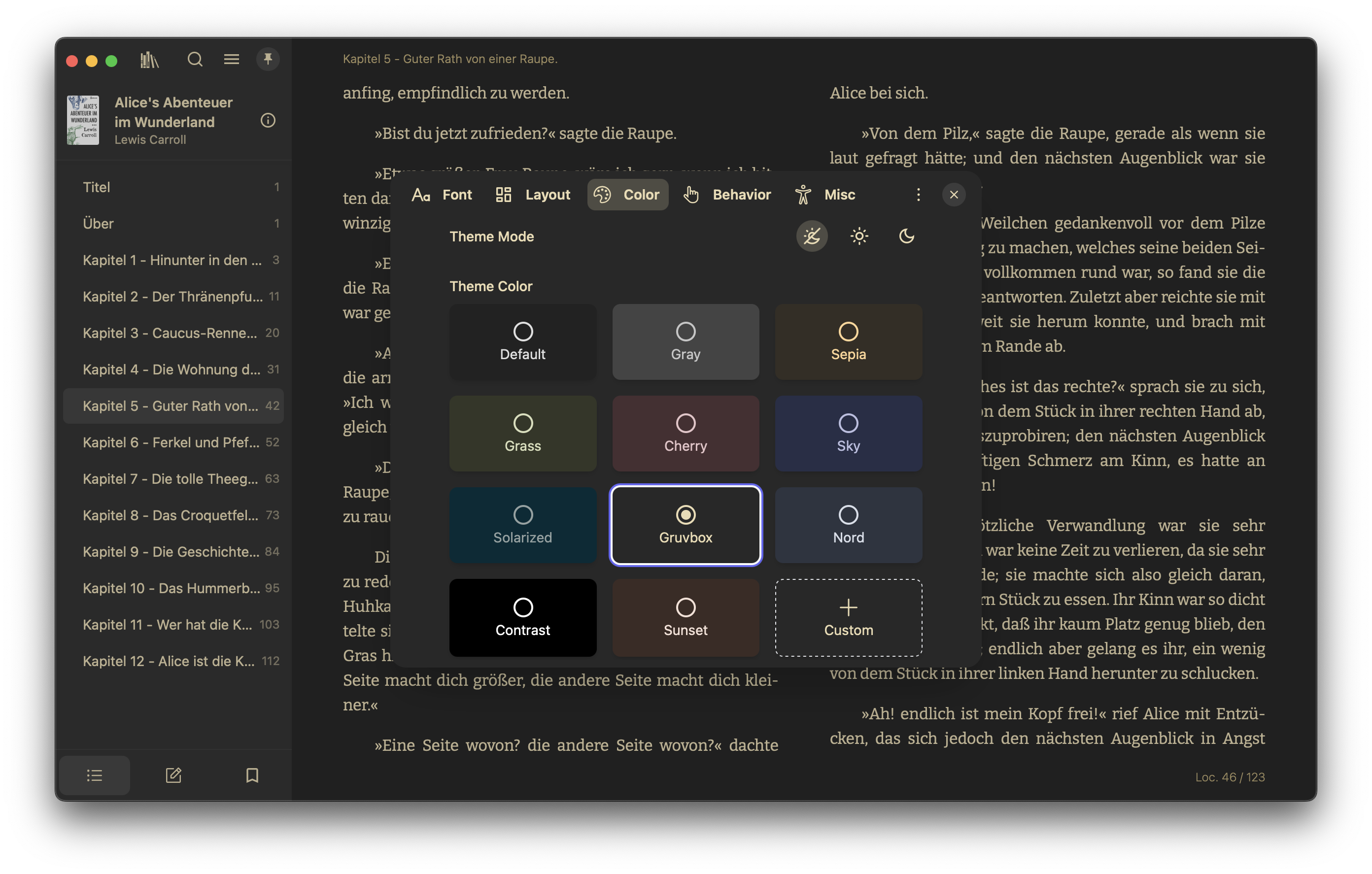
| Customize Font and Layout | Adjust font, layout, theme mode, and theme colors for a personalized experience. |
| Code Syntax Highlighting | Read software manuals with rich coloring of code examples. |
| File Association and Open With | Quickly open files in Readest in your file browser with one-click. |
| Library Management | Organize, sort, and manage your entire ebook library. |
| OPDS/Calibre Integration | Integrate OPDS/Calibre to access online libraries and catalogs. |
| Web Page Clipping | Open websites, sign in, and clip pages with From Web Browser. From Web Novel can reuse your browser session to import selected chapters and their images. |
| Translate with DeepL and Yandex | From a single sentence to the entire book—translate instantly. |
| Audiobook Support | Extend functionality to play and manage audiobooks. |
| Text-to-Speech (TTS) Support | Enjoy smooth, multilingual narration—even within a single book. |
| Read-Along Narration | Play embedded EPUB 3 Media Overlays with timed highlighting, or pair a reflowable EPUB locally with DRM-free MP3, M4A, or M4B narration. Storyteller remains an option for generating phrase-aligned EPUBs. |
| Sync across Platforms | Synchronize book files, reading progress, notes, and bookmarks across all supported platforms. |
| Sync with Koreader | Synchronize reading progress, notes, and bookmarks with Koreader devices. |
| Accessibility | Provides full keyboard navigation and support for screen readers such as VoiceOver, TalkBack, NVDA, and Orca. |
| Visual & Focus Aids | Reading ruler, paragraph-by-paragraph reading mode, and speed reading features. |
Planned Features
| Feature | Description | |
|---|---|---|
| AI-Powered Summarization | Generate summaries of books or chapters using AI for quick insights. | 🛠 |
| Advanced Reading Stats | Track reading time, pages read, and more for detailed insights. | 🛠 |
| Handwriting Annotations | Add support for handwriting annotations using a pen on compatible devices. | 🔄 |
Stay tuned for continuous improvements and updates! Contributions and suggestions are always welcome—let's build the ultimate reading experience together. 😊
Screenshots


Downloads
Mobile Apps


Platform-Specific Downloads
- macOS / iOS / iPadOS : Search and install Readest on the App Store, also available on TestFlight for beta test (send your Apple ID to readestapp@gmail.com to request access).
- Windows / Linux / Android: Visit and download Readest at https://readest.com or the Releases on GitHub.
- Linux users can also install Readest on Flathub.
- Web: Visit and use Readest for Web at https://web.readest.com.
Nix
Note
The Nix package supports
x86_64-linuxonly. nix-darwin is not supported.
Try it without installing. --accept-flake-config opts in to the project's
binary cache; without it Nix builds the whole Rust/Tauri stack from source.
nix run --accept-flake-config github:readest/readest
To install it, add the input to your flake.nix:
# Due to a limitation in how Nix fetches submodules, a regular GitHub input type will fail to evaluate.
inputs.readest = {
  url = "https://github.com/readest/readest.git";
  type = "git";
  submodules = true;
};
then in configuration.nix add the package and the cache. The cache is needed
here as well because a flake input's own nixConfig does not apply to your
system build:
environment.systemPackages = [
  inputs.readest.packages.${pkgs.stdenv.hostPlatform.system}.default
];

nix.settings = {
  substituters = [ "https://readest.cachix.org" ];
  trusted-public-keys = [
    "readest.cachix.org-1:KvKAePcZZCZB8ytFIAOGdgN3VRdmFHGRMHqMVckbt5c="
  ];
};
Documentation
Guides, tutorials, and FAQs for installing and using Readest live in the official documentation:
Contributor references live in the repository: architecture, code layout, and testing.
Building from Source
To build Readest from the latest commit, see Getting Started.
Troubleshooting
1. Readest Won’t Launch on Windows (Missing Edge WebView2 Runtime)
Symptom
- When you double-click readest.exe, nothing happens. No window appears, and Task Manager does not show the process.
- This can affect both the standard installer and the portable version.
Cause
- Microsoft Edge WebView2 Runtime is either missing, outdated, or improperly installed on your system. Readest depends on WebView2 to render the interface on Windows.
How to Fix
- Check if WebView2 is installed
- Open “Add or Remove Programs” (a.k.a. Apps & features) on Windows. Look for “Microsoft Edge WebView2 Runtime.”
- Install or Update WebView2
- Download the WebView2 Runtime directly from Microsoft: link.
- If you prefer an offline installer, download the offline package and run it as an Administrator.
- Re-run Readest
- After installing/updating WebView2, launch readest.exe again.
- If you still encounter problems, reboot your PC and try again.
Additional Tips
- If reinstalling once doesn’t work, uninstall Edge WebView2 completely, then reinstall it with Administrator privileges.
- Verify your Windows installation has the latest updates from Microsoft.
Still Stuck?
- See Issue readest/readest#358 for further details, or head over to our Discord server and open a support discussion with detailed logs of your environment and the steps you’ve taken.
Linux Fails to Launch on Wayland / Niri
Current Linux builds, including Flatpak, use CEF with an X11 window backend.
Wayland sessions therefore need XWayland. Without a DISPLAY, older builds exit
with Runtime(CreateWindow) before opening a window.
On Niri, install xwayland-satellite 0.7 or later using your distribution's package manager
and restart your Niri session. Niri 25.08 and later can start it on demand and
set DISPLAY for applications. See Niri's XWayland setup instructions.
From a terminal in that session, check printenv DISPLAY, then launch Readest:
flatpak run com.bilingify.readest
The Flatpak already requests the X11 socket. If you have customized its sandbox
permissions, allow that socket as well. Setting DISPLAY to an arbitrary value
does not start XWayland; use the value provided by your session.
--ozone-platform=wayland cannot enable native Wayland support in this runtime,
and WebKitGTK environment variables do not affect CEF.
Contributors
Readest is open-source, and contributions are welcome! Feel free to open issues, suggest features, or submit pull requests. Please review our contributing guidelines and Code of Conduct before you start. We also welcome you to join our Discord community for either support or contributing guidance.
Support
If Readest has been useful to you, consider supporting its development at donate.readest.com, where you'll find all available donation methods, including GitHub Sponsors, PayPal, card payments, and crypto. Your contribution helps us fix bugs faster, improve performance, and keep building great features.
Sponsors

License
Readest is free software: you can redistribute it and/or modify it under the terms of the GNU Affero General Public License as published by the Free Software Foundation, either version 3 of the License, or (at your option) any later version. See the LICENSE file for details.
The following libraries and frameworks are used in this software:
- foliate-js, which is MIT licensed.
- zip.js, which is licensed under the BSD-3-Clause license.
- fflate, which is MIT licensed.
- PDF.js, which is licensed under Apache License 2.0.
- daisyUI, which is MIT licensed.
- marked, which is MIT licensed.
- next.js, which is MIT licensed.
- react-icons, which has various open-source licenses.
- react, which is MIT licensed.
- tauri, which is MIT licensed.
The following fonts are utilized in this software, either bundled within the application or provided through web fonts:
Bitter, Fira Code, Inter, Literata, Merriweather, Noto Sans, Roboto, LXGW WenKai, MiSans, Source Han, WenQuanYi Micro Hei
We would also like to thank the Web Chinese Fonts Plan for offering open-source tools that enable the use of Chinese fonts on the web.