mirror of
https://github.com/QwenLM/qwen-code.git
synced 2026-04-28 11:41:04 +00:00
 93a1253976
- Replace local image paths with Alibaba Cloud CDN URLs
- Fix formatting issues (extra blank lines, capitalization)
- Remove local image files (now served from CDN)

Co-authored-by: Qwen-Coder <qwen-coder@alibabacloud.com>
81 lines
2.6 KiB
Markdown
81 lines
2.6 KiB
Markdown
# JetBrains IDEs
|
|
|
|
> JetBrains IDEs provide native support for AI coding assistants through the Agent Client Protocol (ACP). This integration allows you to use Qwen Code directly within your JetBrains IDE with real-time code suggestions.
|
|
|
|
### Features
|
|
|
|
- **Native agent experience**: Integrated AI assistant panel within your JetBrains IDE
|
|
- **Agent Client Protocol**: Full support for ACP enabling advanced IDE interactions
|
|
- **Symbol management**: #-mention files to add them to the conversation context
|
|
- **Conversation history**: Access to past conversations within the IDE
|
|
|
|
### Requirements
|
|
|
|
- JetBrains IDE with ACP support (IntelliJ IDEA, WebStorm, PyCharm, etc.)
|
|
- Qwen Code CLI installed
|
|
|
|
### Installation
|
|
|
|
#### Install from ACP Registry (Recommend)
|
|
|
|
1. Install Qwen Code CLI:
|
|
|
|
```bash
|
|
npm install -g @qwen-code/qwen-code
|
|
```
|
|
|
|
2. Open your JetBrains IDE and navigate to AI Chat tool window.
|
|
|
|
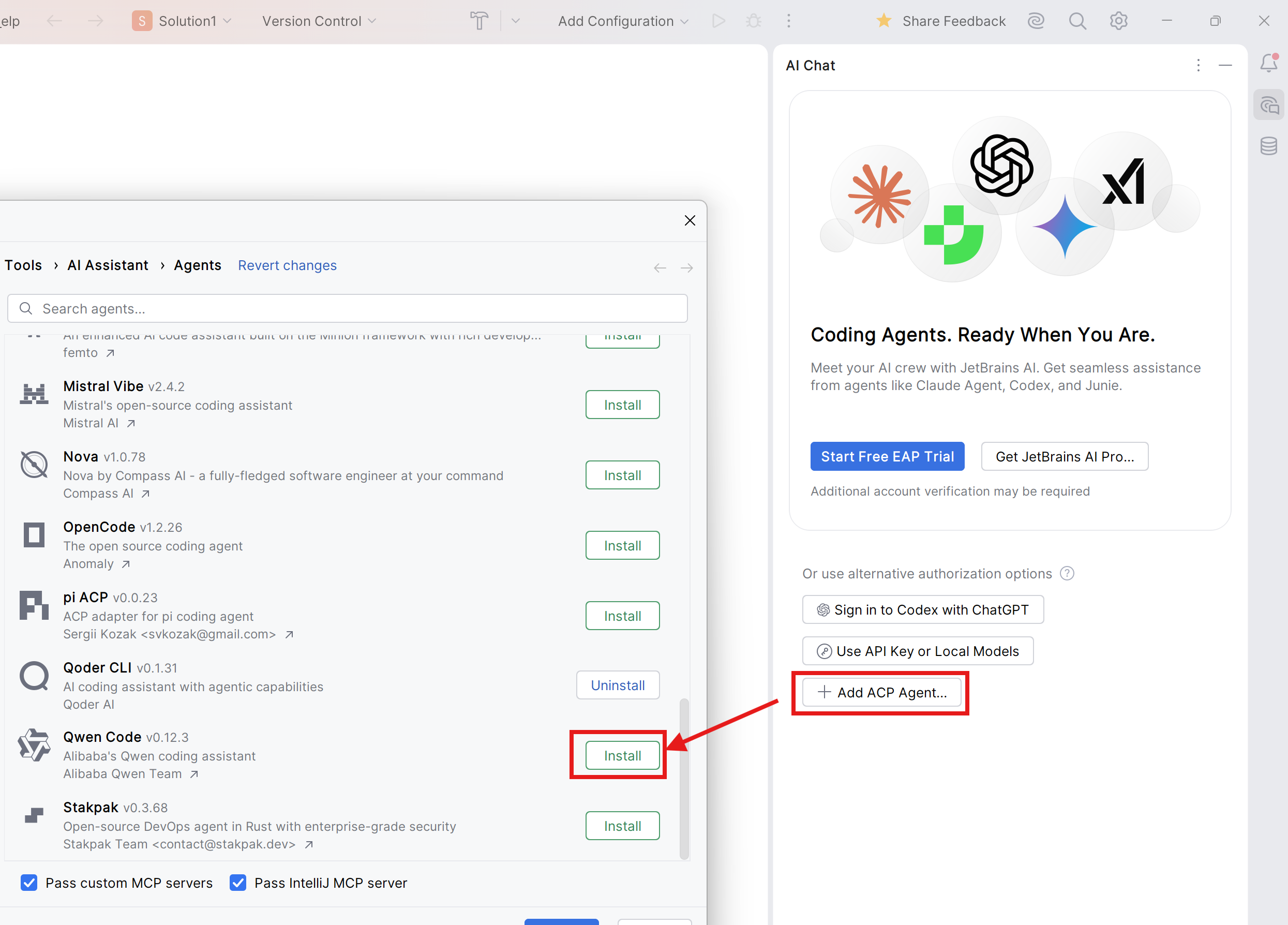
3. Click **Add ACP Agent**, then click **Install**.
|
|
|
|
|
|
|
|
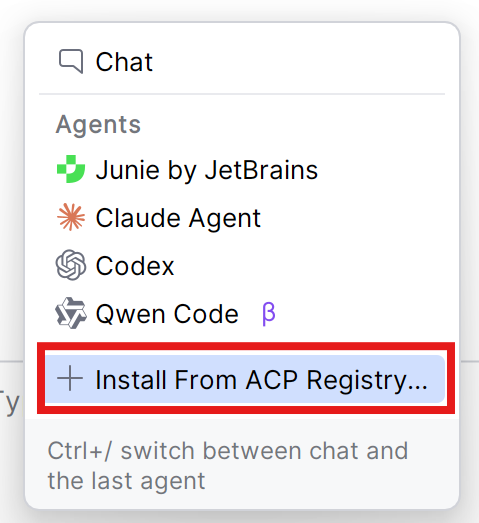
For users using JetBrains AI Assistant and/or other ACP agents, click **Install From ACP Registry** in Agents List, then install Qwen Code ACP.
|
|
|
|
|
|
|
|
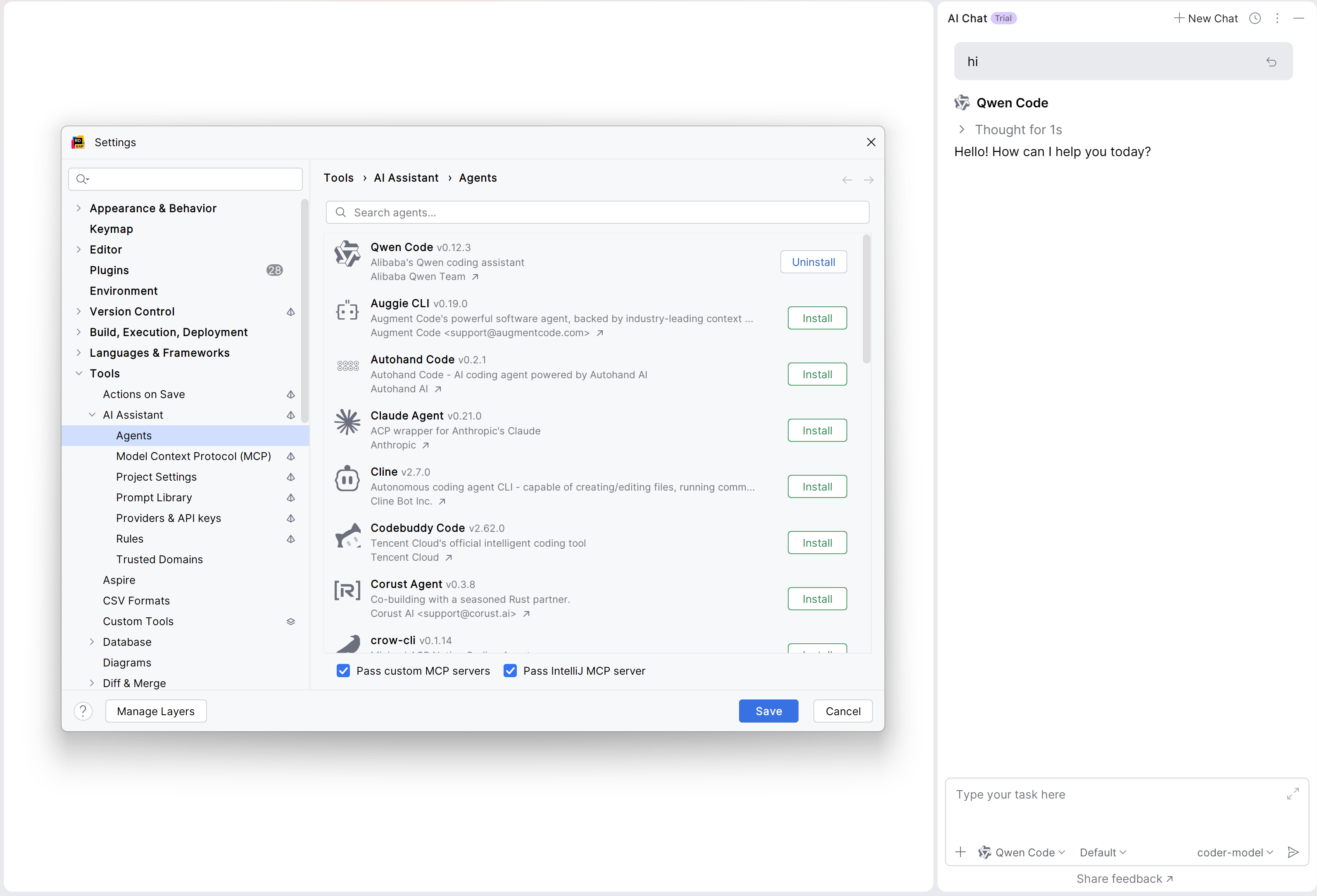
4. The Qwen Code agent should now be available in the AI Assistant panel.
|
|
|
|
|
|
|
|
#### Manual Install (for older version of JetBrains IDEs)
|
|
|
|
1. Install Qwen Code CLI:
|
|
|
|
```bash
|
|
npm install -g @qwen-code/qwen-code
|
|
```
|
|
|
|
2. Open your JetBrains IDE and navigate to AI Chat tool window.
|
|
|
|
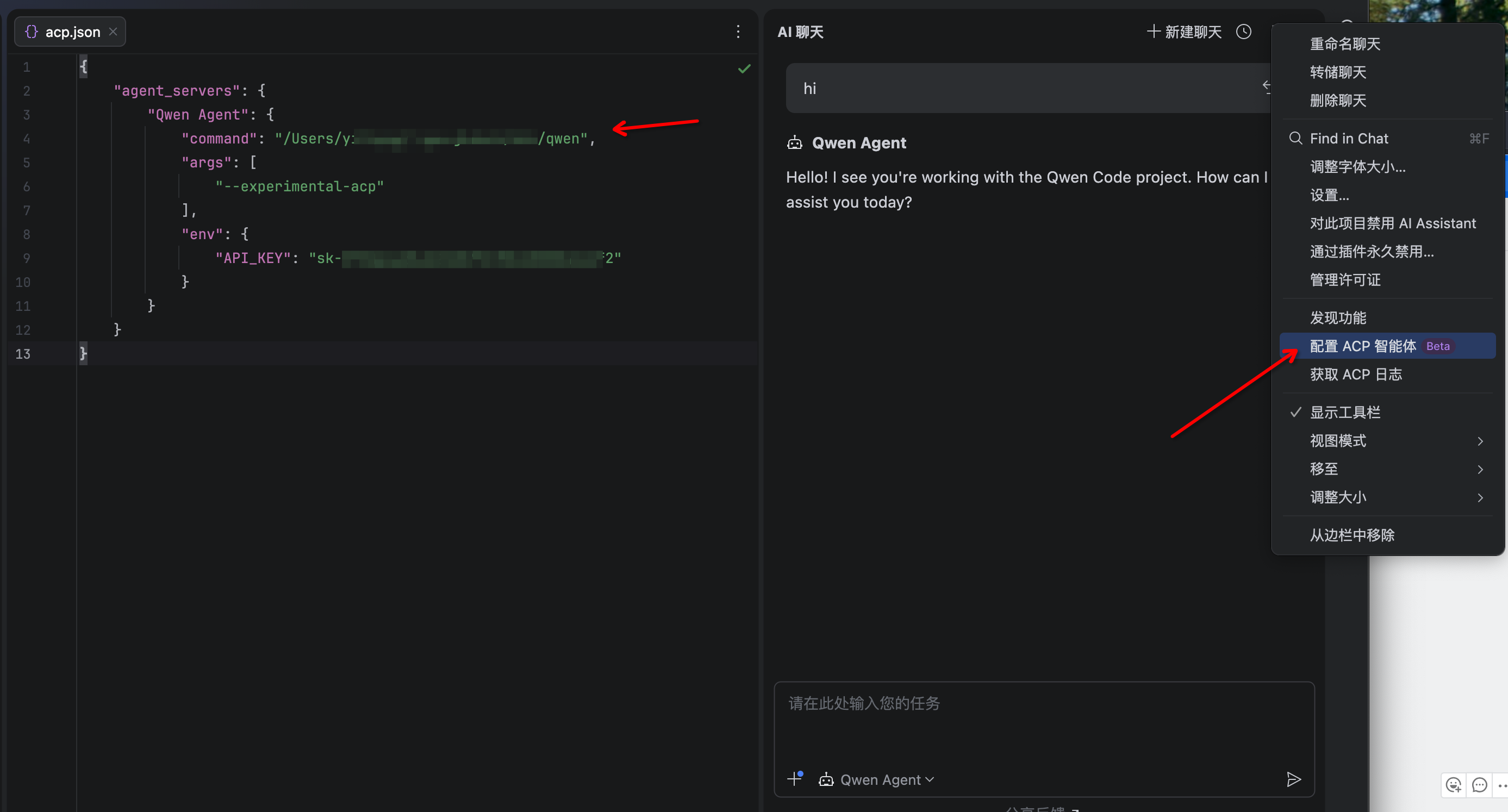
3. Click the 3-dot menu in the upper-right corner and select **Configure ACP Agent** and configure Qwen Code with the following settings:
|
|
|
|
```json
|
|
{
|
|
"agent_servers": {
|
|
"qwen": {
|
|
"command": "/path/to/qwen",
|
|
"args": ["--acp"],
|
|
"env": {}
|
|
}
|
|
}
|
|
}
|
|
```
|
|
|
|
4. The Qwen Code agent should now be available in the AI Assistant panel
|
|
|
|
|
|
|
|
## Troubleshooting
|
|
|
|
### Agent not appearing
|
|
|
|
- Run `qwen --version` in terminal to verify installation
|
|
- Ensure your JetBrains IDE version supports ACP
|
|
- Restart your JetBrains IDE
|
|
|
|
### Qwen Code not responding
|
|
|
|
- Check your internet connection
|
|
- Verify CLI works by running `qwen` in terminal
|
|
- [File an issue on GitHub](https://github.com/qwenlm/qwen-code/issues) if the problem persists
|