| .github | ||
| docs | ||
| images | ||
| instruction_images | ||
| src | ||
| utils | ||
| .eslintrc | ||
| .gitignore | ||
| .gitmodules | ||
| .prettierignore | ||
| .prettierrc | ||
| docker-compose.traefik.yml | ||
| esbuild.config.mjs | ||
| eslint.config.mjs | ||
| example.env | ||
| LICENSE | ||
| manifest-beta.json | ||
| manifest.json | ||
| package-lock.json | ||
| package.json | ||
| pouchdb-browser.js | ||
| README.md | ||
| README_cn.md | ||
| README_es.md | ||
| README_ja.md | ||
| setup-flyio-on-the-fly-v2.ipynb | ||
| styles.css | ||
| terser.config.mjs | ||
| tsconfig.json | ||
| updates.md | ||
| updates_old.md | ||
| versions.json | ||

Self-hosted LiveSync
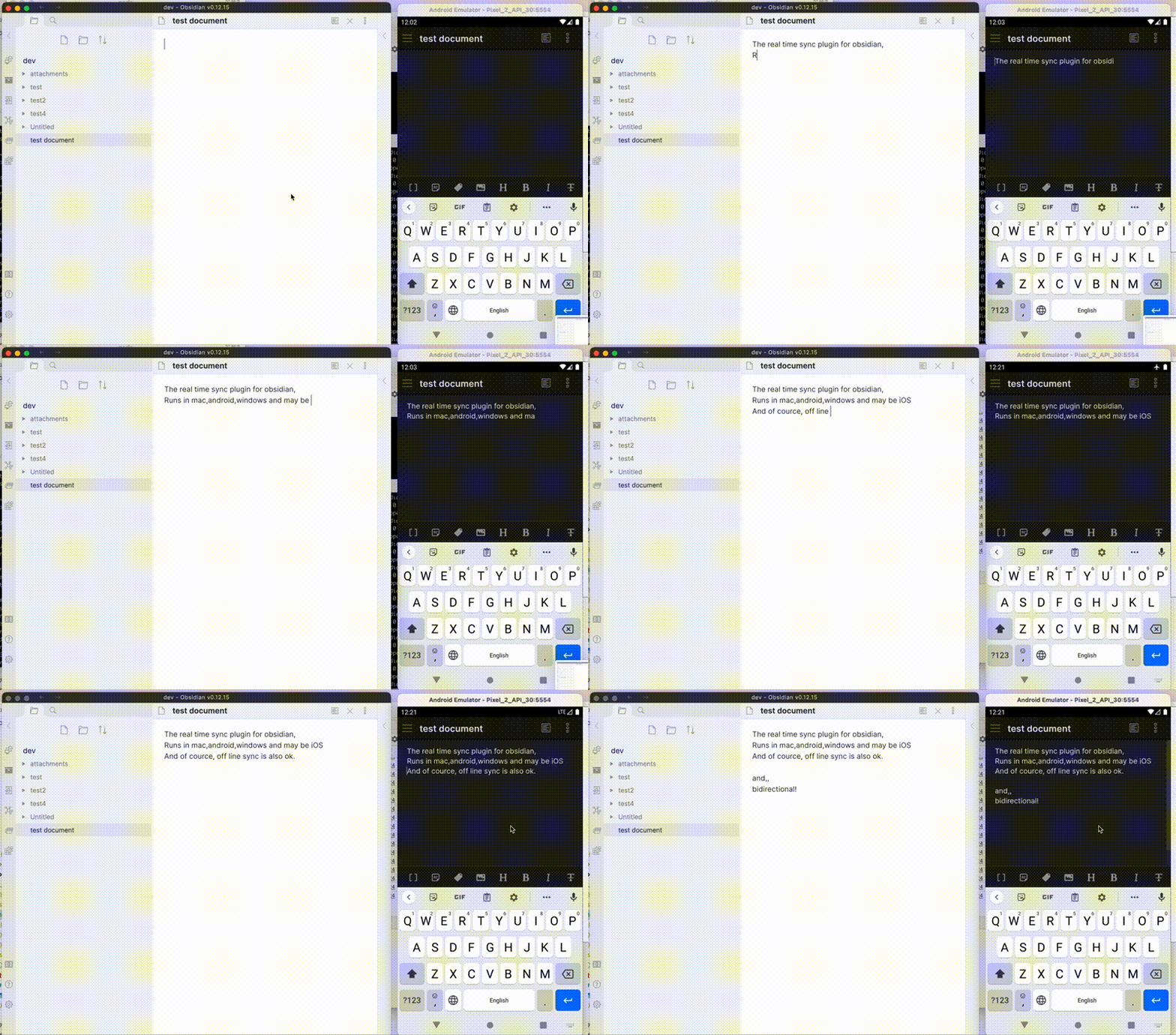
Self-hosted LiveSync is a community-developed synchronisation plug-in available on all Obsidian-compatible platforms. It leverages robust server solutions such as CouchDB or object storage systems (e.g., MinIO, S3, R2, etc.) to ensure reliable data synchronisation.
Additionally, it supports peer-to-peer synchronisation using WebRTC now (experimental), enabling you to synchronise your notes directly between devices without relying on a server.
Important
This plug-in is not compatible with the official "Obsidian Sync" and cannot synchronise with it.
Features
- Synchronise vaults efficiently with minimal traffic.
- Handle conflicting modifications effectively.
- Automatically merge simple conflicts.
- Use open-source solutions for the server.
- Compatible solutions are supported.
- Support end-to-end encryption.
- Synchronise settings, snippets, themes, and plug-ins via Customisation Sync (Beta) or Hidden File Sync.
- Enable WebRTC peer-to-peer synchronisation without requiring a
host(Experimental).- This feature is still in the experimental stage. Please exercise caution when using it.
- WebRTC is a peer-to-peer synchronisation method, so at least one device must be online to synchronise.
- Instead of keeping your device online as a stable peer, you can use two pseudo-peers:
- livesync-serverpeer: A pseudo-client running on the server for receiving and sending data between devices.
- webpeer: A pseudo-client for receiving and sending data between devices.
- A pre-built instance is available at fancy-syncing.vrtmrz.net/webpeer (hosted on the vrtmrz blog site). This is also peer-to-peer. Feel free to use it.
- For more information, refer to the English explanatory article or the Japanese explanatory article.
This plug-in may be particularly useful for researchers, engineers, and developers who need to keep their notes fully self-hosted for security reasons. It is also suitable for anyone seeking the peace of mind that comes with knowing their notes remain entirely private.
Important
- Before installing or upgrading this plug-in, please back up your vault.
- Do not enable this plug-in alongside another synchronisation solution at the same time (including iCloud and Obsidian Sync).
- For backups, we also provide a plug-in called Differential ZIP Backup.
How to use
3-minute setup - CouchDB on fly.io
Recommended for beginners
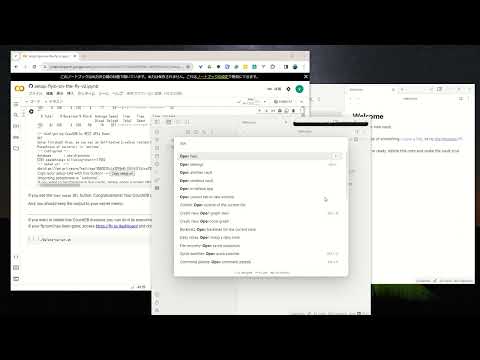
- Setup CouchDB on fly.io
- Configure plug-in in Quick Setup
Manually Setup
- Setup the server
- Configure plug-in in Quick Setup
Tip
Fly.io is no longer free. Fortunately, despite some issues, we can still use IBM Cloudant. Refer to Setup IBM Cloudant. And also, we can use peer-to-peer synchronisation without a server. Or very cheap Object Storage -- Cloudflare R2 can be used for free. HOWEVER, most importantly, we can use the server that we trust. Therefore, please set up your own server. CouchDB can be run on a Raspberry Pi. (But please be careful about the security of your server).
Information in StatusBar
Synchronization status is shown in the status bar with the following icons.
- Activity Indicator
- 📲 Network request
- Status
- ⏹️ Stopped
- 💤 LiveSync enabled. Waiting for changes
- ⚡️ Synchronization in progress
- ⚠ An error occurred
- Statistical indicator
- ↑ Uploaded chunks and metadata
- ↓ Downloaded chunks and metadata
- Progress indicator
- 📥 Unprocessed transferred items
- 📄 Working database operation
- 💾 Working write storage processes
- ⏳ Working read storage processes
- 🛫 Pending read storage processes
- 📬 Batched read storage processes
- ⚙️ Working or pending storage processes of hidden files
- 🧩 Waiting chunks
- 🔌 Working Customisation items (Configuration, snippets, and plug-ins)
To prevent file and database corruption, please wait to stop Obsidian until all progress indicators have disappeared as possible (The plugin will also try to resume, though). Especially in case of if you have deleted or renamed files.
Tips and Troubleshooting
If you are having problems getting the plugin working see: Tips and Troubleshooting.
Acknowledgements
The project has been in continual progress and harmony thanks to:
- Many Contributors.
- Many GitHub Sponsors.
- JetBrains Community Programs / Support for Open-Source Projects.

May those who have contributed be honoured and remembered for their kindness and generosity.
License
Licensed under the MIT License.