 7387cf4536
* Add first draft of inline code completion with mock text

* Adds InsertInlineTextAction for inserting autocomplete suggestion with tab

- Changed to disable suggestions when text is selected
- Adds and removes the insert action based on when it shows the inlay hint

* Request inline code completion

* Move inline completion prompt into txt file

* Add inline completion settings to ConfigurationState

* Fix code style

* Use EditorTrackerListener instead of EditorFactoryListener to enable inline completion

* Code completion requests synchronously without SSE

* Use LlamaClient.getInfill() for inline code completion

* support inlay block element rendering, clean up code

* Use only enclosed Method or Class contents for code completion if possible

* Refactor extracting PsiElement contents in code completion

* bump llm-client

* fix completion call from triggering on EDT, force method params to be nonnull by default

* refactor request building, decrease delay value

* Trigger code completion if cursor is not inside a word

* Improve inlay rendering

* Support cancellable infill requests

* add statusbar widget, disable completions by default

* Show error notification if code completion failed

* Truely disable/enable EditorInlayHandler when completion is turned off/on

* Add CodeCompletionEnabledListener Topic to control enabling/disabling code-completion

* Add progress indicator for code-completion with option to cancel

* Add CodeCompletionServiceTest + refactor inlay ElementRenderers

* several improvements

- replace timer implementation with call debouncing
- use OpenAI /v1/completions API for completions
- code refactoring

* trigger progress indicator only for llama completions

* fix tests

---------

Co-authored-by: James Higgins <james.isaac.higgins@gmail.com>
Co-authored-by: Carl-Robert Linnupuu <carlrobertoh@gmail.com>
7.6 KiB

CodeGPT
A JetBrains extension providing access to state-of-the-art LLMs, such as GPT-4, Code Llama, and others, all for free




Table of Contents
About The Project
This is an extension for JetBrains IDEs that integrates AI into your coding environment. By leveraging the power of Large Language Models (LLMs), this makes it an invaluable tool for developers looking to streamline their workflow and gain a deeper understanding of the code they're working on.
Features
The plugin provides several key features, such as:
Chat with AI
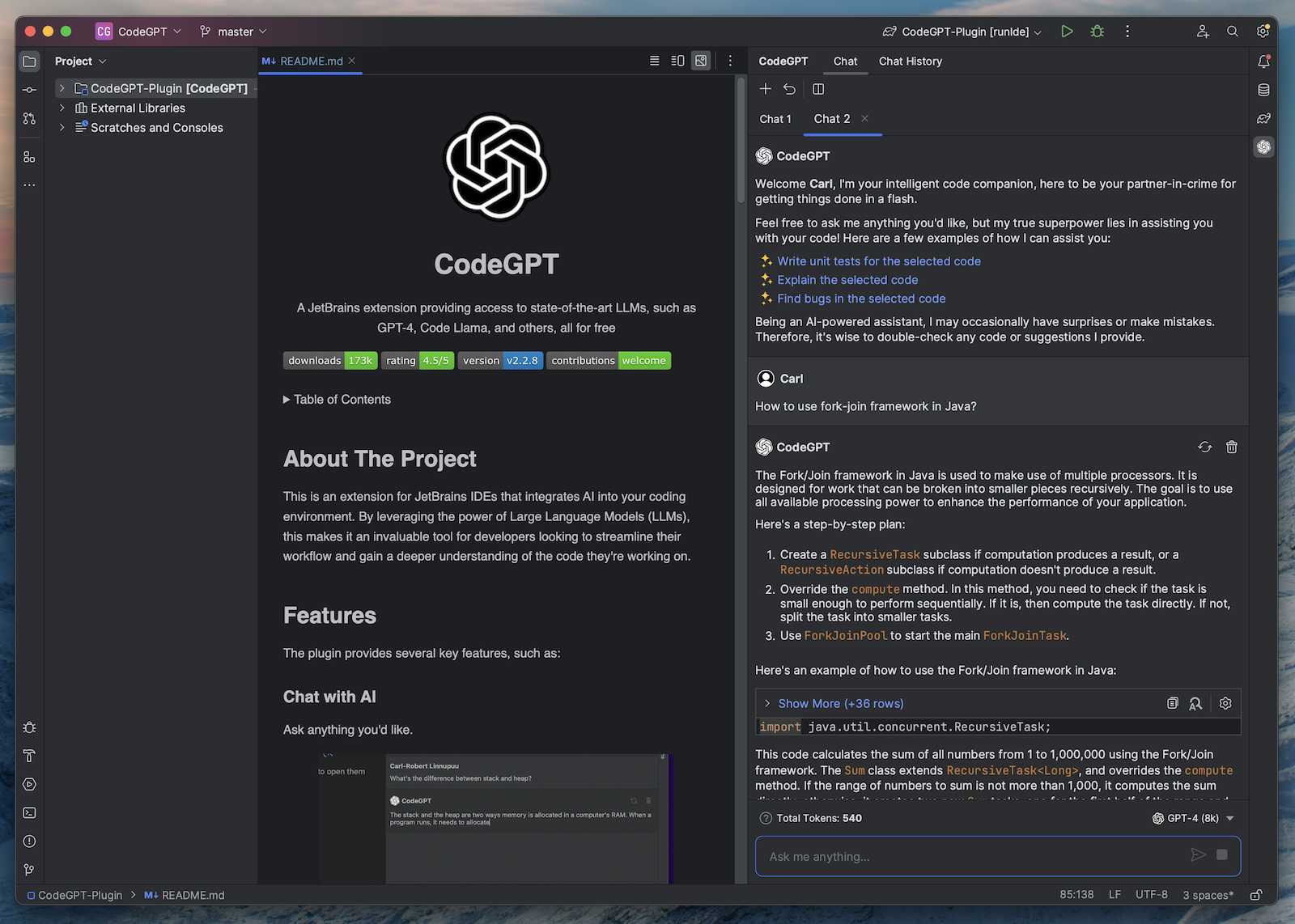
Chat With Multiple Files
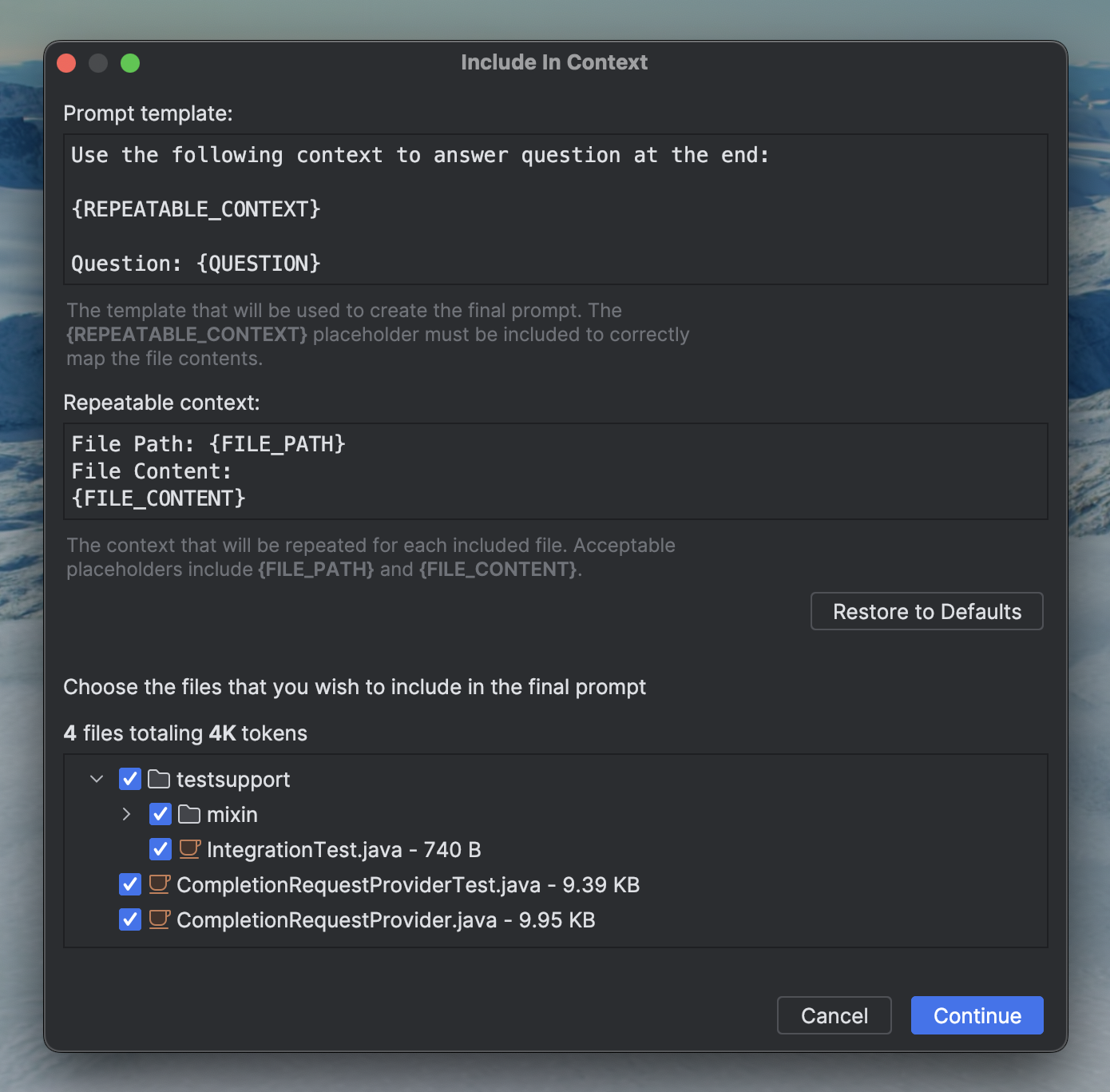
Choose Between Different Providers

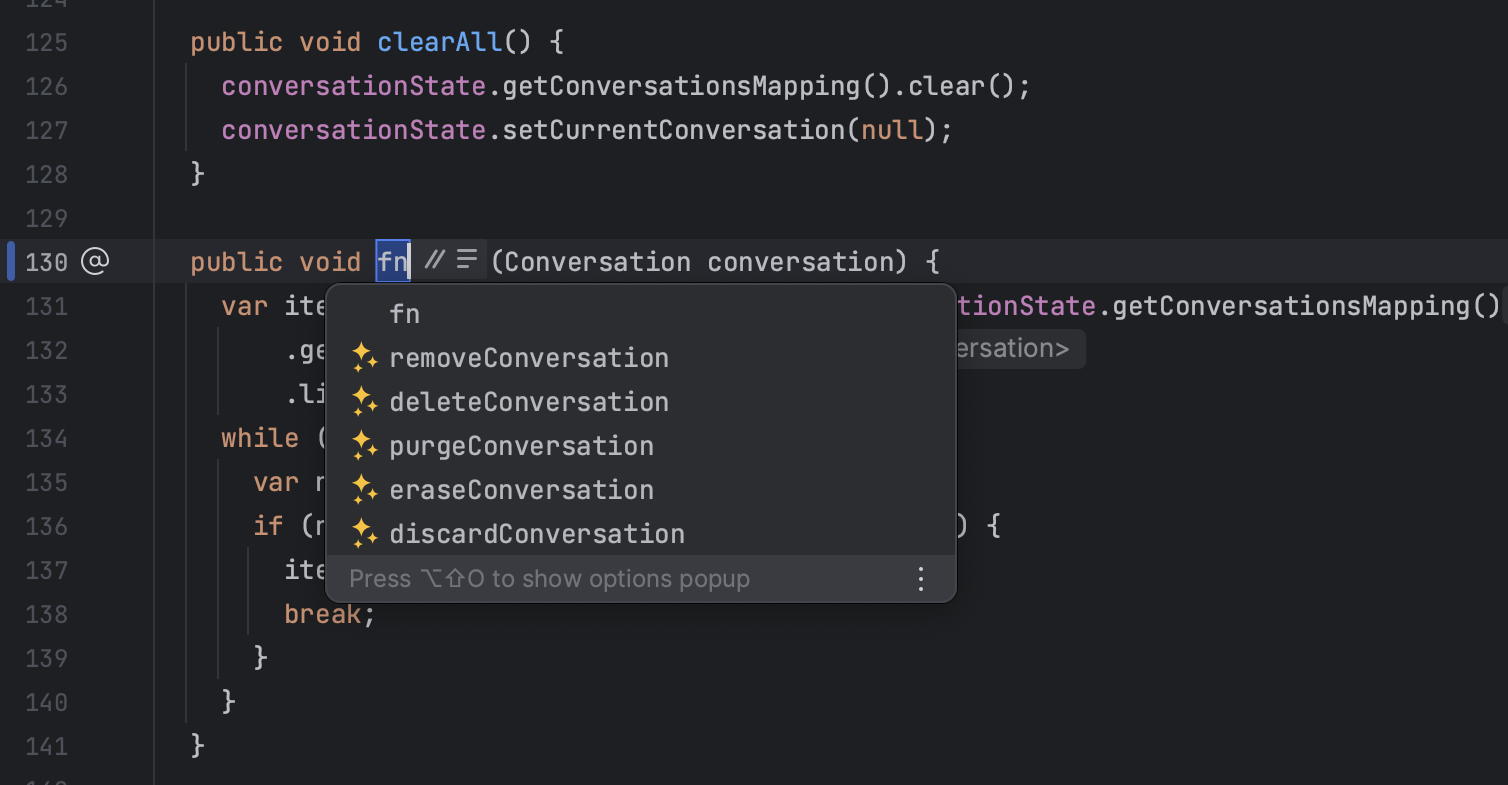
Method Name Suggestions
Generate Commit Messages

Other features
- Conversation History - View recent conversation history and restore previous sessions, making it easy to pick up where you left off
- Concurrent conversations - Chat with AI in multiple tabs simultaneously
- Seamless conversations - Chat with AI regardless of the maximum token limitations
- Predefined Prompts - Create your own editor prompt or override the existing ones
Getting Started
-
Download the Plugin
-
Choose Your Preferred Service:
a) OpenAI - Requires authentication via OpenAI API key.
b) Azure - Requires authentication via Active Directory or API key.
c) You.com - A free, web-connected service with an optional upgrade to You⚡Pro for enhanced features.
d) LLaMA C/C++ Port - Recommended to have a decent computer to handle the computational requirements of running inference.
Note
: Currently supported only on Linux and MacOS.
-
Start Using the Features
Installation
The plugin is available from JetBrains Marketplace.
You can install it directly from your IDE via the File | Settings/Preferences | Plugins screen.
On the Marketplace tab simply search for codegpt and select the CodeGPT suggestion:

OpenAI
After successful installation, configure your API key. Navigate to the plugin's settings via File | Settings/Preferences | Tools | CodeGPT. Paste your OpenAI API key into the field and click Apply/OK.
Azure OpenAI
For Azure OpenAI services, you'll need to input three additional fields:
- Resource name: The name of your Azure OpenAI Cognitive Services. It's the first part of the url you're provided to use the service: "https://my-resource-name.openai.azure.com/". You can find it in your Azure Cognitive Services page, under
Resource Management→Resource Management→Keys and Endpoints. - Deployment ID: The name of your Deployment. You can find it in the Azure AI Studio, under
Management→Deployment→Deployment Namecolumn in the table. - API version: The most recent non-preview version.
In addition to these, you need to input one of the two API Keys provided, found along with the Resource Name.
You.com (Free)
You.com is a search engine that summarizes the best parts of the internet for you, with private ads and with privacy options.
You⚡Pro
Use the CodeGPT coupon for a free month of unlimited GPT-4 usage.
Check out the full feature list for more details.
LLaMA C/C++ Port (Free, Local)
Note
: Currently supported only on Linux and MacOS.
The main goal of llama.cpp is to run the LLaMA model using 4-bit integer quantization on a MacBook.
Getting Started
-
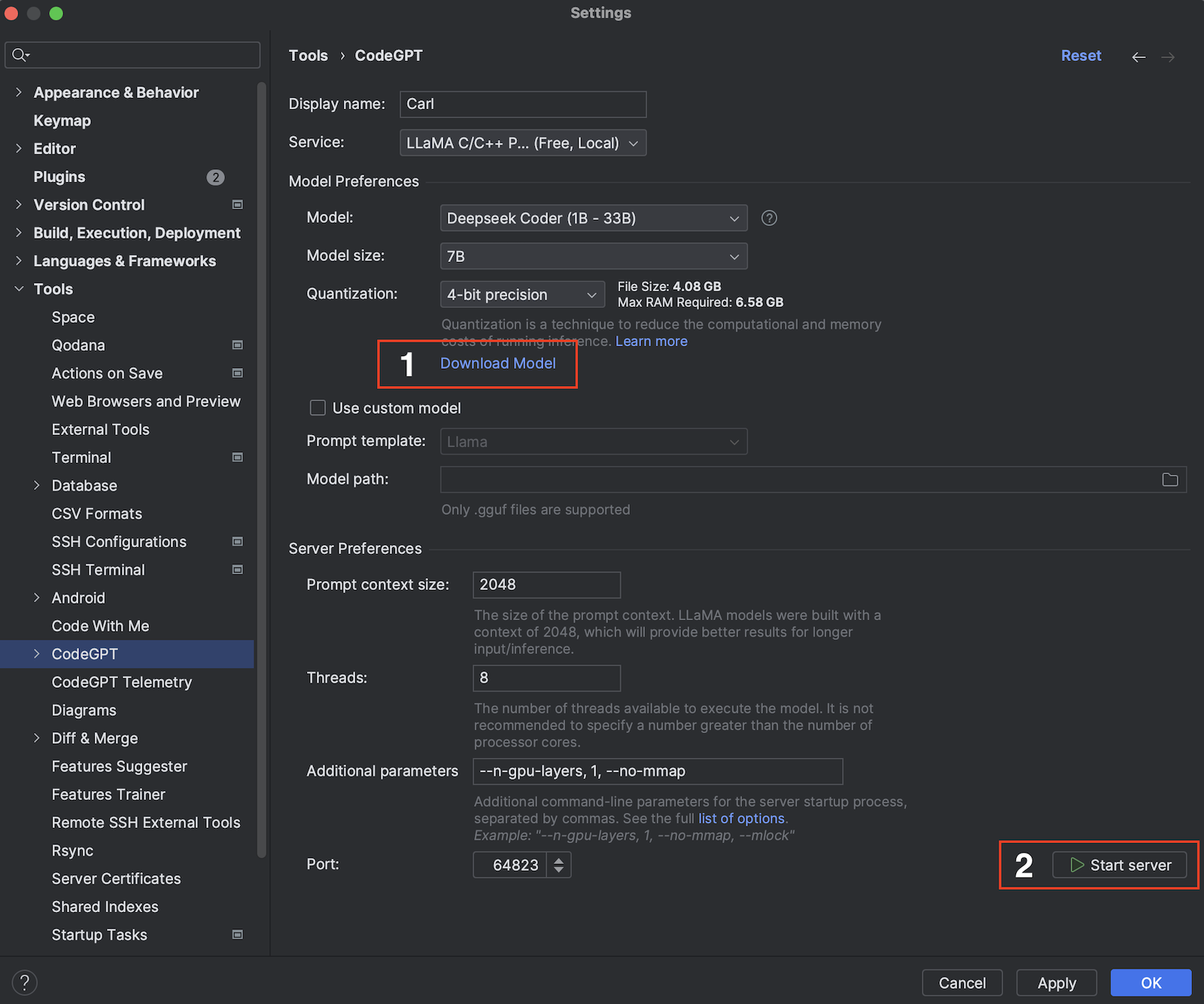
Select the Model: Depending on your hardware capabilities, choose the appropriate model from the provided list. Once selected, click on the
Download Modellink. A progress bar will appear, indicating the download process. -
Start the Server: After successfully downloading the model, initiate the server by clicking on the
Start Serverbutton. A status message will be displayed, indicating that the server is starting up. -
Apply Settings: With the server running, you can now apply the settings to start using the features. Click on the
Apply/OKbutton to save your settings and start using the application.
Note
: If you're already running a server and wish to configure the plugin against that, then simply select the port and click
Apply/OK.
Running locally
Linux or macOS
git clone https://github.com/carlrobertoh/CodeGPT.git
cd CodeGPT
git submodule update
./gradlew runIde
Windows ARM64
./gradlew runIde -Penv=win-arm64
Tailing logs
tail -f build/idea-sandbox/system/log/idea.log
Issues
See the open issues for a full list of proposed features (and known issues).
License
Apache 2.0 © Carl-Robert Linnupuu
If you found this project interesting, kindly rate it on the marketplace and don't forget to give it a star. Thanks again!