 86ac87a314
Keep the tab-close fix optimistic by removing the instance from local state immediately, but make the backend workspace deletion explicitly fire-and-forget instead of exposing a misleading async stop contract. Remove stale awaits from call sites so callers no longer imply that stopInstance waits for backend teardown. If backend deletion fails after the tab is closed, surface the failure through the existing localized toast notification system while still logging the underlying error. Validation: npm run typecheck --workspace @codenomad/ui; npm run build --workspace @codenomad/ui; git diff --check. |
||
|---|---|---|
| .github | ||
| .opencode | ||
| dev-docs | ||
| docs | ||
| images | ||
| packages | ||
| scripts | ||
| temp | ||
| .gitignore | ||
| AGENTS.md | ||
| BUILD.md | ||
| CONTRIBUTING.md | ||
| LICENSE | ||
| package-lock.json | ||
| package.json | ||
| README.md | ||
CodeNomad
The AI Coding Cockpit for OpenCode
CodeNomad transforms OpenCode from a terminal tool into a premium desktop workspace — built for developers who live inside AI coding sessions for hours and need control, speed, and clarity.
OpenCode gives you the engine. CodeNomad gives you the cockpit.
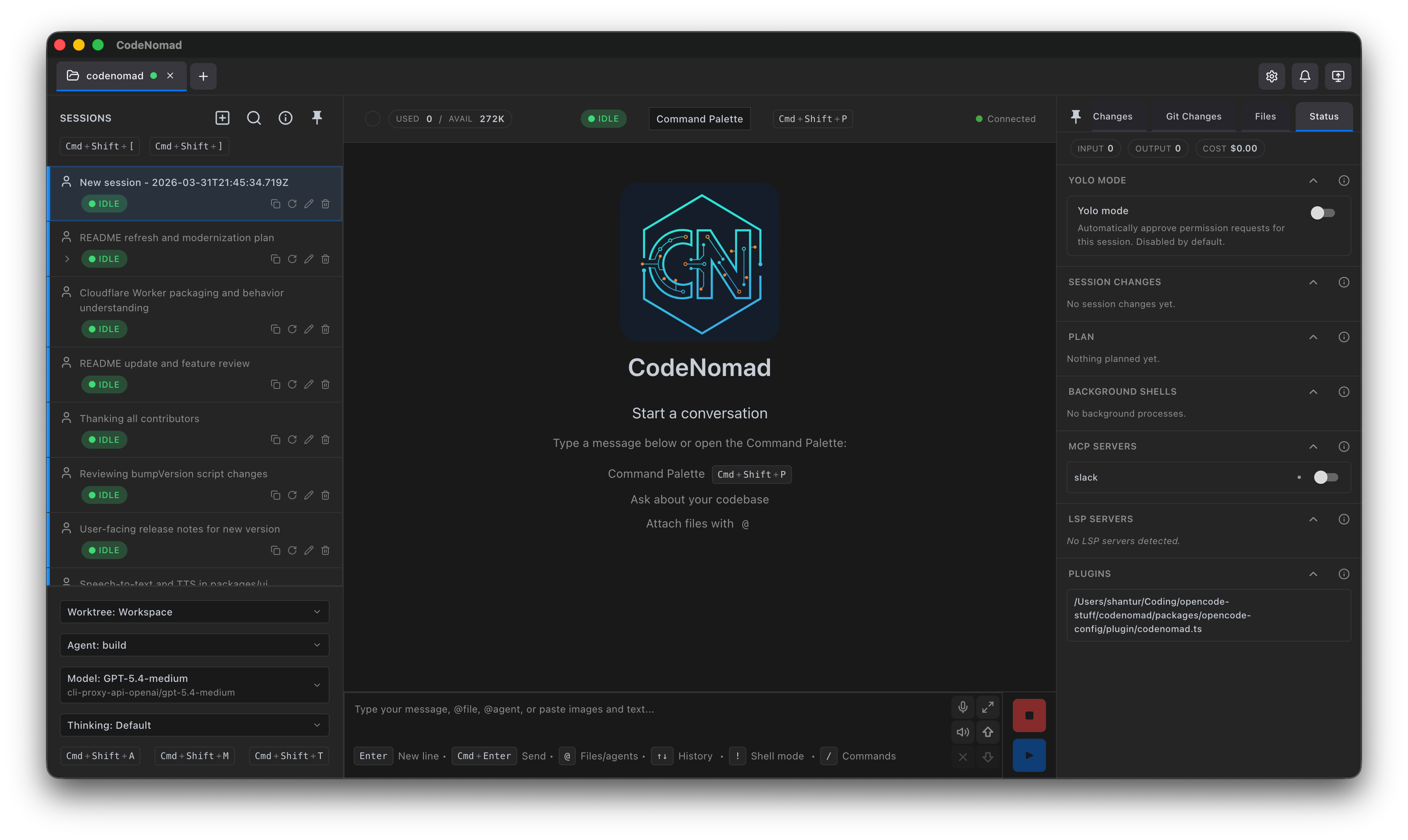
Features
- 🚀 Multi-Instance Workspace
- 🌐 Remote Access
- 🧠 Session Management
- 🎙️ Voice Input & Speech
- 🌳 Git Worktrees
- 💬 Rich Message Experience
- 🧩 SideCars
- ⌨️ Command Palette
- 📁 File System Browser
- 🔐 Authentication & Security
- 🔔 Notifications
- 🎨 Theming
- 🌍 Internationalization
Getting Started
🖥️ Desktop App
Available as both Electron and Tauri builds — choose based on your preference.
Download the latest installer for your platform from Releases.
| Platform | Formats |
|---|---|
| macOS | DMG, ZIP (Universal: Intel + Apple Silicon) |
| Windows | NSIS Installer, ZIP (x64, ARM64) |
| Linux | AppImage, deb, tar.gz (x64, ARM64) |
💻 CodeNomad Server
Run as a local server and access via browser. Perfect for remote development.
npx @neuralnomads/codenomad --password <your-password> --launch
Authentication required: The server requires a password on first run. You can pass it via
--password, theCODENOMAD_SERVER_PASSWORDenvironment variable, or create anauth.jsonfile (see Server Documentation).
Self-signed certificate: On first launch with HTTPS enabled (the default), your browser will show a "Your connection is not private" warning. This is expected — the server generates a local self-signed certificate automatically. Click Advanced → Proceed to localhost to continue. For local-only use without the warning, run with
--https=false --http=true.
See Server Documentation for flags, TLS, auth, and remote access.
🧪 Dev Releases
Bleeding-edge builds from the dev branch:
npx @neuralnomads/codenomad-dev --password <your-password> --launch
SideCars
SideCars let you open local web tools inside CodeNomad as tabs.
Configuration
- Name: Display name used in CodeNomad
- Port: Local HTTP or HTTPS service running on
127.0.0.1:<port> - Base path: Mounted under
/sidecars/:id - Prefix mode:
- Preserve prefix forwards the full
/sidecars/:id/...path upstream - Strip prefix removes
/sidecars/:idbefore forwarding the request upstream
- Preserve prefix forwards the full
VSCode (OpenVSCode Server)
Run with Docker:
docker run -it --init -p 8000:3000 -v "${HOME}:${HOME}:cached" -e HOME=${HOME} gitpod/openvscode-server --server-base-path /sidecars/vscode
Add SideCar as:
- Name:
VSCode - Port:
http://127.0.0.1:8000 - Base path:
/sidecars/vscode - Prefix mode:
Preserve prefix
Terminal (ttyd)
Run with:
ttyd --writable zsh
Add SideCar as:
- Name:
Terminal - Port:
http://127.0.0.1:7681 - Base path:
/sidecars/terminal - Prefix mode:
Strip prefix
Requirements
- OpenCode CLI — must be installed and in your
PATH - Node.js 18+ — for server mode or building from source
Development
CodeNomad is a monorepo built with:
| Package | Description |
|---|---|
| packages/server | Core logic & CLI — workspaces, OpenCode proxy, API, auth, speech |
| packages/ui | SolidJS frontend — reactive, fast, beautiful |
| packages/electron-app | Desktop shell — process management, IPC, native dialogs |
| packages/tauri-app | Tauri desktop shell (experimental) |
Quick Start
git clone https://github.com/NeuralNomadsAI/CodeNomad.git
cd CodeNomad
npm install
npm run dev
Troubleshooting
macOS: "CodeNomad.app is damaged and can't be opened"
Gatekeeper flag due to missing notarization. Clear the quarantine attribute:
xattr -dr com.apple.quarantine /Applications/CodeNomad.app
On Intel Macs, also check System Settings → Privacy & Security on first launch.
Linux (Wayland + NVIDIA): Tauri App closes immediately
WebKitGTK DMA-BUF/GBM issue. Run with:
WEBKIT_DISABLE_DMABUF_RENDERER=1 codenomad
See full workaround in the original README.
Community
Built with ♥ by Neural Nomads · MIT License