mirror of
https://github.com/L0w1y/JBKF.git
synced 2026-04-28 03:39:51 +00:00

56 lines
No EOL
2.4 KiB
Markdown
56 lines
No EOL
2.4 KiB
Markdown
<p align="center">English | <a href="https://github.com/L0wl/JBKF">Русский</a></p>
|
|
|
|
# JetBrains Key Factory
|
|
|
|
A simple and lightweight browser extension that allows you to generate JetBrains product codes (including plugins), with supports up to **10 languages**
|
|
|
|
# Features
|
|
|
|
- [x] Dedicated netfilter bindings builder (via script)
|
|
- [x] Netfilter for local license emulation
|
|
- [x] Support up to `2024.x`, `2025.x`, `2026.x` versions
|
|
|
|
# Installation
|
|
|
|
- [x] Download ['agent'](https://github.com/L0wl/archive/refs/heads/agent.zip) branch
|
|
- [x] Copy `jetbra` to root of the disk
|
|
- [x] Open `jetbra/scripts` folder, and install script what fits to your system
|
|
|
|
| File name | Description | Platform |
|
|
| --------- | ----------- | -------- |
|
|
| `install-all-users.vbs` | Install javaagent for all users | Windows |
|
|
| `install-current-user.vbs` | Install javaagent for current user | Windows |
|
|
| `uninstall-all-users.vbs` | Uninstall javaagent for all users | Windows |
|
|
| `uninstall-current-user.vbs` | Uninstall javaagent for current user | Windows |
|
|
| `install.sh`|Install javaagent service for user from execution environment|Linux/Mac|
|
|
| `uninstall.sh`| Uninstall javaagent service for user from execution environment|Linux/Mac|
|
|
|
|
> [!NOTE]
|
|
> At this stage, you will already have the IDE activation keys working.
|
|
|
|
### Plugins activation module
|
|
|
|
- [x] Download and install [tampermonkey](https://www.tampermonkey.net/)
|
|
- [x] [Install script](https://raw.githubusercontent.com/L0wl/JBKF/resources/script/jetbra.user.js)
|
|
|
|
> [!IMPORTANT]
|
|
> Tampermonkey must be installed
|
|
|
|
# Activation
|
|
|
|
### IDEs
|
|
|
|
To Activate IDE's visit [Jetbra](https://3.jetbra.in/) checker
|
|
|
|
### Plugins
|
|
|
|
For the first step - we go to [Jetbrains Marketplace](https://plugins.jetbrains.com/)
|
|
|
|
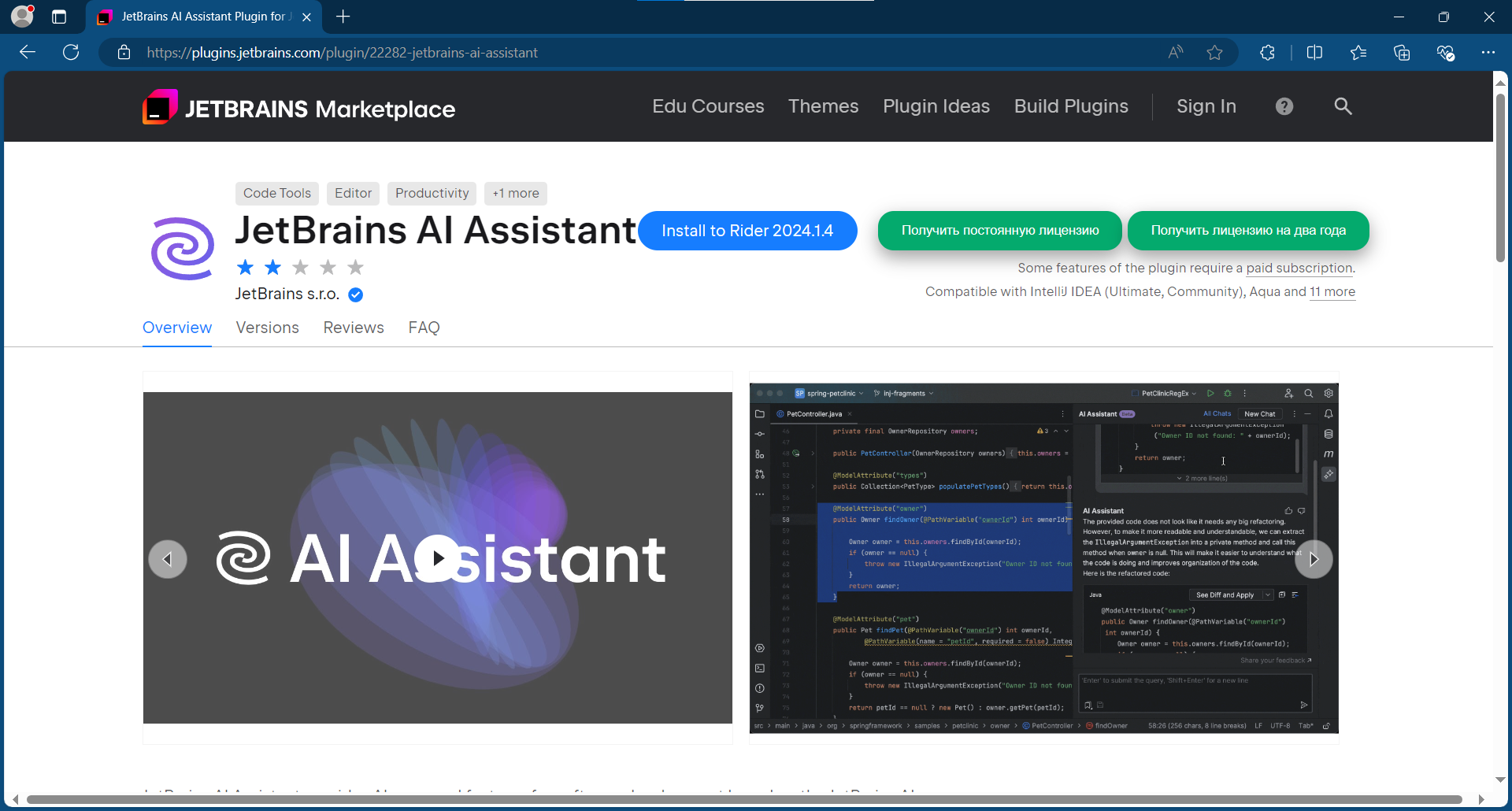
Navigate to the desired plugin, and if it is paid, two buttons will appear containing the license expiration dates.
|
|
|
|
|
|
|
|
If you press the button - script will thrown the allert, with state of current task. If the task successfuly completed - you will got a message, what sounds like that: "**Copied to clipboard**... etc", and the code, what has been copied! After this step - you can open your favorite JetBrains IDE, and activate your plugin!
|
|
|
|
> [!NOTE]
|
|
> if the plugin is not paid, or not available - you will got a message |