
Hide an active Android VPN connection from selected apps.




 |
|  |
|  |
| Apps — Russian filter | Apps — help | Diagnostics |
|:-:|:-:|:-:|
|
|
| Apps — Russian filter | Apps — help | Diagnostics |
|:-:|:-:|:-:|
|  |
|  |
|  |
## Verify
The app has a built-in diagnostics system that catches most setup problems automatically.
**Dashboard** (runs on every app launch):
- Module status for all three layers (installed, active, version, target count)
- LSPosed configuration validation — reads the LSPosed database to verify that VPN Hide is enabled, System Framework is in scope, and no extra apps are scoped (a common misconfiguration)
- Version mismatch detection — compares installed module versions with the running app version and tells you exactly what to update
- Native module recommendation — detects your kernel and maps it to the right kmod artifact, or recommends zygisk if unsupported
- Live protection check (when VPN is active) — runs 16 native checks and 5 Java API checks to verify that VPN is actually hidden
Any issues found are shown as actionable cards with specific instructions.
**Diagnostics** tab — detailed per-check breakdown with individual PASS/FAIL results for all 26 detection vectors. Useful for troubleshooting when the Dashboard shows partial protection.
## Components
| Directory | What | How |
|---|---|---|
| **[kmod/](kmod/)** | Kernel module (C) | `kretprobe` hooks in kernel space. Zero footprint in the target app's process. ([details](kmod/README.md)) |
| **[lsposed/](lsposed/)** | LSPosed module + app (Kotlin + Rust) | Hooks `writeToParcel` in `system_server` for per-UID Binder filtering. The APK provides a dashboard (module status, version checks, LSPosed config validation, install recommendations), per-app layer toggles, and diagnostics. ([details](lsposed/README.md)) |
| **[zygisk/](zygisk/)** | Zygisk module (Rust) | Inline-hooks `libc.so` in the target app's process. Alternative to kmod. ([details](zygisk/README.md)) |
## Detection coverage
| # | Detection vector | SELinux | kmod | zygisk | lsposed |
|---|---|---|---|---|---|
| 1 | `ioctl(SIOCGIFFLAGS)` on tun0 | | x | x | |
| 2 | `ioctl(SIOCGIFNAME)` resolve index to name | | x | x | |
| 3 | `ioctl(SIOCGIFMTU)` MTU fingerprinting | | x | x | |
| 4 | `ioctl(SIOCGIFCONF)` interface enumeration | | x | x | |
| 5 | All other `SIOCGIF*` (INDEX, HWADDR, ADDR, etc.) | | x | x | |
| 6 | `getifaddrs()` (uses netlink internally) | | x | x | |
| 7 | netlink `RTM_GETLINK` dump | blocked | x | x | |
| 8 | netlink `RTM_GETADDR` dump (IPv4 + IPv6) | blocked | x | | |
| 9 | netlink `RTM_GETROUTE` dump | blocked | | | |
| 10 | `/proc/net/route` | blocked | x | x | |
| 11 | `/proc/net/ipv6_route` | blocked | | x | |
| 12 | `/proc/net/if_inet6` | blocked | | x | |
| 13 | `/proc/net/tcp`, `tcp6` | blocked | | | |
| 14 | `/proc/net/udp`, `udp6` | blocked | | | |
| 15 | `/proc/net/dev` | blocked | | | |
| 16 | `/proc/net/fib_trie` | blocked | | | |
| 17 | `/sys/class/net/tun0/` | blocked | | | |
| 18 | `NetworkCapabilities` (hasTransport, NOT_VPN, transportInfo) | | | | x |
| 19 | `NetworkInfo` (getType, getTypeName) | | | | x |
| 20 | `ConnectivityManager.getActiveNetwork()` | | | | x |
| 21 | `ConnectivityManager.getAllNetworks()` + VPN scan | | | | x |
| 22 | `LinkProperties` (interfaceName) | | | | x |
| 23 | `LinkProperties` (routes via VPN interfaces) | | | | x |
| 24 | `NetworkInterface.getNetworkInterfaces()` | | x | x | |
| 25 | `System.getProperty` (proxy settings) | | | x | |
| 26 | `/proc/net/route` via Java `FileInputStream` | blocked | x | x | |
**blocked** = SELinux denies access for untrusted apps (Android 10+). No hook needed.
Rows 1-6, 21, and 24 are the only vectors reachable by regular apps. Everything else is either blocked by SELinux or goes through Java APIs (covered by lsposed).
## Building from source
- **kmod**: `cd kmod && make && ./build-zip.sh` — see [kmod/BUILDING.md](kmod/BUILDING.md)
- **zygisk**: `cd zygisk && ./build-zip.sh` (Rust + NDK + cargo-ndk)
- **lsposed**: `cd lsposed && ./gradlew assembleDebug` (JDK 17 + Rust + NDK + cargo-ndk)
## Verified against
- [RKNHardering](https://github.com/xtclovver/RKNHardering/) — all detection vectors clean
- [YourVPNDead](https://github.com/loop-uh/yourvpndead) — all detection vectors clean
Both implement the official Russian Ministry of Digital Development VPN/proxy detection methodology ([source](https://t.me/ruitunion/893)).
## Split tunneling
Works correctly with split-tunnel VPN configurations. Only the apps in the target list are affected.
Detection apps that compare device-reported public IP against external checkers require split tunneling — the detection app's traffic must exit through the carrier, not the tunnel.
## Threat model
vpnhide hides an active VPN from specific apps. It is NOT designed for:
- Hiding root or custom ROM presence
- Bypassing Play Integrity
- Fooling server-side detection (DNS leakage, IP blocklists, latency/TLS fingerprinting)
## Known limitations
- `kmod` requires a GKI kernel with `CONFIG_KPROBES=y` (standard on Android 12+ devices)
- `lsposed` requires LSPosed, LSPosed-Next, or Vector
- `zygisk` is arm64 only
- Direct `svc #0` syscalls bypass zygisk's libc hooks — that's what kmod is for
- Server-side detection is unfixable client-side — use split tunneling
## License
MIT. See [LICENSE](LICENSE).
The kernel module declares `MODULE_LICENSE("GPL")` as required by the Linux kernel to resolve `EXPORT_SYMBOL_GPL` symbols at runtime.
## Star History
[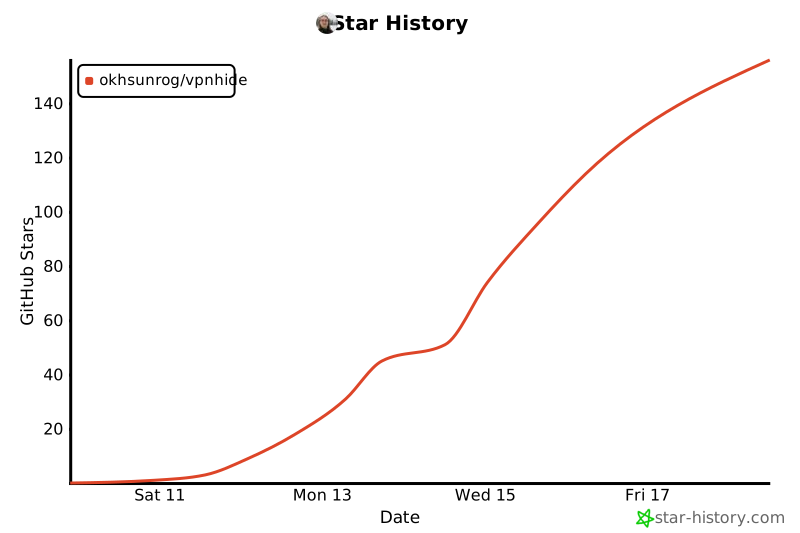](https://star-history.com/#okhsunrog/vpnhide&Date)
|
## Verify
The app has a built-in diagnostics system that catches most setup problems automatically.
**Dashboard** (runs on every app launch):
- Module status for all three layers (installed, active, version, target count)
- LSPosed configuration validation — reads the LSPosed database to verify that VPN Hide is enabled, System Framework is in scope, and no extra apps are scoped (a common misconfiguration)
- Version mismatch detection — compares installed module versions with the running app version and tells you exactly what to update
- Native module recommendation — detects your kernel and maps it to the right kmod artifact, or recommends zygisk if unsupported
- Live protection check (when VPN is active) — runs 16 native checks and 5 Java API checks to verify that VPN is actually hidden
Any issues found are shown as actionable cards with specific instructions.
**Diagnostics** tab — detailed per-check breakdown with individual PASS/FAIL results for all 26 detection vectors. Useful for troubleshooting when the Dashboard shows partial protection.
## Components
| Directory | What | How |
|---|---|---|
| **[kmod/](kmod/)** | Kernel module (C) | `kretprobe` hooks in kernel space. Zero footprint in the target app's process. ([details](kmod/README.md)) |
| **[lsposed/](lsposed/)** | LSPosed module + app (Kotlin + Rust) | Hooks `writeToParcel` in `system_server` for per-UID Binder filtering. The APK provides a dashboard (module status, version checks, LSPosed config validation, install recommendations), per-app layer toggles, and diagnostics. ([details](lsposed/README.md)) |
| **[zygisk/](zygisk/)** | Zygisk module (Rust) | Inline-hooks `libc.so` in the target app's process. Alternative to kmod. ([details](zygisk/README.md)) |
## Detection coverage
| # | Detection vector | SELinux | kmod | zygisk | lsposed |
|---|---|---|---|---|---|
| 1 | `ioctl(SIOCGIFFLAGS)` on tun0 | | x | x | |
| 2 | `ioctl(SIOCGIFNAME)` resolve index to name | | x | x | |
| 3 | `ioctl(SIOCGIFMTU)` MTU fingerprinting | | x | x | |
| 4 | `ioctl(SIOCGIFCONF)` interface enumeration | | x | x | |
| 5 | All other `SIOCGIF*` (INDEX, HWADDR, ADDR, etc.) | | x | x | |
| 6 | `getifaddrs()` (uses netlink internally) | | x | x | |
| 7 | netlink `RTM_GETLINK` dump | blocked | x | x | |
| 8 | netlink `RTM_GETADDR` dump (IPv4 + IPv6) | blocked | x | | |
| 9 | netlink `RTM_GETROUTE` dump | blocked | | | |
| 10 | `/proc/net/route` | blocked | x | x | |
| 11 | `/proc/net/ipv6_route` | blocked | | x | |
| 12 | `/proc/net/if_inet6` | blocked | | x | |
| 13 | `/proc/net/tcp`, `tcp6` | blocked | | | |
| 14 | `/proc/net/udp`, `udp6` | blocked | | | |
| 15 | `/proc/net/dev` | blocked | | | |
| 16 | `/proc/net/fib_trie` | blocked | | | |
| 17 | `/sys/class/net/tun0/` | blocked | | | |
| 18 | `NetworkCapabilities` (hasTransport, NOT_VPN, transportInfo) | | | | x |
| 19 | `NetworkInfo` (getType, getTypeName) | | | | x |
| 20 | `ConnectivityManager.getActiveNetwork()` | | | | x |
| 21 | `ConnectivityManager.getAllNetworks()` + VPN scan | | | | x |
| 22 | `LinkProperties` (interfaceName) | | | | x |
| 23 | `LinkProperties` (routes via VPN interfaces) | | | | x |
| 24 | `NetworkInterface.getNetworkInterfaces()` | | x | x | |
| 25 | `System.getProperty` (proxy settings) | | | x | |
| 26 | `/proc/net/route` via Java `FileInputStream` | blocked | x | x | |
**blocked** = SELinux denies access for untrusted apps (Android 10+). No hook needed.
Rows 1-6, 21, and 24 are the only vectors reachable by regular apps. Everything else is either blocked by SELinux or goes through Java APIs (covered by lsposed).
## Building from source
- **kmod**: `cd kmod && make && ./build-zip.sh` — see [kmod/BUILDING.md](kmod/BUILDING.md)
- **zygisk**: `cd zygisk && ./build-zip.sh` (Rust + NDK + cargo-ndk)
- **lsposed**: `cd lsposed && ./gradlew assembleDebug` (JDK 17 + Rust + NDK + cargo-ndk)
## Verified against
- [RKNHardering](https://github.com/xtclovver/RKNHardering/) — all detection vectors clean
- [YourVPNDead](https://github.com/loop-uh/yourvpndead) — all detection vectors clean
Both implement the official Russian Ministry of Digital Development VPN/proxy detection methodology ([source](https://t.me/ruitunion/893)).
## Split tunneling
Works correctly with split-tunnel VPN configurations. Only the apps in the target list are affected.
Detection apps that compare device-reported public IP against external checkers require split tunneling — the detection app's traffic must exit through the carrier, not the tunnel.
## Threat model
vpnhide hides an active VPN from specific apps. It is NOT designed for:
- Hiding root or custom ROM presence
- Bypassing Play Integrity
- Fooling server-side detection (DNS leakage, IP blocklists, latency/TLS fingerprinting)
## Known limitations
- `kmod` requires a GKI kernel with `CONFIG_KPROBES=y` (standard on Android 12+ devices)
- `lsposed` requires LSPosed, LSPosed-Next, or Vector
- `zygisk` is arm64 only
- Direct `svc #0` syscalls bypass zygisk's libc hooks — that's what kmod is for
- Server-side detection is unfixable client-side — use split tunneling
## License
MIT. See [LICENSE](LICENSE).
The kernel module declares `MODULE_LICENSE("GPL")` as required by the Linux kernel to resolve `EXPORT_SYMBOL_GPL` symbols at runtime.
## Star History
[](https://star-history.com/#okhsunrog/vpnhide&Date)