| .allstar | ||
| .aoneci/workflows | ||
| .gcp | ||
| .github | ||
| .husky | ||
| .vscode | ||
| docs | ||
| docs-site | ||
| eslint-rules | ||
| hello | ||
| integration-tests | ||
| packages | ||
| scripts | ||
| .editorconfig | ||
| .gitattributes | ||
| .gitignore | ||
| .npmrc | ||
| .nvmrc | ||
| .prettierignore | ||
| .prettierrc.json | ||
| .yamllint.yml | ||
| CHANGELOG.md | ||
| CONTRIBUTING.md | ||
| Dockerfile | ||
| esbuild.config.js | ||
| eslint.config.js | ||
| LICENSE | ||
| Makefile | ||
| package-lock.json | ||
| package.json | ||
| README.md | ||
| SECURITY.md | ||
| tsconfig.json | ||
| vitest.config.ts | ||

Qwen Code





AI-powered command-line workflow tool for developers
中文 | Deutsch | français | 日本語 | Русский
Installation • Quick Start • Features • Documentation • Contributing
Qwen Code is a powerful command-line AI workflow tool adapted from Gemini CLI, specifically optimized for Qwen3-Coder models. It enhances your development workflow with advanced code understanding, automated tasks, and intelligent assistance.
📌 Why Qwen Code?
- 🎯 Free Access Available: Get started with 2,000 free requests per day via Qwen OAuth.
- 🧠 Code Understanding & Editing - Query and edit large codebases beyond traditional context window limits
- 🤖 Workflow Automation - Automate operational tasks like handling pull requests and complex rebases
- 💻 Terminal-first: Designed for developers who live in the command line.
- 🧰 VS Code: Install the VS Code extension to seamlessly integrate into your existing workflow.
- 📦 Simple Setup: Easy installation with npm, Homebrew, or source for quick deployment.
👉 Know more workflows
📦 The extension is currently in development. For installation, features, and development guide, see the VS Code Extension README.
❓ How to use Qwen Code?
Prerequisites
Ensure you have Node.js version 20 or higher installed.
curl -qL https://www.npmjs.com/install.sh | sh
Install from npm
npm install -g @qwen-code/qwen-code@latest
🚀 Quick Start
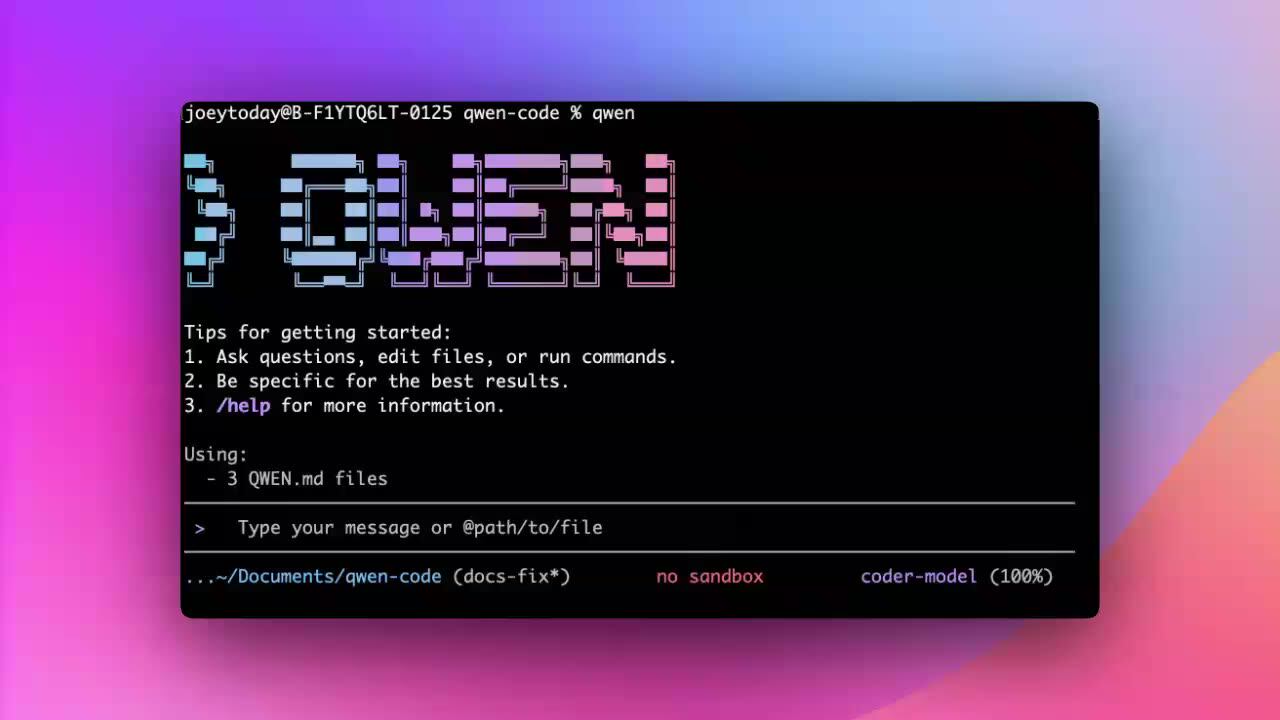
# Start Qwen Code
qwen

# Example commands
> What does this project do?
> Explain this codebase structure
> Help me refactor this function
> Generate unit tests for this module
Usage Examples
1️⃣ Interactive Mode
cd your-project/
qwen
Navigate to your project folder and type qwen to launch Qwen Code. Start a conversation and use @ to reference files within the folder.
If you want to learn more about common workflows, click Common Workflows to view.
2️⃣ Headless Mode
cd your-project/
qwen -p "your question"
Headless mode allows you to run Qwen Code programmatically from command line scripts and automation tools without any interactive UI. This is ideal for scripting, automation, CI/CD pipelines, and building AI-powered tools.
3️⃣ Use in IDE
If you prefer to integrate Qwen Code into your current editor, we now support VS Code and Zed. For details, please refer to:
4️⃣ SDK
Qwen Code now supports an SDK designed to simplify integration with the Qwen Code platform. It provides a set of easy-to-use APIs and tools enabling developers to efficiently build, test, and deploy applications. For details, please refer to:
Commands & Shortcuts
Session Commands
/help- Display available commands/clear- Clear conversation history/compress- Compress history to save tokens/stats- Show current session information/exitor/quit- Exit Qwen Code
Keyboard Shortcuts
Ctrl+C- Cancel current operationCtrl+D- Exit (on empty line)Up/Down- Navigate command history
👉 Know more about Commands
💡 Tip: In YOLO mode (
--yolo), vision switching happens automatically without prompts when images are detected. Know more about Approval Mode
Benchmark Results
Terminal-Bench Performance
| Agent | Model | Accuracy |
|---|---|---|
| Qwen Code | Qwen3-Coder-480A35 | 37.5% |
| Qwen Code | Qwen3-Coder-30BA3B | 31.3% |
Development & Contributing
See CONTRIBUTING.md to learn how to contribute to the project.
For detailed authentication setup, see the authentication guide.
Troubleshooting
If you encounter issues, check the troubleshooting guide.
Acknowledgments
This project is based on Google Gemini CLI. We acknowledge and appreciate the excellent work of the Gemini CLI team. Our main contribution focuses on parser-level adaptations to better support Qwen-Coder models.