 a8a6ad2d06
* feat(core)!: redesign auto-compaction thresholds with three-tier ladder
Replaces the single 70% proportional threshold with a three-tier ladder
(warn/auto/hard) that combines proportional fallback with absolute
reservation. Large-window models (>=128K) now reserve ~33K instead of
30% of the window, freeing tens of thousands of context tokens that the
old formula wasted.
Other improvements bundled in the same redesign:
- Compression sideQuery now disables thinking and caps maxOutputTokens
at 20K, matching claude-code so the buffer math is predictable across
providers (Anthropic/OpenAI/Gemini handle thinking budgets
inconsistently)
- Failure handling upgraded from one-shot permanent lock to a 3-strike
circuit breaker; reactive overflow still latches immediately
- New estimatePromptTokens helper closes the lag-by-one-turn and
first-send-is-0 gaps in lastPromptTokenCount
- Hard-tier rescue pulls reactive overflow recovery forward to before
the API call, saving an oversized round-trip
- /context command displays the three-tier ladder + current tier
- tipRegistry's context-* tips track the new thresholds instead of
fixed 50/80/95 percentages
BREAKING CHANGE: chatCompression.contextPercentageThreshold setting is
removed. Settings files containing the field log a one-line deprecation
warning at startup and the value is ignored; behaviour is now controlled
by built-in thresholds via the new computeThresholds() function.
Design: docs/design/auto-compaction-threshold-redesign.md
Plan: docs/plans/2026-05-14-auto-compaction-threshold-redesign.md
* test(core): fix leftover hasFailedCompressionAttempt option in compress test
A pre-existing test case at chatCompressionService.test.ts:678 still
passed `hasFailedCompressionAttempt: false` in the CompressOptions
shape; rebasing onto current main surfaced this as a typecheck error
because the field was renamed to `consecutiveFailures` (Task 7 of the
three-tier ladder migration). Update to `consecutiveFailures: 0` —
semantically equivalent, the test asserts the side-query is called
when `force: true`, no other behaviour change.
* fix(core): drop compaction summary when output hits maxOutputTokens cap
Adds a defensive guard in ChatCompressionService.compress() that detects
when the side-query summary hit COMPACT_MAX_OUTPUT_TOKENS (20K). In that
case the summary is likely truncated mid-content, so we drop it and
return NOOP rather than persist a half-summary. The next send re-tries;
reactive overflow still catches the catastrophic case where the API
rejects the next request as too large.
Documented in the design doc as risk #2; the bot reviewer on PR #4168
correctly pushed for it to land alongside the threshold redesign rather
than as a follow-up since the new 20K cap is what makes truncation
likely in the first place.
* fix(cli): render three-tier thresholds in /context TUI view
The Task 11 redesign updated the non-interactive text formatter
(formatContextUsageText) but left ContextUsage.tsx — the interactive
React component that real /context users see — unchanged. As a result
the TUI still showed the old single "Autocompact buffer" line and none
of the new warn/auto/hard ladder.
Adds a "Compaction thresholds" section after the per-category breakdown:
- Effective window
- Warn / Auto / Hard threshold rows with a ▶ marker on the row the
current usage has crossed
- Current tier label coloured by severity (safe→green, warn/auto→
yellow, hard→red)
The existing progress bar legend (Used / Free / Autocompact buffer)
is preserved because it's tied to the three-segment progress bar
visualisation; the new section adds the absolute numbers + tier badge
on top of that.
Caught by the tmux e2e test (PR #4168 ci-monitor follow-up). Pre-fix
the assertion 'Compaction thresholds' missed completely from the TUI;
post-fix the new section renders correctly for fresh and live sessions
on 1M / 200K / 128K windows.
* fix(core,cli): address PR #4168 review batch 4
Behavior fixes:
- MAX_TOKENS truncation guard now returns COMPRESSION_FAILED_EMPTY_SUMMARY
instead of NOOP so the consecutive-failure breaker actually trips after
repeated max-length summaries (R1.1).
- Reactive overflow failure increments consecutiveFailures by 1 instead
of latching to MAX in one shot, so a transient network blip doesn't
permanently disable auto-compaction. The hard-tier rescue resets the
counter, which remains the designated recovery path (R1.2).
- /context current-tier classification uses rawOverhead (system + tools +
memory + skills) as the tier input when API data is not yet available,
rather than 0 — large inherited contexts no longer silently show 'safe'
(R2.2).
Performance:
- sendMessageStream computes effectiveTokens ONCE and passes it through
TryCompressOptions.precomputedEffectiveTokens, so the cheap-gate inside
service.compress doesn't redo the estimation. Also fixes the
imageTokenEstimate inconsistency between the rescue and cheap-gate
paths (R1.3 + R1.4).
- Steady-state path (lastPromptTokenCount > 0) skips the costly
getHistory(true) clone — estimatePromptTokens only needs the user
message in that branch.
Code hygiene:
- BYTES_PER_TOKEN → CHARS_PER_TOKEN (inputs are char counts, not byte
counts; CJK text would mislead under the old name) (R3.1).
- Drop dead getContextUsagePercent helper + index re-export — no callers
in source after the threshold rewire (R1.5).
- Add a comment on estimatePromptTokens' first-send fallback documenting
the ~15-20K under-estimate (system prompt + tools + skills) and that
reactive overflow is the safety net (R3.3).
Tests:
- New CLI ContextUsage.test.tsx exercises the React renderer for the
three-tier section: section presence, ▶ marker placement per tier,
current-tier label coloring (R1.6).
- New chatCompressionService.test.ts case pins that a stale
contextPercentageThreshold: 0 value in user settings no longer
short-circuits compaction (R2.1).
- New tokenEstimation.test.ts case covers functionResponse (distinct
nested-parts branch from functionCall) (R3.5).
- New geminiChat.test.ts integration test exercises the real
ChatCompressionService — not a mock — for the first-send-after-
inherited-history scenario where lastPromptTokenCount=0 and only the
full-history estimate can cross the auto threshold (R3.4).
Declined: R3.2 (change `>=` to `>` on the MAX_TOKENS guard). The current
operator catches the at-cap case as suspicious, which is intentional —
landing exactly at the output cap is far more likely truncation than
clean stop given p99.99 ≈ 17K. With R1.1 in place, persistent truncations
trip the breaker after MAX_CONSECUTIVE_FAILURES so the worst case is
bounded.
* fix(core,cli): address PR #4168 review batch 5
- R5.1: tighten /context tier comment + TODO. The rawOverhead-based fix
doesn't cover `--continue` restores with many history messages (since
rawOverhead excludes messagesTokens). UI may still show 'safe' for one
render until the first send. Documented inline and added a TODO to plumb
chat history into collectContextData for same-source-of-truth as the
cheap-gate.
- R5.2a: add TODO(finish_reason) at the truncation guard. The `>= cap`
heuristic false-positives on legitimate at-cap summaries; the proper
signal is finish_reason which runSideQuery doesn't surface today.
- R5.2b: split telemetry — new CompressionStatus.COMPRESSION_FAILED_OUTPUT_TRUNCATED
enum value. Distinct from EMPTY_SUMMARY so logs/telemetry can tell
prompt-quality failures (tune prompt / splitter) from capacity failures
(raise cap / shrink splitter input). isCompressionFailureStatus()
treats both as failures so the breaker behavior is unchanged.
- R5.3: expand consecutiveFailures JSDoc to clarify it tracks
"non-force, non-hard-rescue consecutive failures" — hard-rescue resets
the counter and force=true skips increments, so the counter is the
"regular path" health signal only; reactive overflow is the real
safety net for the force-only paths.
- R5.4: document the CompressOptions field rename
(hasFailedCompressionAttempt: boolean → consecutiveFailures: number)
as an SDK breaking change in the design doc with migration guide.
* fix(core): disambiguate hard-rescue from manual /compress orphan-strip
Self-review (dual reviewer / pr-triage round 1) caught a correctness
regression in the hard-rescue path:
`sendMessageStream` calls `tryCompress(force=true)` from inside the
pre-push window when `effectiveTokens >= hard`. The service's
orphan-strip predicate at `chatCompressionService.ts:426-429` gated on
`force` alone, which conflated two distinct call shapes:
- manual `/compress` (force=true, trigger='manual'): user-initiated
between turns; trailing model funcCall IS orphaned because no
funcResponse is coming
- hard-rescue (force=true, trigger='auto'): automatic mid-turn;
trailing model funcCall is ACTIVE because its matching funcResponse
is sitting in the pending `userContent` waiting to be pushed
The strip fired for both, so a hard-rescue triggered mid tool-use loop
would drop the active funcCall. After compression returned and
`userContent` (the funcResponse) was pushed, the next API request
carried tool_result with no matching tool_use → provider validation
error.
The in-code comment at L422-424 already documented this exact
constraint for the auto-compress case (`force=false`), but reusing
`force=true` for hard-rescue silently violated the same constraint.
Fix:
- Gate `hasOrphanedFuncCall` on `compactTrigger === 'manual'` instead
of `force`. The trigger field already disambiguates intent.
- `sendMessageStream` hard-rescue now passes `trigger: 'auto'`
explicitly (without it, `force=true` defaults to `trigger='manual'`
via the `?? (force ? 'manual' : 'auto')` resolver).
Sibling audit for "force=true non-manual callsites":
- `GeminiClient.tryCompressChat` (manual /compress): correct — manual
- `sendMessageStream` hard-rescue: fixed in this commit
- `sendMessageStream` reactive overflow catch: already passes
trigger='auto'; runs AFTER API call (userContent in history), so if
it observes a trailing funcCall it IS orphaned but findCompressSplitPoint
handles the case without needing the strip
RED-first regression test added:
`preserves trailing model+funcCall under hard-rescue (force=true + trigger=auto)`
in `chatCompressionService.test.ts`. Failed against pre-fix code (the
strip dropped the funcCall); passes against the fix.
Adjacent fixes from the same triage round:
- `docs/users/configuration/settings.md`: the
`chatCompression.contextPercentageThreshold` row still said "use 0
to disable compression entirely" — code has ignored the value since
the removal commit. Marked the row REMOVED with migration guidance
pointing at the design doc.
- `packages/core/src/config/config.ts`: the deprecation warning now
tells users how to silence it (remove the key) and where to read
current behavior, instead of just announcing the removal.
- `docs/design/auto-compaction-threshold-redesign.md`: closed Open
Question 2 (small-window hard/auto collapse) — decision is to NOT
annotate `/context`, with rationale on file.
Tests: 2395 core tests passing, typecheck clean.
* docs(core): fix tier-collapse direction in auto-compaction design doc
Self-review on the
|
||
|---|---|---|
| .github | ||
| .husky | ||
| .qwen | ||
| .vscode | ||
| docs | ||
| docs-site | ||
| eslint-rules | ||
| integration-tests | ||
| packages | ||
| scripts | ||
| .dockerignore | ||
| .editorconfig | ||
| .gitattributes | ||
| .gitignore | ||
| .npmrc | ||
| .nvmrc | ||
| .prettierignore | ||
| .prettierrc.json | ||
| .yamllint.yml | ||
| AGENTS.md | ||
| CONTRIBUTING.md | ||
| Dockerfile | ||
| esbuild.config.js | ||
| eslint.config.js | ||
| LICENSE | ||
| Makefile | ||
| package-lock.json | ||
| package.json | ||
| README.md | ||
| SECURITY.md | ||
| tsconfig.json | ||
| vitest.config.ts | ||




An open-source AI agent that lives in your terminal.
中文 | Deutsch | français | 日本語 | Русский | Português (Brasil)
🎉 News
-
2026-04-15: Qwen OAuth free tier has been discontinued. To continue using Qwen Code, switch to Alibaba Cloud Coding Plan, OpenRouter, Fireworks AI, or bring your own API key. Run
qwen authto configure. -
2026-04-13: Qwen OAuth free tier policy update: daily quota adjusted to 100 requests/day (from 1,000).
-
2026-04-02: Qwen3.6-Plus is now live! Get an API key from Alibaba Cloud ModelStudio to access it through the OpenAI-compatible API.
-
2026-02-16: Qwen3.5-Plus is now live!
Why Qwen Code?
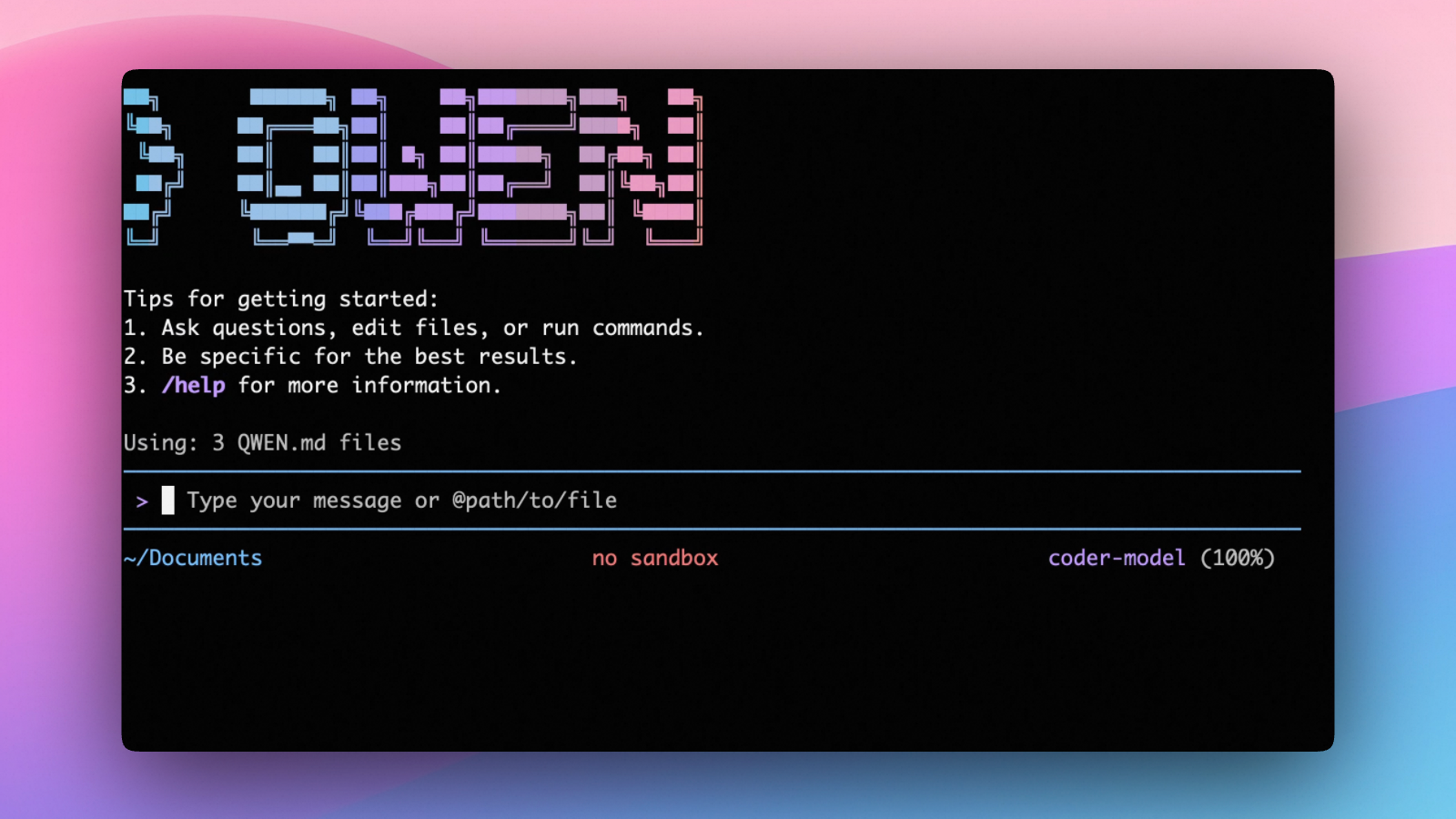
Qwen Code is an open-source AI agent for the terminal, optimized for Qwen series models. It helps you understand large codebases, automate tedious work, and ship faster.
- Multi-protocol, flexible providers: use OpenAI / Anthropic / Gemini-compatible APIs, Alibaba Cloud Coding Plan, OpenRouter, Fireworks AI, or bring your own API key.
- Open-source, co-evolving: both the framework and the Qwen3-Coder model are open-source—and they ship and evolve together.
- Agentic workflow, feature-rich: rich built-in tools (Skills, SubAgents) for a full agentic workflow and a Claude Code-like experience.
- Terminal-first, IDE-friendly: built for developers who live in the command line, with optional integration for VS Code, Zed, and JetBrains IDEs.
Installation
Quick Install (Recommended)
Linux / macOS
bash -c "$(curl -fsSL https://qwen-code-assets.oss-cn-hangzhou.aliyuncs.com/installation/install-qwen.sh)"
Windows (Run as Administrator)
Works in both Command Prompt and PowerShell:
powershell -Command "Invoke-WebRequest 'https://qwen-code-assets.oss-cn-hangzhou.aliyuncs.com/installation/install-qwen.bat' -OutFile (Join-Path $env:TEMP 'install-qwen.bat'); & (Join-Path $env:TEMP 'install-qwen.bat')"
Note
: It's recommended to restart your terminal after installation to ensure environment variables take effect.
Manual Installation
Prerequisites
Make sure you have Node.js 22 or later installed. Download it from nodejs.org.
NPM
npm install -g @qwen-code/qwen-code@latest
Homebrew (macOS, Linux)
brew install qwen-code
Quick Start
# Start Qwen Code (interactive)
qwen

# Then, in the session:
/help
/auth
On first use, you'll be prompted to sign in. You can run /auth anytime to switch authentication methods.
Example prompts:
What does this project do?
Explain the codebase structure.
Help me refactor this function.
Generate unit tests for this module.
Click to watch a demo video
🦞 Use Qwen Code for Coding Tasks in Claw
Copy the prompt below and paste it into your agent:
Use Qwen Code as a coding agent. First, fetch and read this skill reference:
https://raw.githubusercontent.com/QwenLM/qwen-code/refs/heads/main/.qwen/skills/qwen-code-claw/SKILL.md
Then follow the instructions inside to install, authenticate, and use Qwen Code via acpx for all coding tasks.
Authentication
Qwen Code supports the following authentication methods:
- API Key (recommended): use an API key from Alibaba Cloud Model Studio (Beijing / intl) or any supported provider (OpenAI, Anthropic, Google GenAI, and other compatible endpoints).
- Coding Plan: subscribe to the Alibaba Cloud Coding Plan (Beijing / intl) for a fixed monthly fee with higher quotas.
⚠️ Qwen OAuth was discontinued on April 15, 2026. If you were previously using Qwen OAuth, please switch to one of the methods above. Run
qwenand then/authto reconfigure.
API Key (recommended)
Use an API key to connect to Alibaba Cloud Model Studio or any supported provider. Supports multiple protocols:
- OpenAI-compatible: Alibaba Cloud ModelStudio, ModelScope, OpenAI, OpenRouter, and other OpenAI-compatible providers
- Anthropic: Claude models
- Google GenAI: Gemini models
The recommended way to configure models and providers is by editing ~/.qwen/settings.json (create it if it doesn't exist). This file lets you define all available models, API keys, and default settings in one place.
Quick Setup in 3 Steps
Step 1: Create or edit ~/.qwen/settings.json
Here is a complete example:
{
  "modelProviders": {
    "openai": [
      {
        "id": "qwen3.6-plus",
        "name": "qwen3.6-plus",
        "baseUrl": "https://dashscope.aliyuncs.com/compatible-mode/v1",
        "description": "Qwen3-Coder via Dashscope",
        "envKey": "DASHSCOPE_API_KEY"
      }
    ]
  },
  "env": {
    "DASHSCOPE_API_KEY": "sk-xxxxxxxxxxxxx"
  },
  "security": {
    "auth": {
      "selectedType": "openai"
    }
  },
  "model": {
    "name": "qwen3.6-plus"
  }
}
Step 2: Understand each field
| Field | What it does |
|---|---|
modelProviders |
Declares which models are available and how to connect to them. Keys like openai, anthropic, gemini represent the API protocol. |
modelProviders[].id |
The model ID sent to the API (e.g. qwen3.6-plus, gpt-4o). |
modelProviders[].envKey |
The name of the environment variable that holds your API key. |
modelProviders[].baseUrl |
The API endpoint URL (required for non-default endpoints). |
env |
A fallback place to store API keys (lowest priority; prefer .env files or export for sensitive keys). |
security.auth.selectedType |
The protocol to use on startup (openai, anthropic, gemini, vertex-ai). |
model.name |
The default model to use when Qwen Code starts. |
Step 3: Start Qwen Code — your configuration takes effect automatically:
qwen
Use the /model command at any time to switch between all configured models.
More Examples
Coding Plan (Alibaba Cloud ModelStudio) — fixed monthly fee, higher quotas
{
  "modelProviders": {
    "openai": [
      {
        "id": "qwen3.6-plus",
        "name": "qwen3.6-plus (Coding Plan)",
        "baseUrl": "https://coding.dashscope.aliyuncs.com/v1",
        "description": "qwen3.6-plus from ModelStudio Coding Plan",
        "envKey": "BAILIAN_CODING_PLAN_API_KEY"
      },
      {
        "id": "qwen3.5-plus",
        "name": "qwen3.5-plus (Coding Plan)",
        "baseUrl": "https://coding.dashscope.aliyuncs.com/v1",
        "description": "qwen3.5-plus with thinking enabled from ModelStudio Coding Plan",
        "envKey": "BAILIAN_CODING_PLAN_API_KEY",
        "generationConfig": {
          "extra_body": {
            "enable_thinking": true
          }
        }
      },
      {
        "id": "glm-4.7",
        "name": "glm-4.7 (Coding Plan)",
        "baseUrl": "https://coding.dashscope.aliyuncs.com/v1",
        "description": "glm-4.7 with thinking enabled from ModelStudio Coding Plan",
        "envKey": "BAILIAN_CODING_PLAN_API_KEY",
        "generationConfig": {
          "extra_body": {
            "enable_thinking": true
          }
        }
      },
      {
        "id": "kimi-k2.5",
        "name": "kimi-k2.5 (Coding Plan)",
        "baseUrl": "https://coding.dashscope.aliyuncs.com/v1",
        "description": "kimi-k2.5 with thinking enabled from ModelStudio Coding Plan",
        "envKey": "BAILIAN_CODING_PLAN_API_KEY",
        "generationConfig": {
          "extra_body": {
            "enable_thinking": true
          }
        }
      }
    ]
  },
  "env": {
    "BAILIAN_CODING_PLAN_API_KEY": "sk-xxxxxxxxxxxxx"
  },
  "security": {
    "auth": {
      "selectedType": "openai"
    }
  },
  "model": {
    "name": "qwen3.6-plus"
  }
}
Subscribe to the Coding Plan and get your API key at Alibaba Cloud ModelStudio(Beijing) or Alibaba Cloud ModelStudio(intl).
Multiple providers (OpenAI + Anthropic + Gemini)
{
  "modelProviders": {
    "openai": [
      {
        "id": "gpt-4o",
        "name": "GPT-4o",
        "envKey": "OPENAI_API_KEY",
        "baseUrl": "https://api.openai.com/v1"
      }
    ],
    "anthropic": [
      {
        "id": "claude-sonnet-4-20250514",
        "name": "Claude Sonnet 4",
        "envKey": "ANTHROPIC_API_KEY"
      }
    ],
    "gemini": [
      {
        "id": "gemini-2.5-pro",
        "name": "Gemini 2.5 Pro",
        "envKey": "GEMINI_API_KEY"
      }
    ]
  },
  "env": {
    "OPENAI_API_KEY": "sk-xxxxxxxxxxxxx",
    "ANTHROPIC_API_KEY": "sk-ant-xxxxxxxxxxxxx",
    "GEMINI_API_KEY": "AIzaxxxxxxxxxxxxx"
  },
  "security": {
    "auth": {
      "selectedType": "openai"
    }
  },
  "model": {
    "name": "gpt-4o"
  }
}
Enable thinking mode (for supported models like qwen3.5-plus)
{
  "modelProviders": {
    "openai": [
      {
        "id": "qwen3.5-plus",
        "name": "qwen3.5-plus (thinking)",
        "envKey": "DASHSCOPE_API_KEY",
        "baseUrl": "https://dashscope.aliyuncs.com/compatible-mode/v1",
        "generationConfig": {
          "extra_body": {
            "enable_thinking": true
          }
        }
      }
    ]
  },
  "env": {
    "DASHSCOPE_API_KEY": "sk-xxxxxxxxxxxxx"
  },
  "security": {
    "auth": {
      "selectedType": "openai"
    }
  },
  "model": {
    "name": "qwen3.5-plus"
  }
}
Tip: You can also set API keys via
exportin your shell or.envfiles, which take higher priority thansettings.json→env. See the authentication guide for full details.
Security note: Never commit API keys to version control. The
~/.qwen/settings.jsonfile is in your home directory and should stay private.
Local Model Setup (Ollama / vLLM)
You can also run models locally — no API key or cloud account needed. This is not an authentication method; instead, configure your local model endpoint in ~/.qwen/settings.json using the modelProviders field.
Set generationConfig.contextWindowSize inside the matching provider entry
and adjust it to the context length configured on your local server.
Ollama setup
- Install Ollama from ollama.com
- Pull a model:
ollama pull qwen3:32b - Configure
~/.qwen/settings.json:
{
  "modelProviders": {
    "openai": [
      {
        "id": "qwen3:32b",
        "name": "Qwen3 32B (Ollama)",
        "baseUrl": "http://localhost:11434/v1",
        "description": "Qwen3 32B running locally via Ollama",
        "generationConfig": {
          "contextWindowSize": 131072
        }
      }
    ]
  },
  "security": {
    "auth": {
      "selectedType": "openai"
    }
  },
  "model": {
    "name": "qwen3:32b"
  }
}
vLLM setup
- Install vLLM:
pip install vllm - Start the server:
vllm serve Qwen/Qwen3-32B - Configure
~/.qwen/settings.json:
{
  "modelProviders": {
    "openai": [
      {
        "id": "Qwen/Qwen3-32B",
        "name": "Qwen3 32B (vLLM)",
        "baseUrl": "http://localhost:8000/v1",
        "description": "Qwen3 32B running locally via vLLM",
        "generationConfig": {
          "contextWindowSize": 131072
        }
      }
    ]
  },
  "security": {
    "auth": {
      "selectedType": "openai"
    }
  },
  "model": {
    "name": "Qwen/Qwen3-32B"
  }
}
Usage
As an open-source terminal agent, you can use Qwen Code in five primary ways:
- Interactive mode (terminal UI)
- Headless mode (scripts, CI)
- IDE integration (VS Code, Zed)
- SDKs (TypeScript, Python, Java)
- Daemon mode —
qwen serveexposes ACP over HTTP+SSE so multiple clients share one agent (experimental)
Interactive mode
cd your-project/
qwen
Run qwen in your project folder to launch the interactive terminal UI. Use @ to reference local files (for example @src/main.ts).
Headless mode
cd your-project/
qwen -p "your question"
Use -p to run Qwen Code without the interactive UI—ideal for scripts, automation, and CI/CD. Learn more: Headless mode.
IDE integration
Use Qwen Code inside your editor (VS Code, Zed, and JetBrains IDEs):
Daemon mode (qwen serve, experimental)
cd your-project/
qwen serve
# → qwen serve listening on http://127.0.0.1:4170 (mode=http-bridge)
Run Qwen Code as a local HTTP daemon so IDE plugins, web UIs, CI scripts and custom CLIs all share one agent session over HTTP+SSE — instead of each spawning their own subprocess. Loopback bind has no auth by default (set QWEN_SERVER_TOKEN to enable bearer auth even on loopback); remote binds (--hostname 0.0.0.0) require a token — boot refuses without one. See:
SDKs
Build on top of Qwen Code with the available SDKs:
- TypeScript: Use the Qwen Code SDK
- Python: Use the Python SDK
- Java: Use the Java SDK
Python SDK example:
import asyncio

from qwen_code_sdk import is_sdk_result_message, query


async def main() -> None:
    result = query(
        "Summarize the repository layout.",
        {
            "cwd": "/path/to/project",
            "path_to_qwen_executable": "qwen",
        },
    )

    async for message in result:
        if is_sdk_result_message(message):
            print(message["result"])


asyncio.run(main())
Commands & Shortcuts
Session Commands
/help- Display available commands/clear- Clear conversation history/compress- Compress history to save tokens/stats- Show current session information/bug- Submit a bug report/exitor/quit- Exit Qwen Code
Keyboard Shortcuts
Ctrl+C- Cancel current operationCtrl+D- Exit (on empty line)Up/Down- Navigate command history
Learn more about Commands
Tip: In YOLO mode (
--yolo), vision switching happens automatically without prompts when images are detected. Learn more about Approval Mode
Configuration
Qwen Code can be configured via settings.json, environment variables, and CLI flags.
| File | Scope | Description |
|---|---|---|
~/.qwen/settings.json |
User (global) | Applies to all your Qwen Code sessions. Recommended for modelProviders and env. |
.qwen/settings.json |
Project | Applies only when running Qwen Code in this project. Overrides user settings. |
The most commonly used top-level fields in settings.json:
| Field | Description |
|---|---|
modelProviders |
Define available models per protocol (openai, anthropic, gemini, vertex-ai). |
env |
Fallback environment variables (e.g. API keys). Lower priority than shell export and .env files. |
security.auth.selectedType |
The protocol to use on startup (e.g. openai). |
model.name |
The default model to use when Qwen Code starts. |
See the Authentication section above for complete
settings.jsonexamples, and the settings reference for all available options.
Benchmark Results
Terminal-Bench Performance
| Agent | Model | Accuracy |
|---|---|---|
| Qwen Code | Qwen3-Coder-480A35 | 37.5% |
| Qwen Code | Qwen3-Coder-30BA3B | 31.3% |
Ecosystem
Looking for a graphical interface?
- AionUi A modern GUI for command-line AI tools including Qwen Code
- Gemini CLI Desktop A cross-platform desktop/web/mobile UI for Qwen Code
Troubleshooting
If you encounter issues, check the troubleshooting guide.
Common issues:
Qwen OAuth free tier was discontinued on 2026-04-15: Qwen OAuth is no longer available. Runqwen→/authand switch to API Key or Coding Plan. See the Authentication section above for setup instructions.
To report a bug from within the CLI, run /bug and include a short title and repro steps.
Connect with Us
- Discord: https://discord.gg/RN7tqZCeDK
- Dingtalk: https://qr.dingtalk.com/action/joingroup?code=v1,k1,+FX6Gf/ZDlTahTIRi8AEQhIaBlqykA0j+eBKKdhLeAE=&_dt_no_comment=1&origin=1
Acknowledgments
This project is based on Google Gemini CLI. We acknowledge and appreciate the excellent work of the Gemini CLI team. Our main contribution focuses on parser-level adaptations to better support Qwen-Coder models.