 a7e05302e6
* docs(worktree): update design doc — split Phase C/D, add Future section
- Phase C: session persistence + hooksPath + StatusLine + WorktreeExitDialog
- Phase D: --worktree CLI flag + symlinkDirectories
- Future: sparse checkout, .worktreeinclude, tmux, PR reference parsing
- Feature comparison table updated with Phase A/B completion status
Co-Authored-By: Claude Sonnet 4.6 <noreply@anthropic.com>
* docs(worktree): add Phase C implementation plan
8 tasks: WorktreeSession sidecar storage, hooksPath setup,
EnterWorktree/ExitWorktree session wiring, useWorktreeSession hook,
Footer display, --resume context injection, WorktreeExitDialog.
Co-Authored-By: Claude Sonnet 4.6 <noreply@anthropic.com>
* docs(worktree): update Phase C plan after claude-code comparison
- WorktreeSession: add originalHeadCommit field
- hooksPath: add .husky/ detection + skip-if-already-set logic
- StatusLine payload: expand worktree field to match claude-code schema
- WorktreeExitDialog: load dirty state on mount, display counts in dialog
- UIState.activeWorktree: add originalCwd, originalBranch, originalHeadCommit
Co-Authored-By: Claude Sonnet 4.6 <noreply@anthropic.com>
* feat(worktree): add WorktreeSession sidecar storage
New worktreeSessionService.ts exposes read/write/clear functions for the
sidecar JSON file at <chatsDir>/<sessionId>.worktree.json. SessionService
gains getWorktreeSessionPath() so callers don't need to know the layout.
Co-Authored-By: Claude Opus 4.7 <noreply@anthropic.com>
* feat(worktree): configure core.hooksPath after worktree creation
createUserWorktree() now sets `core.hooksPath` inside the new worktree to
the main repo's hooks directory (.husky preferred, .git/hooks fallback) so
commits inside the worktree run the same pre-commit checks as the main
repo. Mirrors claude-code's performPostCreationSetup logic — skips the
subprocess when the value already matches to avoid ~14ms spawn overhead.
Failures are non-fatal: the worktree is still usable without hooks.
Co-Authored-By: Claude Opus 4.7 <noreply@anthropic.com>
* feat(worktree): persist WorktreeSession sidecar in EnterWorktreeTool
After creating a worktree, EnterWorktreeTool now writes a sidecar JSON
file at <chatsDir>/<sessionId>.worktree.json with the full session state
(slug, paths, branches, original HEAD SHA). --resume reads this in Phase
C task 7 to restore worktree context. Best-effort: write failures don't
abort the creation.
Co-Authored-By: Claude Opus 4.7 <noreply@anthropic.com>
* feat(worktree): clear WorktreeSession sidecar in ExitWorktreeTool
After successful keep or remove, ExitWorktreeTool now clears the sidecar
JSON file iff its slug matches the worktree being exited. The slug check
prevents wiping the sidecar when the user exits a worktree that isn't
currently tracked (multiple worktrees on disk, sidecar tracks one).
Co-Authored-By: Claude Opus 4.7 <noreply@anthropic.com>
* feat(worktree): expose active worktree via useWorktreeSession + UIState
New useWorktreeSession hook watches the sidecar JSON file (created by
EnterWorktreeTool, deleted by ExitWorktreeTool) and returns the current
WorktreeSession or null. AppContainer wires it into a new
UIState.activeWorktree field consumed by Footer (Task 6) and
WorktreeExitDialog (Task 8).
A showWorktreeExitDialog state placeholder is added too, hardcoded false
until Task 8 wires the dialog trigger.
Co-Authored-By: Claude Opus 4.7 <noreply@anthropic.com>
* feat(worktree): show active worktree in Footer + StatusLine payload
Footer renders `⎇ <branch> (<slug>)` when activeWorktree != null, but
only when the user has no custom statusline (their script likely
handles it from the stdin payload itself).
useStatusLine's StatusLineCommandInput gains a `worktree` field with
{name, path, branch, original_cwd, original_branch} — matches claude-code's
schema so statusline scripts can be shared across both CLIs.
Co-Authored-By: Claude Opus 4.7 <noreply@anthropic.com>
* feat(worktree): inject context hint on --resume when worktree is active
On --resume, if the session has a WorktreeSession sidecar, append an
INFO history item pointing the model at the worktree path so it
continues using it for file operations. Stale sidecars (worktree dir
deleted out-of-band) are cleaned up so the Footer indicator doesn't
go stale.
qwen-code can't process.chdir() the way claude-code does because
Config.targetDir is immutable; the context hint is the equivalent
behavioral cue.
Co-Authored-By: Claude Opus 4.7 <noreply@anthropic.com>
* feat(worktree): add WorktreeExitDialog with dirty-state inspection
WorktreeExitDialog renders when the user double-presses Ctrl+C inside a
worktree. On mount it runs `git status --porcelain` and
`git rev-list --count <originalHeadCommit>..HEAD` to show how many
uncommitted files and new commits the user would discard by choosing
"Remove". The dialog never auto-removes — every exit goes through
explicit user confirmation per requirements.
handleExit in AppContainer intercepts the second-press quit when
activeWorktree is set and shows the dialog instead. A new UIAction
handleWorktreeExit(choice) routes the user's choice through removal
(via GitWorktreeService.removeUserWorktree) + sidecar cleanup + /quit.
Co-Authored-By: Claude Opus 4.7 <noreply@anthropic.com>
* docs(worktree): add Phase C E2E test plan
Co-Authored-By: Claude Opus 4.7 <noreply@anthropic.com>
* docs(worktree): fix E2E test plan sidecar path + jq selector
- sidecar lives at ~/.qwen/projects/<sanitized-cwd>/chats/, not ~/.qwen/tmp/<hash>/
- qwen --output-format json emits a JSON array, not NDJSON — jq needs .[]
Co-Authored-By: Claude Opus 4.7 <noreply@anthropic.com>
* fix(worktree): add showWorktreeExitDialog to dialogsVisible
Phase C task 8 introduced showWorktreeExitDialog state and the dialog
render in DialogManager, but missed adding the flag to the dialogsVisible
OR expression. DefaultAppLayout only renders DialogManager when
dialogsVisible is true, so the dialog was never shown — second Ctrl+C
in a worktree silently absorbed instead of triggering the prompt.
Caught by Group E E2E tests.
Co-Authored-By: Claude Opus 4.7 <noreply@anthropic.com>
* feat(worktree): extend --resume context restore to headless + ACP modes
Phase C task 7 originally placed the worktree-restore logic in
AppContainer.tsx (TUI only). E2E Group C exposed that headless and ACP
modes never run AppContainer, so stale sidecars accumulate and the model
loses worktree context after --resume.
Refactor to a shared `restoreWorktreeContext` helper in core, then wire
the three entry points:
- TUI (AppContainer): keep historyManager.addItem(INFO) UX, route via
the helper.
- Headless (nonInteractiveCli): prepend the notice as a system-reminder
block on the user prompt; emit a `worktree_restored` system message to
the JSON adapter so SDK consumers can react.
- ACP (Session.pendingWorktreeNotice): set by acpAgent.loadSession on
resume, consumed and cleared exactly once on the next #executePrompt.
All three modes call the same helper, so stale-sidecar cleanup is
consistent. Helper covers: missing sidecar, live worktree dir,
deleted worktree dir, regular file at worktreePath, malformed JSON.
5 new unit tests for restoreWorktreeContext (13/13 pass total).
Co-Authored-By: Claude Opus 4.7 <noreply@anthropic.com>
* test(worktree): add ACP-mode integration tests for --resume context
Covers:
- acpAgent.worktree.test.ts (3 tests): loadSession sets
pendingWorktreeNotice only when worktree dir is live, clears
stale sidecar otherwise, swallows restoreWorktreeContext errors.
- Session.worktree.test.ts (4 tests): #executePrompt prepends the
system-reminder block exactly once on first prompt, clears the
pending notice, second prompt sees no leakage, no-op when nothing
was set.
E2E via real ACP protocol is impractical without a Zed client; these
tests cover the integration boundaries directly.
Co-Authored-By: Claude Opus 4.7 <noreply@anthropic.com>
* docs(worktree): clarify hooksPath comment + pendingWorktreeNotice one-shot rationale
Two doc-only fixes from PR #4174 review:
- gitWorktreeService.ts: previous hooksPath comment overstated the
optimization (claimed claude-code's ~14ms saving but we still do a
read subprocess). Rewrite to be explicit: write-skip only, read
retained, parseGitConfigValue's full optimization deliberately not
ported because the read happens once per worktree creation.
- Session.ts: pendingWorktreeNotice doc now explains why it's one-shot
(after the first prompt the worktree path is already in conversation
context; re-injecting would clutter history without adding signal).
No behavior change.
Co-Authored-By: Claude Opus 4.7 <noreply@anthropic.com>
* fix(test): add getResumedSessionData to nonInteractiveCli mock Config
CI surfaced TypeError: config.getResumedSessionData is not a function
across 12 tests in nonInteractiveCli.test.ts. The Phase C
|
||
|---|---|---|
| .github | ||
| .husky | ||
| .qwen | ||
| .vscode | ||
| docs | ||
| docs-site | ||
| eslint-rules | ||
| integration-tests | ||
| packages | ||
| scripts | ||
| .dockerignore | ||
| .editorconfig | ||
| .gitattributes | ||
| .gitignore | ||
| .npmrc | ||
| .nvmrc | ||
| .prettierignore | ||
| .prettierrc.json | ||
| .yamllint.yml | ||
| AGENTS.md | ||
| CONTRIBUTING.md | ||
| Dockerfile | ||
| esbuild.config.js | ||
| eslint.config.js | ||
| LICENSE | ||
| Makefile | ||
| package-lock.json | ||
| package.json | ||
| README.md | ||
| SECURITY.md | ||
| tsconfig.json | ||
| vitest.config.ts | ||




An open-source AI agent that lives in your terminal.
中文 | Deutsch | français | 日本語 | Русский | Português (Brasil)
🎉 News
-
2026-04-15: Qwen OAuth free tier has been discontinued. To continue using Qwen Code, switch to Alibaba Cloud Coding Plan, OpenRouter, Fireworks AI, or bring your own API key. Run
qwen authto configure. -
2026-04-13: Qwen OAuth free tier policy update: daily quota adjusted to 100 requests/day (from 1,000).
-
2026-04-02: Qwen3.6-Plus is now live! Get an API key from Alibaba Cloud ModelStudio to access it through the OpenAI-compatible API.
-
2026-02-16: Qwen3.5-Plus is now live!
Why Qwen Code?
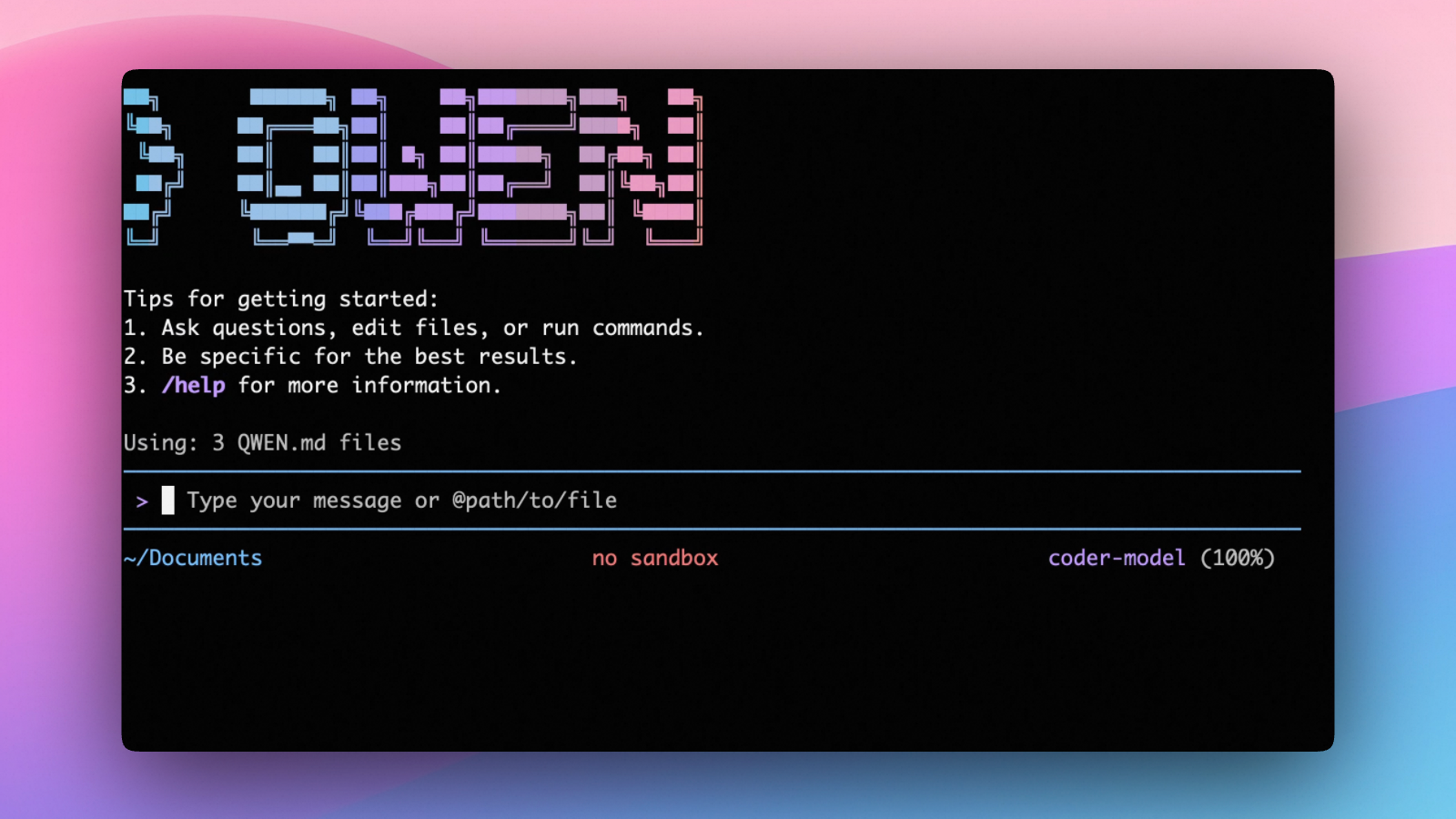
Qwen Code is an open-source AI agent for the terminal, optimized for Qwen series models. It helps you understand large codebases, automate tedious work, and ship faster.
- Multi-protocol, flexible providers: use OpenAI / Anthropic / Gemini-compatible APIs, Alibaba Cloud Coding Plan, OpenRouter, Fireworks AI, or bring your own API key.
- Open-source, co-evolving: both the framework and the Qwen3-Coder model are open-source—and they ship and evolve together.
- Agentic workflow, feature-rich: rich built-in tools (Skills, SubAgents) for a full agentic workflow and a Claude Code-like experience.
- Terminal-first, IDE-friendly: built for developers who live in the command line, with optional integration for VS Code, Zed, and JetBrains IDEs.
Installation
Quick Install (Recommended)
Linux / macOS
bash -c "$(curl -fsSL https://qwen-code-assets.oss-cn-hangzhou.aliyuncs.com/installation/install-qwen.sh)"
Windows (Run as Administrator)
Works in both Command Prompt and PowerShell:
powershell -Command "Invoke-WebRequest 'https://qwen-code-assets.oss-cn-hangzhou.aliyuncs.com/installation/install-qwen.bat' -OutFile (Join-Path $env:TEMP 'install-qwen.bat'); & (Join-Path $env:TEMP 'install-qwen.bat')"
Note
: It's recommended to restart your terminal after installation to ensure environment variables take effect.
Manual Installation
Prerequisites
Make sure you have Node.js 22 or later installed. Download it from nodejs.org.
NPM
npm install -g @qwen-code/qwen-code@latest
Homebrew (macOS, Linux)
brew install qwen-code
Quick Start
# Start Qwen Code (interactive)
qwen

# Then, in the session:
/help
/auth
On first use, you'll be prompted to sign in. You can run /auth anytime to switch authentication methods.
Example prompts:
What does this project do?
Explain the codebase structure.
Help me refactor this function.
Generate unit tests for this module.
Click to watch a demo video
🦞 Use Qwen Code for Coding Tasks in Claw
Copy the prompt below and paste it into your agent:
Use Qwen Code as a coding agent. First, fetch and read this skill reference:
https://raw.githubusercontent.com/QwenLM/qwen-code/refs/heads/main/.qwen/skills/qwen-code-claw/SKILL.md
Then follow the instructions inside to install, authenticate, and use Qwen Code via acpx for all coding tasks.
Authentication
Qwen Code supports the following authentication methods:
- API Key (recommended): use an API key from Alibaba Cloud Model Studio (Beijing / intl) or any supported provider (OpenAI, Anthropic, Google GenAI, and other compatible endpoints).
- Coding Plan: subscribe to the Alibaba Cloud Coding Plan (Beijing / intl) for a fixed monthly fee with higher quotas.
⚠️ Qwen OAuth was discontinued on April 15, 2026. If you were previously using Qwen OAuth, please switch to one of the methods above. Run
qwenand then/authto reconfigure.
API Key (recommended)
Use an API key to connect to Alibaba Cloud Model Studio or any supported provider. Supports multiple protocols:
- OpenAI-compatible: Alibaba Cloud ModelStudio, ModelScope, OpenAI, OpenRouter, and other OpenAI-compatible providers
- Anthropic: Claude models
- Google GenAI: Gemini models
The recommended way to configure models and providers is by editing ~/.qwen/settings.json (create it if it doesn't exist). This file lets you define all available models, API keys, and default settings in one place.
Quick Setup in 3 Steps
Step 1: Create or edit ~/.qwen/settings.json
Here is a complete example:
{
  "modelProviders": {
    "openai": [
      {
        "id": "qwen3.6-plus",
        "name": "qwen3.6-plus",
        "baseUrl": "https://dashscope.aliyuncs.com/compatible-mode/v1",
        "description": "Qwen3-Coder via Dashscope",
        "envKey": "DASHSCOPE_API_KEY"
      }
    ]
  },
  "env": {
    "DASHSCOPE_API_KEY": "sk-xxxxxxxxxxxxx"
  },
  "security": {
    "auth": {
      "selectedType": "openai"
    }
  },
  "model": {
    "name": "qwen3.6-plus"
  }
}
Step 2: Understand each field
| Field | What it does |
|---|---|
modelProviders |
Declares which models are available and how to connect to them. Keys like openai, anthropic, gemini represent the API protocol. |
modelProviders[].id |
The model ID sent to the API (e.g. qwen3.6-plus, gpt-4o). |
modelProviders[].envKey |
The name of the environment variable that holds your API key. |
modelProviders[].baseUrl |
The API endpoint URL (required for non-default endpoints). |
env |
A fallback place to store API keys (lowest priority; prefer .env files or export for sensitive keys). |
security.auth.selectedType |
The protocol to use on startup (openai, anthropic, gemini, vertex-ai). |
model.name |
The default model to use when Qwen Code starts. |
Step 3: Start Qwen Code — your configuration takes effect automatically:
qwen
Use the /model command at any time to switch between all configured models.
More Examples
Coding Plan (Alibaba Cloud ModelStudio) — fixed monthly fee, higher quotas
{
  "modelProviders": {
    "openai": [
      {
        "id": "qwen3.6-plus",
        "name": "qwen3.6-plus (Coding Plan)",
        "baseUrl": "https://coding.dashscope.aliyuncs.com/v1",
        "description": "qwen3.6-plus from ModelStudio Coding Plan",
        "envKey": "BAILIAN_CODING_PLAN_API_KEY"
      },
      {
        "id": "qwen3.5-plus",
        "name": "qwen3.5-plus (Coding Plan)",
        "baseUrl": "https://coding.dashscope.aliyuncs.com/v1",
        "description": "qwen3.5-plus with thinking enabled from ModelStudio Coding Plan",
        "envKey": "BAILIAN_CODING_PLAN_API_KEY",
        "generationConfig": {
          "extra_body": {
            "enable_thinking": true
          }
        }
      },
      {
        "id": "glm-4.7",
        "name": "glm-4.7 (Coding Plan)",
        "baseUrl": "https://coding.dashscope.aliyuncs.com/v1",
        "description": "glm-4.7 with thinking enabled from ModelStudio Coding Plan",
        "envKey": "BAILIAN_CODING_PLAN_API_KEY",
        "generationConfig": {
          "extra_body": {
            "enable_thinking": true
          }
        }
      },
      {
        "id": "kimi-k2.5",
        "name": "kimi-k2.5 (Coding Plan)",
        "baseUrl": "https://coding.dashscope.aliyuncs.com/v1",
        "description": "kimi-k2.5 with thinking enabled from ModelStudio Coding Plan",
        "envKey": "BAILIAN_CODING_PLAN_API_KEY",
        "generationConfig": {
          "extra_body": {
            "enable_thinking": true
          }
        }
      }
    ]
  },
  "env": {
    "BAILIAN_CODING_PLAN_API_KEY": "sk-xxxxxxxxxxxxx"
  },
  "security": {
    "auth": {
      "selectedType": "openai"
    }
  },
  "model": {
    "name": "qwen3.6-plus"
  }
}
Subscribe to the Coding Plan and get your API key at Alibaba Cloud ModelStudio(Beijing) or Alibaba Cloud ModelStudio(intl).
Multiple providers (OpenAI + Anthropic + Gemini)
{
  "modelProviders": {
    "openai": [
      {
        "id": "gpt-4o",
        "name": "GPT-4o",
        "envKey": "OPENAI_API_KEY",
        "baseUrl": "https://api.openai.com/v1"
      }
    ],
    "anthropic": [
      {
        "id": "claude-sonnet-4-20250514",
        "name": "Claude Sonnet 4",
        "envKey": "ANTHROPIC_API_KEY"
      }
    ],
    "gemini": [
      {
        "id": "gemini-2.5-pro",
        "name": "Gemini 2.5 Pro",
        "envKey": "GEMINI_API_KEY"
      }
    ]
  },
  "env": {
    "OPENAI_API_KEY": "sk-xxxxxxxxxxxxx",
    "ANTHROPIC_API_KEY": "sk-ant-xxxxxxxxxxxxx",
    "GEMINI_API_KEY": "AIzaxxxxxxxxxxxxx"
  },
  "security": {
    "auth": {
      "selectedType": "openai"
    }
  },
  "model": {
    "name": "gpt-4o"
  }
}
Enable thinking mode (for supported models like qwen3.5-plus)
{
  "modelProviders": {
    "openai": [
      {
        "id": "qwen3.5-plus",
        "name": "qwen3.5-plus (thinking)",
        "envKey": "DASHSCOPE_API_KEY",
        "baseUrl": "https://dashscope.aliyuncs.com/compatible-mode/v1",
        "generationConfig": {
          "extra_body": {
            "enable_thinking": true
          }
        }
      }
    ]
  },
  "env": {
    "DASHSCOPE_API_KEY": "sk-xxxxxxxxxxxxx"
  },
  "security": {
    "auth": {
      "selectedType": "openai"
    }
  },
  "model": {
    "name": "qwen3.5-plus"
  }
}
Tip: You can also set API keys via
exportin your shell or.envfiles, which take higher priority thansettings.json→env. See the authentication guide for full details.
Security note: Never commit API keys to version control. The
~/.qwen/settings.jsonfile is in your home directory and should stay private.
Local Model Setup (Ollama / vLLM)
You can also run models locally — no API key or cloud account needed. This is not an authentication method; instead, configure your local model endpoint in ~/.qwen/settings.json using the modelProviders field.
Set generationConfig.contextWindowSize inside the matching provider entry
and adjust it to the context length configured on your local server.
Ollama setup
- Install Ollama from ollama.com
- Pull a model:
ollama pull qwen3:32b - Configure
~/.qwen/settings.json:
{
  "modelProviders": {
    "openai": [
      {
        "id": "qwen3:32b",
        "name": "Qwen3 32B (Ollama)",
        "baseUrl": "http://localhost:11434/v1",
        "description": "Qwen3 32B running locally via Ollama",
        "generationConfig": {
          "contextWindowSize": 131072
        }
      }
    ]
  },
  "security": {
    "auth": {
      "selectedType": "openai"
    }
  },
  "model": {
    "name": "qwen3:32b"
  }
}
vLLM setup
- Install vLLM:
pip install vllm - Start the server:
vllm serve Qwen/Qwen3-32B - Configure
~/.qwen/settings.json:
{
  "modelProviders": {
    "openai": [
      {
        "id": "Qwen/Qwen3-32B",
        "name": "Qwen3 32B (vLLM)",
        "baseUrl": "http://localhost:8000/v1",
        "description": "Qwen3 32B running locally via vLLM",
        "generationConfig": {
          "contextWindowSize": 131072
        }
      }
    ]
  },
  "security": {
    "auth": {
      "selectedType": "openai"
    }
  },
  "model": {
    "name": "Qwen/Qwen3-32B"
  }
}
Usage
As an open-source terminal agent, you can use Qwen Code in five primary ways:
- Interactive mode (terminal UI)
- Headless mode (scripts, CI)
- IDE integration (VS Code, Zed)
- SDKs (TypeScript, Python, Java)
- Daemon mode —
qwen serveexposes ACP over HTTP+SSE so multiple clients share one agent (experimental)
Interactive mode
cd your-project/
qwen
Run qwen in your project folder to launch the interactive terminal UI. Use @ to reference local files (for example @src/main.ts).
Headless mode
cd your-project/
qwen -p "your question"
Use -p to run Qwen Code without the interactive UI—ideal for scripts, automation, and CI/CD. Learn more: Headless mode.
IDE integration
Use Qwen Code inside your editor (VS Code, Zed, and JetBrains IDEs):
Daemon mode (qwen serve, experimental)
cd your-project/
qwen serve
# → qwen serve listening on http://127.0.0.1:4170 (mode=http-bridge)
Run Qwen Code as a local HTTP daemon so IDE plugins, web UIs, CI scripts and custom CLIs all share one agent session over HTTP+SSE — instead of each spawning their own subprocess. Loopback bind has no auth by default (set QWEN_SERVER_TOKEN to enable bearer auth even on loopback); remote binds (--hostname 0.0.0.0) require a token — boot refuses without one. See:
SDKs
Build on top of Qwen Code with the available SDKs:
- TypeScript: Use the Qwen Code SDK
- Python: Use the Python SDK
- Java: Use the Java SDK
Python SDK example:
import asyncio

from qwen_code_sdk import is_sdk_result_message, query


async def main() -> None:
    result = query(
        "Summarize the repository layout.",
        {
            "cwd": "/path/to/project",
            "path_to_qwen_executable": "qwen",
        },
    )

    async for message in result:
        if is_sdk_result_message(message):
            print(message["result"])


asyncio.run(main())
Commands & Shortcuts
Session Commands
/help- Display available commands/clear- Clear conversation history/compress- Compress history to save tokens/stats- Show current session information/bug- Submit a bug report/exitor/quit- Exit Qwen Code
Keyboard Shortcuts
Ctrl+C- Cancel current operationCtrl+D- Exit (on empty line)Up/Down- Navigate command history
Learn more about Commands
Tip: In YOLO mode (
--yolo), vision switching happens automatically without prompts when images are detected. Learn more about Approval Mode
Configuration
Qwen Code can be configured via settings.json, environment variables, and CLI flags.
| File | Scope | Description |
|---|---|---|
~/.qwen/settings.json |
User (global) | Applies to all your Qwen Code sessions. Recommended for modelProviders and env. |
.qwen/settings.json |
Project | Applies only when running Qwen Code in this project. Overrides user settings. |
The most commonly used top-level fields in settings.json:
| Field | Description |
|---|---|
modelProviders |
Define available models per protocol (openai, anthropic, gemini, vertex-ai). |
env |
Fallback environment variables (e.g. API keys). Lower priority than shell export and .env files. |
security.auth.selectedType |
The protocol to use on startup (e.g. openai). |
model.name |
The default model to use when Qwen Code starts. |
See the Authentication section above for complete
settings.jsonexamples, and the settings reference for all available options.
Benchmark Results
Terminal-Bench Performance
| Agent | Model | Accuracy |
|---|---|---|
| Qwen Code | Qwen3-Coder-480A35 | 37.5% |
| Qwen Code | Qwen3-Coder-30BA3B | 31.3% |
Ecosystem
Looking for a graphical interface?
- AionUi A modern GUI for command-line AI tools including Qwen Code
- Gemini CLI Desktop A cross-platform desktop/web/mobile UI for Qwen Code
Troubleshooting
If you encounter issues, check the troubleshooting guide.
Common issues:
Qwen OAuth free tier was discontinued on 2026-04-15: Qwen OAuth is no longer available. Runqwen→/authand switch to API Key or Coding Plan. See the Authentication section above for setup instructions.
To report a bug from within the CLI, run /bug and include a short title and repro steps.
Connect with Us
- Discord: https://discord.gg/RN7tqZCeDK
- Dingtalk: https://qr.dingtalk.com/action/joingroup?code=v1,k1,+FX6Gf/ZDlTahTIRi8AEQhIaBlqykA0j+eBKKdhLeAE=&_dt_no_comment=1&origin=1
Acknowledgments
This project is based on Google Gemini CLI. We acknowledge and appreciate the excellent work of the Gemini CLI team. Our main contribution focuses on parser-level adaptations to better support Qwen-Coder models.