 9f2168f78e
* feat(web-shell): collapsible TodoWrite history with status diff Inline todo_write updates rendered as a generic, non-collapsible tool row crammed in with surrounding tool calls — the todo-specific renderer was effectively dead code because the detector matched the literal "todowrite" while the wire name is "todo_write" (kind "think"). - Detect the todo tool by name (todo_write / todowrite) instead of relying on the unrelated tool kind, reviving the rich rendering and also populating the floating todo panel that was empty on the daemon path. - Render each update as its own standalone group, collapsed by default to the per-snapshot diff (just-completed / just-started items) or the current step, expanding to the full checklist; the header shows completed/total. - Use consistent status glyphs (●/◐/○) in both collapsed and expanded views via a shared TodoView component used by ToolGroup and PlanMessage. * fix(web-shell): scope todo diff per task identity; address review - [Critical] computeTodoTimeline keyed its running state on todo.id alone, but ids aren't globally unique (ACP assigns positional ids, models renumber per plan), so a later plan diffed against a previous plan's stale terminal status and silently dropped events in the collapsed view. Key on id+content so distinct tasks stay separate; add an id-reuse regression test. - Stabilize the TodoTimelineContext value with a signature-cached Map so streaming ticks that don't touch a todo snapshot no longer re-render every todo/plan row. - Drop the unused completed/total from TodoSnapshotDiff (consumers compute the count locally — single source of truth). - Fall back to the raw result summary when a todo_write payload is unparseable. - Add PlanMessage rendering tests and extractTodosFromToolCall coverage; remove stale "step time" comments left after dropping per-step timing. * test(web-shell): document todo-diff keying limits; cover signature Follow-up to review on the id+content keying in computeTodoTimeline: - Document the two rare trade-offs in the todoStateKey doc (a mid-task reword on a stable id, and unrelated plans reusing both id and content), both degrading to "the collapsed diff omits one event" while the expanded list stays correct. - Pin behavior with tests: an item carried over and completed in a later turn (which id+content handles but a user-turn reset would drop), plus the two documented gaps. - Add todoTimelineSignature tests: stable across non-todo edits; changes on any id/status/content change. * refactor(web-shell): isolate plan context read; expand todo test coverage Address follow-up review: - Extract PlanEventSummary as the sole TodoTimelineContext consumer, mirroring ToolGroup's TodoToolBody so the memo-shielded PlanMessage stays stable when the timeline Map reference changes. - Note the spurious-`started` axis of the reword trade-off in the todoStateKey doc (a reword can drop a completion or emit a stray start). - Add direct isTodoWriteToolName tests (incl. the `todowrite` ACP variant) and a todoTimelineSignature empty-transcript test. |
||
|---|---|---|
| .github | ||
| .husky | ||
| .qwen | ||
| .vscode | ||
| docs | ||
| docs-site | ||
| eslint-rules | ||
| integration-tests | ||
| packages | ||
| scripts | ||
| .dockerignore | ||
| .editorconfig | ||
| .gitattributes | ||
| .gitignore | ||
| .npmrc | ||
| .nvmrc | ||
| .prettierignore | ||
| .prettierrc.json | ||
| .yamllint.yml | ||
| AGENTS.md | ||
| CHANGELOG.md | ||
| CONTRIBUTING.md | ||
| Dockerfile | ||
| esbuild.config.js | ||
| eslint.config.js | ||
| LICENSE | ||
| Makefile | ||
| package-lock.json | ||
| package.json | ||
| README.md | ||
| SECURITY.md | ||
| tsconfig.json | ||
| vitest.config.ts | ||




An open-source AI agent that lives in your terminal.
中文 | Deutsch | français | 日本語 | Русский | Português (Brasil)
🎉 News
-
2026-04-15: Qwen OAuth free tier has been discontinued. To continue using Qwen Code, switch to Alibaba Cloud Coding Plan, OpenRouter, Fireworks AI, or bring your own API key. Run
qwen authto configure. -
2026-04-13: Qwen OAuth free tier policy update: daily quota adjusted to 100 requests/day (from 1,000).
-
2026-04-02: Qwen3.6-Plus is now live! Get an API key from Alibaba Cloud ModelStudio to access it through the OpenAI-compatible API.
-
2026-02-16: Qwen3.5-Plus is now live!
Why Qwen Code?
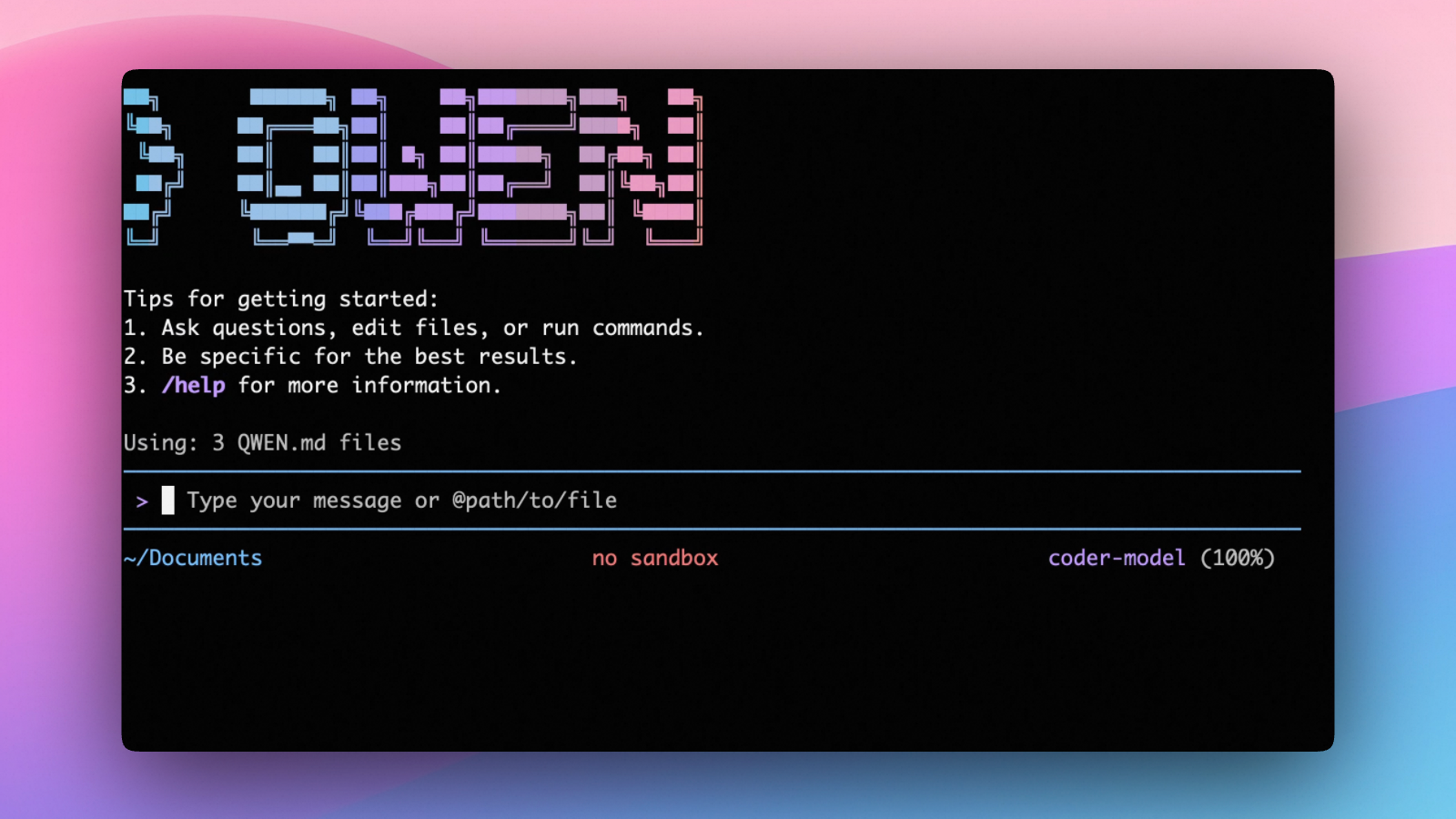
Qwen Code is an open-source AI agent for the terminal, optimized for Qwen series models. It helps you understand large codebases, automate tedious work, and ship faster.
- Multi-protocol, flexible providers: use OpenAI / Anthropic / Gemini-compatible APIs, Alibaba Cloud Coding Plan, OpenRouter, Fireworks AI, or bring your own API key.
- Open-source, co-evolving: both the framework and the Qwen3-Coder model are open-source—and they ship and evolve together.
- Agentic workflow, feature-rich: rich built-in tools (Skills, SubAgents) for a full agentic workflow and a Claude Code-like experience.
- Terminal-first, IDE-friendly: built for developers who live in the command line, with optional integration for VS Code, Zed, and JetBrains IDEs.
Installation
Quick Install (Recommended)
Linux / macOS
curl -fsSL https://qwen-code-assets.oss-cn-hangzhou.aliyuncs.com/installation/install-qwen-standalone.sh | bash
Windows
irm https://qwen-code-assets.oss-cn-hangzhou.aliyuncs.com/installation/install-qwen-standalone.ps1 | iex
Note
: It's recommended to restart your terminal after installation to ensure environment variables take effect.
Manual Installation
Prerequisites
Make sure you have Node.js 22 or later installed. Download it from nodejs.org.
NPM
npm install -g @qwen-code/qwen-code@latest
Homebrew (macOS, Linux)
brew install qwen-code
Quick Start
# Start Qwen Code (interactive)
qwen

# Then, in the session:
/help
/auth
On first use, you'll be prompted to sign in. You can run /auth anytime to switch authentication methods.
Example prompts:
What does this project do?
Explain the codebase structure.
Help me refactor this function.
Generate unit tests for this module.
Click to watch a demo video
🦞 Use Qwen Code for Coding Tasks in Claw
Copy the prompt below and paste it into your agent:
Use Qwen Code as a coding agent. First, fetch and read this skill reference:
https://raw.githubusercontent.com/QwenLM/qwen-code/refs/heads/main/.qwen/skills/qwen-code-claw/SKILL.md
Then follow the instructions inside to install, authenticate, and use Qwen Code via acpx for all coding tasks.
Authentication
Qwen Code supports the following authentication methods:
- API Key (recommended): use an API key from Alibaba Cloud Model Studio (Beijing / intl) or any supported provider (OpenAI, Anthropic, Google GenAI, and other compatible endpoints).
- Coding Plan: subscribe to the Alibaba Cloud Coding Plan (Beijing / intl) for a fixed monthly fee with higher quotas.
⚠️ Qwen OAuth was discontinued on April 15, 2026. If you were previously using Qwen OAuth, please switch to one of the methods above. Run
qwenand then/authto reconfigure.
API Key (recommended)
Use an API key to connect to Alibaba Cloud Model Studio or any supported provider. Supports multiple protocols:
- OpenAI-compatible: Alibaba Cloud ModelStudio, ModelScope, OpenAI, OpenRouter, and other OpenAI-compatible providers
- Anthropic: Claude models
- Google GenAI: Gemini models
The recommended way to configure models and providers is by editing ~/.qwen/settings.json (create it if it doesn't exist). This file lets you define all available models, API keys, and default settings in one place.
Quick Setup in 3 Steps
Step 1: Create or edit ~/.qwen/settings.json
Here is a complete example:
{
  "modelProviders": {
    "openai": [
      {
        "id": "qwen3.6-plus",
        "name": "qwen3.6-plus",
        "baseUrl": "https://dashscope.aliyuncs.com/compatible-mode/v1",
        "description": "Qwen3-Coder via Dashscope",
        "envKey": "DASHSCOPE_API_KEY"
      }
    ]
  },
  "env": {
    "DASHSCOPE_API_KEY": "sk-xxxxxxxxxxxxx"
  },
  "security": {
    "auth": {
      "selectedType": "openai"
    }
  },
  "model": {
    "name": "qwen3.6-plus"
  }
}
Step 2: Understand each field
| Field | What it does |
|---|---|
modelProviders |
Declares which models are available and how to connect to them. Keys like openai, anthropic, gemini represent the API protocol. |
modelProviders[].id |
The model ID sent to the API (e.g. qwen3.6-plus, gpt-4o). |
modelProviders[].envKey |
The name of the environment variable that holds your API key. |
modelProviders[].baseUrl |
The API endpoint URL (required for non-default endpoints). |
env |
A fallback place to store API keys (lowest priority; prefer .env files or export for sensitive keys). |
security.auth.selectedType |
The protocol to use on startup (openai, anthropic, gemini, vertex-ai). |
model.name |
The default model to use when Qwen Code starts. |
Step 3: Start Qwen Code — your configuration takes effect automatically:
qwen
Use the /model command at any time to switch between all configured models.
More Examples
Coding Plan (Alibaba Cloud ModelStudio) — fixed monthly fee, higher quotas
{
  "modelProviders": {
    "openai": [
      {
        "id": "qwen3.6-plus",
        "name": "qwen3.6-plus (Coding Plan)",
        "baseUrl": "https://coding.dashscope.aliyuncs.com/v1",
        "description": "qwen3.6-plus from ModelStudio Coding Plan",
        "envKey": "BAILIAN_CODING_PLAN_API_KEY"
      },
      {
        "id": "qwen3.5-plus",
        "name": "qwen3.5-plus (Coding Plan)",
        "baseUrl": "https://coding.dashscope.aliyuncs.com/v1",
        "description": "qwen3.5-plus with thinking enabled from ModelStudio Coding Plan",
        "envKey": "BAILIAN_CODING_PLAN_API_KEY",
        "generationConfig": {
          "extra_body": {
            "enable_thinking": true
          }
        }
      },
      {
        "id": "glm-4.7",
        "name": "glm-4.7 (Coding Plan)",
        "baseUrl": "https://coding.dashscope.aliyuncs.com/v1",
        "description": "glm-4.7 with thinking enabled from ModelStudio Coding Plan",
        "envKey": "BAILIAN_CODING_PLAN_API_KEY",
        "generationConfig": {
          "extra_body": {
            "enable_thinking": true
          }
        }
      },
      {
        "id": "kimi-k2.5",
        "name": "kimi-k2.5 (Coding Plan)",
        "baseUrl": "https://coding.dashscope.aliyuncs.com/v1",
        "description": "kimi-k2.5 with thinking enabled from ModelStudio Coding Plan",
        "envKey": "BAILIAN_CODING_PLAN_API_KEY",
        "generationConfig": {
          "extra_body": {
            "enable_thinking": true
          }
        }
      }
    ]
  },
  "env": {
    "BAILIAN_CODING_PLAN_API_KEY": "sk-xxxxxxxxxxxxx"
  },
  "security": {
    "auth": {
      "selectedType": "openai"
    }
  },
  "model": {
    "name": "qwen3.6-plus"
  }
}
Subscribe to the Coding Plan and get your API key at Alibaba Cloud ModelStudio(Beijing) or Alibaba Cloud ModelStudio(intl).
Multiple providers (OpenAI + Anthropic + Gemini)
{
  "modelProviders": {
    "openai": [
      {
        "id": "gpt-4o",
        "name": "GPT-4o",
        "envKey": "OPENAI_API_KEY",
        "baseUrl": "https://api.openai.com/v1"
      }
    ],
    "anthropic": [
      {
        "id": "claude-sonnet-4-20250514",
        "name": "Claude Sonnet 4",
        "envKey": "ANTHROPIC_API_KEY"
      }
    ],
    "gemini": [
      {
        "id": "gemini-2.5-pro",
        "name": "Gemini 2.5 Pro",
        "envKey": "GEMINI_API_KEY"
      }
    ]
  },
  "env": {
    "OPENAI_API_KEY": "sk-xxxxxxxxxxxxx",
    "ANTHROPIC_API_KEY": "sk-ant-xxxxxxxxxxxxx",
    "GEMINI_API_KEY": "AIzaxxxxxxxxxxxxx"
  },
  "security": {
    "auth": {
      "selectedType": "openai"
    }
  },
  "model": {
    "name": "gpt-4o"
  }
}
Enable thinking mode (for supported models like qwen3.5-plus)
{
  "modelProviders": {
    "openai": [
      {
        "id": "qwen3.5-plus",
        "name": "qwen3.5-plus (thinking)",
        "envKey": "DASHSCOPE_API_KEY",
        "baseUrl": "https://dashscope.aliyuncs.com/compatible-mode/v1",
        "generationConfig": {
          "extra_body": {
            "enable_thinking": true
          }
        }
      }
    ]
  },
  "env": {
    "DASHSCOPE_API_KEY": "sk-xxxxxxxxxxxxx"
  },
  "security": {
    "auth": {
      "selectedType": "openai"
    }
  },
  "model": {
    "name": "qwen3.5-plus"
  }
}
Tip: You can also set API keys via
exportin your shell or.envfiles, which take higher priority thansettings.json→env. See the authentication guide for full details.
Security note: Never commit API keys to version control. The
~/.qwen/settings.jsonfile is in your home directory and should stay private.
Local Model Setup (Ollama / vLLM)
You can also run models locally — no API key or cloud account needed. This is not an authentication method; instead, configure your local model endpoint in ~/.qwen/settings.json using the modelProviders field.
Set generationConfig.contextWindowSize inside the matching provider entry
and adjust it to the context length configured on your local server.
Ollama setup
- Install Ollama from ollama.com
- Pull a model:
ollama pull qwen3:32b - Configure
~/.qwen/settings.json:
{
  "modelProviders": {
    "openai": [
      {
        "id": "qwen3:32b",
        "name": "Qwen3 32B (Ollama)",
        "baseUrl": "http://localhost:11434/v1",
        "description": "Qwen3 32B running locally via Ollama",
        "generationConfig": {
          "contextWindowSize": 131072
        }
      }
    ]
  },
  "security": {
    "auth": {
      "selectedType": "openai"
    }
  },
  "model": {
    "name": "qwen3:32b"
  }
}
vLLM setup
- Install vLLM:
pip install vllm - Start the server:
vllm serve Qwen/Qwen3-32B - Configure
~/.qwen/settings.json:
{
  "modelProviders": {
    "openai": [
      {
        "id": "Qwen/Qwen3-32B",
        "name": "Qwen3 32B (vLLM)",
        "baseUrl": "http://localhost:8000/v1",
        "description": "Qwen3 32B running locally via vLLM",
        "generationConfig": {
          "contextWindowSize": 131072
        }
      }
    ]
  },
  "security": {
    "auth": {
      "selectedType": "openai"
    }
  },
  "model": {
    "name": "Qwen/Qwen3-32B"
  }
}
Usage
As an open-source terminal agent, you can use Qwen Code in five primary ways:
- Interactive mode (terminal UI)
- Headless mode (scripts, CI)
- IDE integration (VS Code, Zed)
- SDKs (TypeScript, Python, Java)
- Daemon mode —
qwen serveexposes ACP over HTTP+SSE so multiple clients share one agent (experimental)
Interactive mode
cd your-project/
qwen
Run qwen in your project folder to launch the interactive terminal UI. Use @ to reference local files (for example @src/main.ts).
Headless mode
cd your-project/
qwen -p "your question"
Use -p to run Qwen Code without the interactive UI—ideal for scripts, automation, and CI/CD. Learn more: Headless mode.
IDE integration
Use Qwen Code inside your editor (VS Code, Zed, and JetBrains IDEs):
Daemon mode (qwen serve, experimental)
cd your-project/
qwen serve
# → qwen serve listening on http://127.0.0.1:4170 (mode=http-bridge)
Run Qwen Code as a local HTTP daemon so IDE plugins, web UIs, CI scripts and custom CLIs all share one agent session over HTTP+SSE — instead of each spawning their own subprocess. Loopback bind has no auth by default (set QWEN_SERVER_TOKEN to enable bearer auth even on loopback); remote binds (--hostname 0.0.0.0) require a token — boot refuses without one. See:
SDKs
Build on top of Qwen Code with the available SDKs:
- TypeScript: Use the Qwen Code SDK
- Python: Use the Python SDK
- Java: Use the Java SDK
Python SDK example:
import asyncio

from qwen_code_sdk import is_sdk_result_message, query


async def main() -> None:
    result = query(
        "Summarize the repository layout.",
        {
            "cwd": "/path/to/project",
            "path_to_qwen_executable": "qwen",
        },
    )

    async for message in result:
        if is_sdk_result_message(message):
            print(message["result"])


asyncio.run(main())
Commands & Shortcuts
Session Commands
/help- Display available commands/clear- Clear conversation history/compress- Compress history to save tokens/stats- Show current session information/bug- Submit a bug report/exitor/quit- Exit Qwen Code
Keyboard Shortcuts
Ctrl+C- Cancel current operationCtrl+D- Exit (on empty line)Up/Down- Navigate command history
Learn more about Commands
Tip: In YOLO mode (
--yolo), vision switching happens automatically without prompts when images are detected. Learn more about Approval Mode
Configuration
Qwen Code can be configured via settings.json, environment variables, and CLI flags.
| File | Scope | Description |
|---|---|---|
~/.qwen/settings.json |
User (global) | Applies to all your Qwen Code sessions. Recommended for modelProviders and env. |
.qwen/settings.json |
Project | Applies only when running Qwen Code in this project. Overrides user settings. |
The most commonly used top-level fields in settings.json:
| Field | Description |
|---|---|
modelProviders |
Define available models per protocol (openai, anthropic, gemini, vertex-ai). |
env |
Fallback environment variables (e.g. API keys). Lower priority than shell export and .env files. |
security.auth.selectedType |
The protocol to use on startup (e.g. openai). |
model.name |
The default model to use when Qwen Code starts. |
See the Authentication section above for complete
settings.jsonexamples, and the settings reference for all available options.
Benchmark Results
Terminal-Bench Performance
| Agent | Model | Accuracy |
|---|---|---|
| Qwen Code | Qwen3-Coder-480A35 | 37.5% |
| Qwen Code | Qwen3-Coder-30BA3B | 31.3% |
Ecosystem
Looking for a graphical interface?
- AionUi A modern GUI for command-line AI tools including Qwen Code
- Gemini CLI Desktop A cross-platform desktop/web/mobile UI for Qwen Code
Troubleshooting
If you encounter issues, check the troubleshooting guide.
Common issues:
Qwen OAuth free tier was discontinued on 2026-04-15: Qwen OAuth is no longer available. Runqwen→/authand switch to API Key or Coding Plan. See the Authentication section above for setup instructions.
To report a bug from within the CLI, run /bug and include a short title and repro steps.
Connect with Us
- Discord: https://discord.gg/RN7tqZCeDK
- Dingtalk: https://qr.dingtalk.com/action/joingroup?code=v1,k1,+FX6Gf/ZDlTahTIRi8AEQhIaBlqykA0j+eBKKdhLeAE=&_dt_no_comment=1&origin=1
Acknowledgments
This project is based on Google Gemini CLI. We acknowledge and appreciate the excellent work of the Gemini CLI team. Our main contribution focuses on parser-level adaptations to better support Qwen-Coder models.