 75cc3ce15e
* fix(cli): add OSC 52 clipboard fallback for SSH environments

- Add writeOsc52() helper in commandUtils.ts and vim.ts
- Fall back to OSC 52 escape sequence when xclip/xsel/wl-copy unavailable
- Fixes /copy command and vim yank (yy, yw, etc.) over SSH without X11

* refactor(cli): extract writeOsc52 to shared clipboardUtils

- Add writeOsc52() export in clipboardUtils.ts with TTY check, error handling,
  and boolean return for success/failure
- Remove duplicate writeOsc52 from commandUtils.ts and vim.ts
- Update both to import from clipboardUtils.ts
- Add 6 tests verifying OSC 52 escape sequence output to stdout/stderr,
  TTY detection, special chars, empty string, and error handling
- Fix commandUtils test to assert OSC 52 fallback instead of throwing

Fixes code duplication and inconsistent error handling noted in PR review.

* test(clipboard): fix spawn timeout test hanging with fake timers

Remove vi.useFakeTimers() which is incompatible with process.nextTick
in the mock pattern. Use real timers with 10s test timeout instead.

* fix(cli): check writeOsc52 return value in callers

Warn when OSC 52 clipboard write fails (no TTY available) instead of
silently ignoring the failure.

* fix(test): clear wl-paste image type cache before BMP-to-PNG tests

BMP-to-PNG test block was missing its own beforeEach to reset the
cachedWlPasteImageTypes cache, causing the 'prefer PNG over BMP' test
to fail intermittently in CI when a previous test had populated the cache.

* fix(test): use dynamic import instead of vi.resetModules() to fix test pollution

* fix(test): correct spawn call assertion in BMP-to-PNG clipboard test

* fix(test): clean up /tmp/test before BMP-to-PNG clipboard test to fix flaky assertion

* fix(test): restore vi.resetModules() with dynamic imports for test isolation

Replace stale top-level imports of clipboardUtils with describe-level
variables populated by dynamic import() after vi.resetModules() in
beforeEach. This ensures every test gets a fresh module instance,
eliminating cross-test state pollution from cachedWlPasteImageTypes
and linuxClipboardTool.

* fix(cli): throw error when all clipboard methods fail and restore vi.resetModules for test isolation

* fix(cli): try OSC 52 before throwing when xclip/xsel fail

Ensures consistent behavior between /copy and vim yank commands
in SSH environments where xclip/xsel are installed but fail
due to missing X display.

* test(cli): add OSC 52 fallback tests for xclip/xsel failure scenario

Adds two tests to verify OSC 52 behavior when clipboard tools
exist but fail (e.g., SSH without X forwarding):
- Verifies OSC 52 is attempted and fails gracefully when no TTY
- Verifies OSC 52 succeeds when TTY is available

* test(cli): mock isTTY in OSC 52 no-TTY fallback test to prevent flakiness

* fix(cli): wrap OSC 52 sequence with wrapForMultiplexer for tmux/screen support

* fix(cli): try OSC 52 fallback in vim writeClipboard when cached tool fails at runtime

* fix(cli): prefer stderr over stdout for OSC 52 to avoid Ink rendering pipeline interference

* fix(cli): mention OSC 52 attempt in error message when xclip/xsel and OSC 52 both fail

* fix(cli): harden OSC 52 clipboard with size limit and async error handling

     - Cap OSC 52 payload at 75KB (~100KB base64) to prevent terminal crashes/hangs
       from oversized escape sequences (iTerm2 ~100KB, xterm ~8KB limits)
     - Add write callback to capture async failures on stdout/stderr streams
     - Apply same hardening to duplicate implementation in AuthenticateStep.tsx
     - Strengthen tests: stub TMUX/STY for determinism, add tmux/screen DCS wrap tests
|
||
|---|---|---|
| .github | ||
| .husky | ||
| .qwen | ||
| .vscode | ||
| docs | ||
| docs-site | ||
| eslint-rules | ||
| integration-tests | ||
| packages | ||
| scripts | ||
| .dockerignore | ||
| .editorconfig | ||
| .gitattributes | ||
| .gitignore | ||
| .npmrc | ||
| .nvmrc | ||
| .prettierignore | ||
| .prettierrc.json | ||
| .yamllint.yml | ||
| AGENTS.md | ||
| CHANGELOG.md | ||
| CONTRIBUTING.md | ||
| Dockerfile | ||
| esbuild.config.js | ||
| eslint.config.js | ||
| LICENSE | ||
| Makefile | ||
| package-lock.json | ||
| package.json | ||
| README.md | ||
| SECURITY.md | ||
| tsconfig.json | ||
| vitest.config.ts | ||




An open-source AI agent that lives in your terminal.
中文 | Deutsch | français | 日本語 | Русский | Português (Brasil)
🎉 News
-
2026-04-15: Qwen OAuth free tier has been discontinued. To continue using Qwen Code, switch to Alibaba Cloud Coding Plan, OpenRouter, Fireworks AI, or bring your own API key. Run
qwen authto configure. -
2026-04-13: Qwen OAuth free tier policy update: daily quota adjusted to 100 requests/day (from 1,000).
-
2026-04-02: Qwen3.6-Plus is now live! Get an API key from Alibaba Cloud ModelStudio to access it through the OpenAI-compatible API.
-
2026-02-16: Qwen3.5-Plus is now live!
Why Qwen Code?
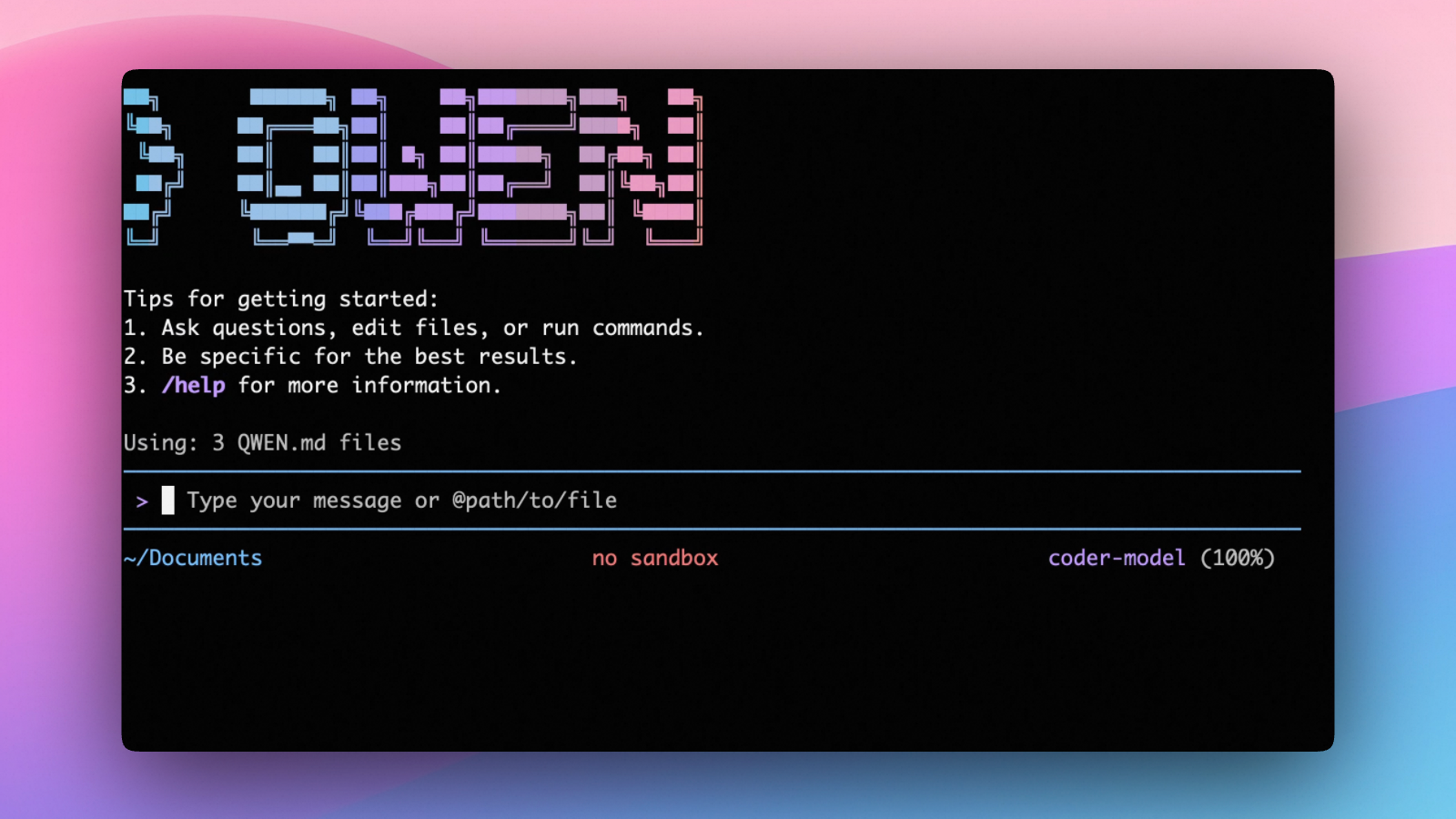
Qwen Code is an open-source AI agent for the terminal, optimized for Qwen series models. It helps you understand large codebases, automate tedious work, and ship faster.
- Multi-protocol, flexible providers: use OpenAI / Anthropic / Gemini-compatible APIs, Alibaba Cloud Coding Plan, OpenRouter, Fireworks AI, or bring your own API key.
- Open-source, co-evolving: both the framework and the Qwen3-Coder model are open-source—and they ship and evolve together.
- Agentic workflow, feature-rich: rich built-in tools (Skills, SubAgents) for a full agentic workflow and a Claude Code-like experience.
- Terminal-first, IDE-friendly: built for developers who live in the command line, with optional integration for VS Code, Zed, and JetBrains IDEs.
Installation
Quick Install (Recommended)
Linux / macOS
curl -fsSL https://qwen-code-assets.oss-cn-hangzhou.aliyuncs.com/installation/install-qwen-standalone.sh | bash
Windows
irm https://qwen-code-assets.oss-cn-hangzhou.aliyuncs.com/installation/install-qwen-standalone.ps1 | iex
Note
: It's recommended to restart your terminal after installation to ensure environment variables take effect.
Manual Installation
Prerequisites
Make sure you have Node.js 22 or later installed. Download it from nodejs.org.
NPM
npm install -g @qwen-code/qwen-code@latest
Homebrew (macOS, Linux)
brew install qwen-code
Quick Start
# Start Qwen Code (interactive)
qwen

# Then, in the session:
/help
/auth
On first use, you'll be prompted to sign in. You can run /auth anytime to switch authentication methods.
Example prompts:
What does this project do?
Explain the codebase structure.
Help me refactor this function.
Generate unit tests for this module.
Click to watch a demo video
🦞 Use Qwen Code for Coding Tasks in Claw
Copy the prompt below and paste it into your agent:
Use Qwen Code as a coding agent. First, fetch and read this skill reference:
https://raw.githubusercontent.com/QwenLM/qwen-code/refs/heads/main/.qwen/skills/qwen-code-claw/SKILL.md
Then follow the instructions inside to install, authenticate, and use Qwen Code via acpx for all coding tasks.
Authentication
Qwen Code supports the following authentication methods:
- API Key (recommended): use an API key from Alibaba Cloud Model Studio (Beijing / intl) or any supported provider (OpenAI, Anthropic, Google GenAI, and other compatible endpoints).
- Coding Plan: subscribe to the Alibaba Cloud Coding Plan (Beijing / intl) for a fixed monthly fee with higher quotas.
⚠️ Qwen OAuth was discontinued on April 15, 2026. If you were previously using Qwen OAuth, please switch to one of the methods above. Run
qwenand then/authto reconfigure.
API Key (recommended)
Use an API key to connect to Alibaba Cloud Model Studio or any supported provider. Supports multiple protocols:
- OpenAI-compatible: Alibaba Cloud ModelStudio, ModelScope, OpenAI, OpenRouter, and other OpenAI-compatible providers
- Anthropic: Claude models
- Google GenAI: Gemini models
The recommended way to configure models and providers is by editing ~/.qwen/settings.json (create it if it doesn't exist). This file lets you define all available models, API keys, and default settings in one place.
Quick Setup in 3 Steps
Step 1: Create or edit ~/.qwen/settings.json
Here is a complete example:
{
  "modelProviders": {
    "openai": [
      {
        "id": "qwen3.6-plus",
        "name": "qwen3.6-plus",
        "baseUrl": "https://dashscope.aliyuncs.com/compatible-mode/v1",
        "description": "Qwen3-Coder via Dashscope",
        "envKey": "DASHSCOPE_API_KEY"
      }
    ]
  },
  "env": {
    "DASHSCOPE_API_KEY": "sk-xxxxxxxxxxxxx"
  },
  "security": {
    "auth": {
      "selectedType": "openai"
    }
  },
  "model": {
    "name": "qwen3.6-plus"
  }
}
Step 2: Understand each field
| Field | What it does |
|---|---|
modelProviders |
Declares which models are available and how to connect to them. Keys like openai, anthropic, gemini represent the API protocol. |
modelProviders[].id |
The model ID sent to the API (e.g. qwen3.6-plus, gpt-4o). |
modelProviders[].envKey |
The name of the environment variable that holds your API key. |
modelProviders[].baseUrl |
The API endpoint URL (required for non-default endpoints). |
env |
A fallback place to store API keys (lowest priority; prefer .env files or export for sensitive keys). |
security.auth.selectedType |
The protocol to use on startup (openai, anthropic, gemini, vertex-ai). |
model.name |
The default model to use when Qwen Code starts. |
Step 3: Start Qwen Code — your configuration takes effect automatically:
qwen
Use the /model command at any time to switch between all configured models.
More Examples
Coding Plan (Alibaba Cloud ModelStudio) — fixed monthly fee, higher quotas
{
  "modelProviders": {
    "openai": [
      {
        "id": "qwen3.6-plus",
        "name": "qwen3.6-plus (Coding Plan)",
        "baseUrl": "https://coding.dashscope.aliyuncs.com/v1",
        "description": "qwen3.6-plus from ModelStudio Coding Plan",
        "envKey": "BAILIAN_CODING_PLAN_API_KEY"
      },
      {
        "id": "qwen3.5-plus",
        "name": "qwen3.5-plus (Coding Plan)",
        "baseUrl": "https://coding.dashscope.aliyuncs.com/v1",
        "description": "qwen3.5-plus with thinking enabled from ModelStudio Coding Plan",
        "envKey": "BAILIAN_CODING_PLAN_API_KEY",
        "generationConfig": {
          "extra_body": {
            "enable_thinking": true
          }
        }
      },
      {
        "id": "glm-4.7",
        "name": "glm-4.7 (Coding Plan)",
        "baseUrl": "https://coding.dashscope.aliyuncs.com/v1",
        "description": "glm-4.7 with thinking enabled from ModelStudio Coding Plan",
        "envKey": "BAILIAN_CODING_PLAN_API_KEY",
        "generationConfig": {
          "extra_body": {
            "enable_thinking": true
          }
        }
      },
      {
        "id": "kimi-k2.5",
        "name": "kimi-k2.5 (Coding Plan)",
        "baseUrl": "https://coding.dashscope.aliyuncs.com/v1",
        "description": "kimi-k2.5 with thinking enabled from ModelStudio Coding Plan",
        "envKey": "BAILIAN_CODING_PLAN_API_KEY",
        "generationConfig": {
          "extra_body": {
            "enable_thinking": true
          }
        }
      }
    ]
  },
  "env": {
    "BAILIAN_CODING_PLAN_API_KEY": "sk-xxxxxxxxxxxxx"
  },
  "security": {
    "auth": {
      "selectedType": "openai"
    }
  },
  "model": {
    "name": "qwen3.6-plus"
  }
}
Subscribe to the Coding Plan and get your API key at Alibaba Cloud ModelStudio(Beijing) or Alibaba Cloud ModelStudio(intl).
Multiple providers (OpenAI + Anthropic + Gemini)
{
  "modelProviders": {
    "openai": [
      {
        "id": "gpt-4o",
        "name": "GPT-4o",
        "envKey": "OPENAI_API_KEY",
        "baseUrl": "https://api.openai.com/v1"
      }
    ],
    "anthropic": [
      {
        "id": "claude-sonnet-4-20250514",
        "name": "Claude Sonnet 4",
        "envKey": "ANTHROPIC_API_KEY"
      }
    ],
    "gemini": [
      {
        "id": "gemini-2.5-pro",
        "name": "Gemini 2.5 Pro",
        "envKey": "GEMINI_API_KEY"
      }
    ]
  },
  "env": {
    "OPENAI_API_KEY": "sk-xxxxxxxxxxxxx",
    "ANTHROPIC_API_KEY": "sk-ant-xxxxxxxxxxxxx",
    "GEMINI_API_KEY": "AIzaxxxxxxxxxxxxx"
  },
  "security": {
    "auth": {
      "selectedType": "openai"
    }
  },
  "model": {
    "name": "gpt-4o"
  }
}
Enable thinking mode (for supported models like qwen3.5-plus)
{
  "modelProviders": {
    "openai": [
      {
        "id": "qwen3.5-plus",
        "name": "qwen3.5-plus (thinking)",
        "envKey": "DASHSCOPE_API_KEY",
        "baseUrl": "https://dashscope.aliyuncs.com/compatible-mode/v1",
        "generationConfig": {
          "extra_body": {
            "enable_thinking": true
          }
        }
      }
    ]
  },
  "env": {
    "DASHSCOPE_API_KEY": "sk-xxxxxxxxxxxxx"
  },
  "security": {
    "auth": {
      "selectedType": "openai"
    }
  },
  "model": {
    "name": "qwen3.5-plus"
  }
}
Tip: You can also set API keys via
exportin your shell or.envfiles, which take higher priority thansettings.json→env. See the authentication guide for full details.
Security note: Never commit API keys to version control. The
~/.qwen/settings.jsonfile is in your home directory and should stay private.
Local Model Setup (Ollama / vLLM)
You can also run models locally — no API key or cloud account needed. This is not an authentication method; instead, configure your local model endpoint in ~/.qwen/settings.json using the modelProviders field.
Set generationConfig.contextWindowSize inside the matching provider entry
and adjust it to the context length configured on your local server.
Ollama setup
- Install Ollama from ollama.com
- Pull a model:
ollama pull qwen3:32b - Configure
~/.qwen/settings.json:
{
  "modelProviders": {
    "openai": [
      {
        "id": "qwen3:32b",
        "name": "Qwen3 32B (Ollama)",
        "baseUrl": "http://localhost:11434/v1",
        "description": "Qwen3 32B running locally via Ollama",
        "generationConfig": {
          "contextWindowSize": 131072
        }
      }
    ]
  },
  "security": {
    "auth": {
      "selectedType": "openai"
    }
  },
  "model": {
    "name": "qwen3:32b"
  }
}
vLLM setup
- Install vLLM:
pip install vllm - Start the server:
vllm serve Qwen/Qwen3-32B - Configure
~/.qwen/settings.json:
{
  "modelProviders": {
    "openai": [
      {
        "id": "Qwen/Qwen3-32B",
        "name": "Qwen3 32B (vLLM)",
        "baseUrl": "http://localhost:8000/v1",
        "description": "Qwen3 32B running locally via vLLM",
        "generationConfig": {
          "contextWindowSize": 131072
        }
      }
    ]
  },
  "security": {
    "auth": {
      "selectedType": "openai"
    }
  },
  "model": {
    "name": "Qwen/Qwen3-32B"
  }
}
Usage
As an open-source terminal agent, you can use Qwen Code in five primary ways:
- Interactive mode (terminal UI)
- Headless mode (scripts, CI)
- IDE integration (VS Code, Zed)
- SDKs (TypeScript, Python, Java)
- Daemon mode —
qwen serveexposes ACP over HTTP+SSE so multiple clients share one agent (experimental)
Interactive mode
cd your-project/
qwen
Run qwen in your project folder to launch the interactive terminal UI. Use @ to reference local files (for example @src/main.ts).
Headless mode
cd your-project/
qwen -p "your question"
Use -p to run Qwen Code without the interactive UI—ideal for scripts, automation, and CI/CD. Learn more: Headless mode.
IDE integration
Use Qwen Code inside your editor (VS Code, Zed, and JetBrains IDEs):
Daemon mode (qwen serve, experimental)
cd your-project/
qwen serve
# → qwen serve listening on http://127.0.0.1:4170 (mode=http-bridge)
Run Qwen Code as a local HTTP daemon so IDE plugins, web UIs, CI scripts and custom CLIs all share one agent session over HTTP+SSE — instead of each spawning their own subprocess. Loopback bind has no auth by default (set QWEN_SERVER_TOKEN to enable bearer auth even on loopback); remote binds (--hostname 0.0.0.0) require a token — boot refuses without one. See:
SDKs
Build on top of Qwen Code with the available SDKs:
- TypeScript: Use the Qwen Code SDK
- Python: Use the Python SDK
- Java: Use the Java SDK
Python SDK example:
import asyncio

from qwen_code_sdk import is_sdk_result_message, query


async def main() -> None:
    result = query(
        "Summarize the repository layout.",
        {
            "cwd": "/path/to/project",
            "path_to_qwen_executable": "qwen",
        },
    )

    async for message in result:
        if is_sdk_result_message(message):
            print(message["result"])


asyncio.run(main())
Commands & Shortcuts
Session Commands
/help- Display available commands/clear- Clear conversation history/compress- Compress history to save tokens/stats- Show current session information/bug- Submit a bug report/exitor/quit- Exit Qwen Code
Keyboard Shortcuts
Ctrl+C- Cancel current operationCtrl+D- Exit (on empty line)Up/Down- Navigate command history
Learn more about Commands
Tip: In YOLO mode (
--yolo), vision switching happens automatically without prompts when images are detected. Learn more about Approval Mode
Configuration
Qwen Code can be configured via settings.json, environment variables, and CLI flags.
| File | Scope | Description |
|---|---|---|
~/.qwen/settings.json |
User (global) | Applies to all your Qwen Code sessions. Recommended for modelProviders and env. |
.qwen/settings.json |
Project | Applies only when running Qwen Code in this project. Overrides user settings. |
The most commonly used top-level fields in settings.json:
| Field | Description |
|---|---|
modelProviders |
Define available models per protocol (openai, anthropic, gemini, vertex-ai). |
env |
Fallback environment variables (e.g. API keys). Lower priority than shell export and .env files. |
security.auth.selectedType |
The protocol to use on startup (e.g. openai). |
model.name |
The default model to use when Qwen Code starts. |
See the Authentication section above for complete
settings.jsonexamples, and the settings reference for all available options.
Benchmark Results
Terminal-Bench Performance
| Agent | Model | Accuracy |
|---|---|---|
| Qwen Code | Qwen3-Coder-480A35 | 37.5% |
| Qwen Code | Qwen3-Coder-30BA3B | 31.3% |
Ecosystem
Looking for a graphical interface?
- AionUi A modern GUI for command-line AI tools including Qwen Code
- Gemini CLI Desktop A cross-platform desktop/web/mobile UI for Qwen Code
Troubleshooting
If you encounter issues, check the troubleshooting guide.
Common issues:
Qwen OAuth free tier was discontinued on 2026-04-15: Qwen OAuth is no longer available. Runqwen→/authand switch to API Key or Coding Plan. See the Authentication section above for setup instructions.
To report a bug from within the CLI, run /bug and include a short title and repro steps.
Connect with Us
- Discord: https://discord.gg/RN7tqZCeDK
- Dingtalk: https://qr.dingtalk.com/action/joingroup?code=v1,k1,+FX6Gf/ZDlTahTIRi8AEQhIaBlqykA0j+eBKKdhLeAE=&_dt_no_comment=1&origin=1
Acknowledgments
This project is based on Google Gemini CLI. We acknowledge and appreciate the excellent work of the Gemini CLI team. Our main contribution focuses on parser-level adaptations to better support Qwen-Coder models.