 65c82bed66
* fix(web-shell): rename scheduled tasks "查看历史" to "查看对话" * feat(serve): bind cron_create durable tasks to dedicated sessions via keepalive The cron_create tool (core layer) writes durable tasks to disk without a sessionId because it has no access to the session bridge. The keepalive loop runs in the daemon process where the bridge IS available, so it retroactively binds unbound tasks to dedicated sessions — the same flow POST /scheduled-tasks uses for UI-created tasks. Each unbound task gets: spawnOrAttach(sessionScope:'thread'), named ⏰ prompt, sessionId written back to disk. This makes chat-created tasks show "查看对话" with a clock icon in the session list, matching the UI's "新建定时任务". * feat(serve): watch tasks file for immediate binding of new cron_create tasks The keepalive interval is 2-5 minutes, so a chat-created task could wait that long before being bound to a dedicated session — showing no "查看对话" link until the next tick. Adding a file watcher (same directory-watch + debounce pattern the scheduler uses) triggers an immediate tick when cron_create writes to disk, so the task is bound within ~500ms. * feat(serve): bind cron_create tasks to current session + ⏰ rename via keepalive Switch from creating a separate dedicated session to binding the task to the current chat session (so the first message is already in the transcript). The keepalive then renames that session to ⏰ prompt — the core layer can't rename sessions (no bridge access), but the daemon process can. A Set tracks renamed sessions to avoid repeated updateMetadata calls. Unbound tasks (legacy/CLI) still get new sessions via the existing bind path. * fix(core): keep createDurable() tasks unbound by default Reverts the auto-binding of durable tasks to the current session in createDurable(). Binding to a specific session means only that session can fire the task (#shouldFireDurable), but non-daemon paths (TUI, ACP, headless) have no keepalive to rehydrate the session after exit — making tool-created durable tasks go dormant. The daemon keepalive (bindAndNameSessions) already handles binding unbound tasks to dedicated sessions with ⏰ naming, so daemon-mode tasks get the same UX without the regression. * fix(serve): roll back orphan sessions in keepalive binding + add tests When bindAndNameSessions spawns a dedicated session for an unbound task but the subsequent updateCronTasks write fails (or the task was deleted between read and write), the spawned session was left behind with no owning task — the next tick would see the task still unbound (or spawn more orphans). Add rollback: closeSession + removeSession on failure, matching the POST /scheduled-tasks rollback pattern. Also add positive test coverage for the new binding paths: - unbound task → spawn + name + write sessionId to disk - bound task without ⏰ prefix → named exactly once (renamed Set dedup) - task vanishes before write → spawned session is rolled back * fix(serve): add timeout to spawnOrAttach in keepalive binding + test hardening BZ-D: spawnOrAttach in bindAndNameSessions had no timeout boundary — a hung spawn would keep running=true and stall all subsequent ticks, stopping heartbeats/revives for every scheduled-task session. Wrap with withTimeout (configurable via spawnTimeoutMs, default 30s) and attach a background handler to clean up late-resolved orphans. Also generalized withTimeout error messages to include the operation name, and made spawn timeout configurable for tests. Test improvements (GPT-5 review suggestions): - Assert spawnOrAttach payload (workspaceCwd + sessionScope: thread) - Verify SessionService.removeSession called during rollback - Regression test: createDurable stays unbound after enableDurable - Hung-spawn test: tick completes despite non-abortable spawn hang * fix(serve): keepalive hardening + i18n sync (review suggestions) - i18n: sync English 'View history' → 'View conversation' to match Chinese '查看对话' - Prune renamed Set alongside reviveState when tasks are removed - fs.watch: clarify null filename handling for Linux (treat as match) - updateCronTasks: skip .map() when task not found (no-op optimization) - Add tests: disabled unbound exclusion, naming failure resilience |
||
|---|---|---|
| .github | ||
| .husky | ||
| .qwen | ||
| .vscode | ||
| docs | ||
| docs-site | ||
| eslint-rules | ||
| integration-tests | ||
| packages | ||
| patches | ||
| scripts | ||
| .dockerignore | ||
| .editorconfig | ||
| .gitattributes | ||
| .gitignore | ||
| .npmrc | ||
| .nvmrc | ||
| .prettierignore | ||
| .prettierrc.json | ||
| .yamllint.yml | ||
| AGENTS.md | ||
| CHANGELOG.md | ||
| CLAUDE.md | ||
| CONTRIBUTING.md | ||
| Dockerfile | ||
| esbuild.config.js | ||
| eslint.config.js | ||
| eslint.legacy-filenames.mjs | ||
| LICENSE | ||
| Makefile | ||
| package-lock.json | ||
| package.json | ||
| README.md | ||
| SECURITY.md | ||
| tsconfig.json | ||
| vitest.config.ts | ||




The open-source AI coding agent that lives in your terminal.
中文 | Deutsch | français | 日本語 | Русский | Português (Brasil)
Why Qwen Code?
- Agentic out of the box — Auto-Memory, Auto-Skills, SubAgents, Agent Teams, and MCP. Dynamic workflows, zero setup.
- Open-source, inside and out — The framework and the Qwen models are open-source. They evolve together. No vendor lock-in.
- Multi-protocol — Supports OpenAI, Anthropic, Gemini, and Qwen APIs. Any third-party provider or local model (Ollama / vLLM). Switch at runtime.
- Beyond the terminal — IDE plugins, Desktop app, daemon mode, SDKs, and IM bots (Telegram / DingTalk / WeChat / Feishu).
Tip
Qwen Code is actively iterating on itself — using its own agent and models to file issues, submit PRs, review code, and run tests. Powered by the community, driven by AI.
Installation
Linux / macOS:
curl -fsSL https://qwen-code-assets.oss-cn-hangzhou.aliyuncs.com/installation/install-qwen-standalone.sh | bash
Windows:
irm https://qwen-code-assets.oss-cn-hangzhou.aliyuncs.com/installation/install-qwen-standalone.ps1 | iex
Restart your terminal after installation to ensure environment variables take effect.
NPM / Homebrew
NPM (requires Node.js 22+):
npm install -g @qwen-code/qwen-code@latest
Homebrew (macOS / Linux):
brew install qwen-code
Quick Start
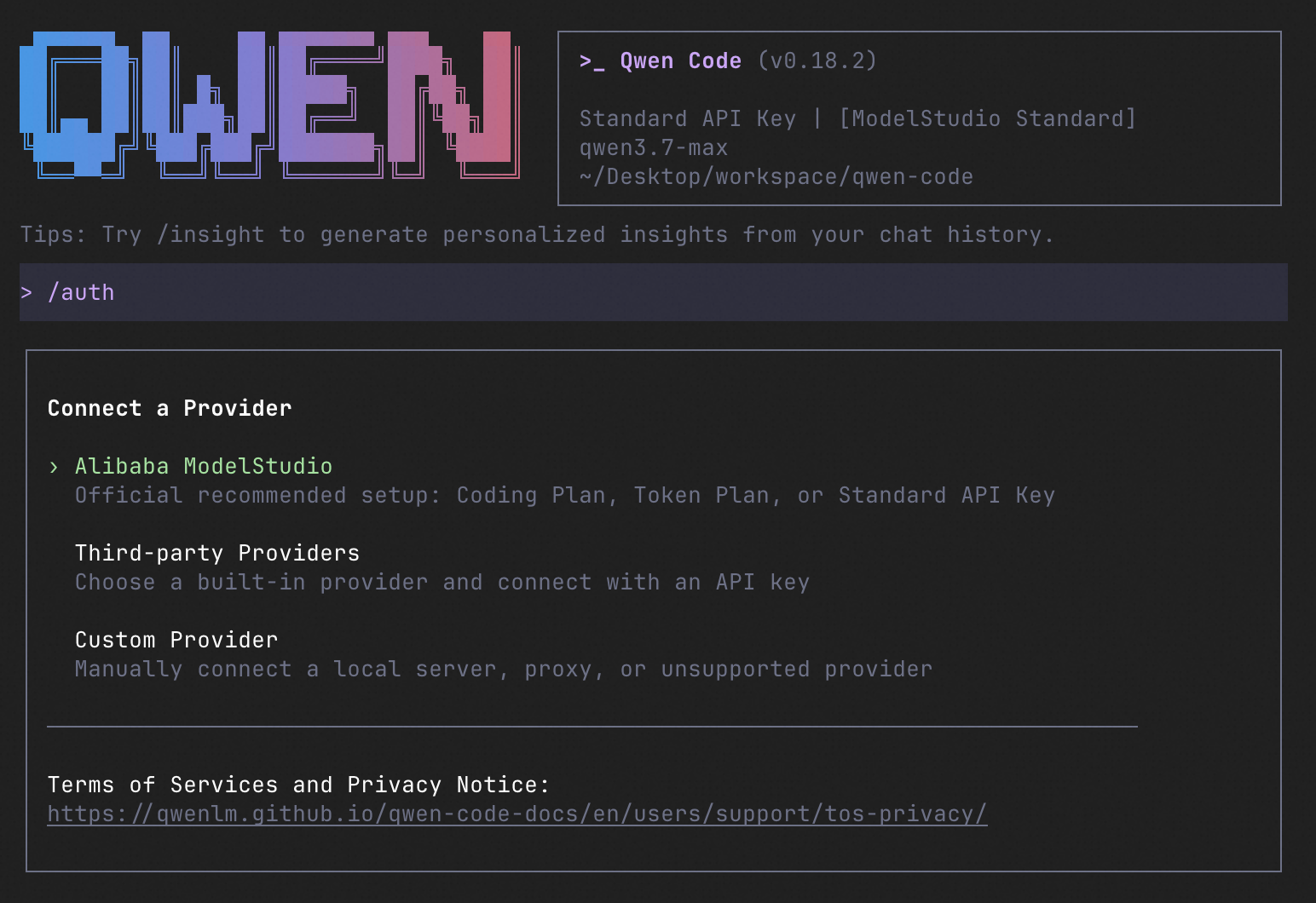
qwen          # Launch interactive terminal UI
# Inside the session:
/auth         # Configure your provider and API key
See the Authentication Guide and Settings Reference for detailed setup.
How to Use Qwen Code
| Mode | Command | Use Case |
|---|---|---|
| Interactive | qwen |
Terminal UI with rich rendering, @file references, slash commands |
| Headless | qwen -p "..." |
Scripts, CI/CD, batch processing — no UI |
| IDE | — | VS Code, Zed, JetBrains |
| Desktop | — | Qwen Code Desktop — GUI for macOS, Windows, Linux |
| Daemon | qwen serve |
Shared agent session over HTTP+SSE (ACP). Multiple clients, one agent. (experimental) Docs |
| SDK | — | TypeScript, Python, Java |
| IM Bot | qwen channel |
Connect to Telegram, DingTalk, WeChat, or Feishu |
SDK example (Python)
import asyncio

from qwen_code_sdk import is_sdk_result_message, query


async def main() -> None:
    result = query(
        "Summarize the repository layout.",
        {
            "cwd": "/path/to/project",
            "path_to_qwen_executable": "qwen",
        },
    )

    async for message in result:
        if is_sdk_result_message(message):
            print(message["result"])


asyncio.run(main())
Capabilities
If you know Claude Code, you already know Qwen Code — and then some. We've put significant effort into bringing Qwen Code to feature parity with Claude Code, improving both breadth and reliability across the board.
| Feature | Qwen Code | Claude Code |
|---|---|---|
| SubAgents, Agent Teams, Dynamic Workflows | ✓ | ✓ |
| Auto-Memory, Auto-Skills, Hooks | ✓ | ✓ |
| Built-in Skills (/review, /batch, /loop, /bugfix…) | ✓ | ✓ |
| MCP, Plan Mode, LSP Integration | ✓ | ✓ |
| Auto Mode, Sandbox, Git Worktrees | ✓ | ✓ |
| Computer Use (desktop automation) | ✓ | ✓ |
| IDE Plugins (VS Code / JetBrains / Zed) | ✓ | ✓ |
| SDK | ✓ | ✓ |
| Headless Mode, Session Management | ✓ | ✓ |
| Open-source — model and framework | ✓ | — |
| Multi-protocol (OpenAI / Anthropic / Gemini / Qwen + any provider) | ✓ | — |
| Agent Arena (multi-model head-to-head on same task) | ✓ | — |
Daemon Mode — qwen serve (multi-client shared agent) |
✓ | — |
| IM Channels (Telegram / DingTalk / WeChat / Feishu) | ✓ | — |
Ecosystem
-
Qwen Code Desktop — Official desktop app for macOS, Windows, and Linux
-
AionUi — A modern GUI for command-line AI tools including Qwen Code
-
Gemini CLI Desktop — A cross-platform desktop/web/mobile UI for Qwen Code
-
🦞 Qwen Code Claw — Let other agents (Claude, Codex, etc.) delegate coding tasks to Qwen Code via ACP. Paste this prompt into your agent:
Use Qwen Code as a coding agent. First, fetch and read this skill reference:
https://raw.githubusercontent.com/QwenLM/qwen-code/refs/heads/main/.qwen/skills/qwen-code-claw/SKILL.md
Then follow the instructions inside to install, authenticate, and use Qwen Code via acpx for all coding tasks.
Contributing
Contributions are welcome! See CONTRIBUTING.md for guidelines.
Acknowledgments
This project was originally based on Google Gemini CLI v0.8.2. We gratefully acknowledge the Gemini CLI team's excellent work. Starting from Qwen Code v0.1, we stopped syncing with upstream and began independent development as a multi-protocol, multi-platform agent framework with deep integrations for Qwen models and beyond.