 3d1122d284
Some checks failed
E2E Tests / E2E Test (Linux) - sandbox:docker (push) Waiting to run
E2E Tests / E2E Test (Linux) - sandbox:none (push) Waiting to run
E2E Tests / E2E Test - macOS (push) Waiting to run
SDK Python / Classify PR (push) Has been cancelled
SDK Python / SDK Python (3.10) (push) Has been cancelled
SDK Python / SDK Python (3.11) (push) Has been cancelled
SDK Python / SDK Python (3.12) (push) Has been cancelled
* perf(cli): defer startup prefetch tasks * fix(cli): await IDE for prompt-interactive startup * perf(cli): defer interactive telemetry startup * test(cli): add missing assertions and Zed/ACP path coverage for startup prefetch Address three test coverage gaps identified during code review: - Assert mockStartEarlyStartupPrefetches in both kitty protocol tests (C1: API preconnect call was wired but never verified) - Add Zed/ACP integration test verifying deferIdeConnection is false when getExperimentalZedIntegration returns true (C2: Zed path was entirely untested) - Assert mockStartBackgroundHousekeeping in startup-prefetch test (C3: unconditional housekeeping dispatch was never verified) * docs: move startup prefetch design doc to performance subdirectory * docs: translate startup prefetch design doc to English * fix(cli): address startup prefetch review comments Tighten the startup prefetch follow-up fixes from review while keeping prompt-interactive telemetry on the fast interactive startup path. - Preserve Error objects when deferred startup tasks fail - Remove the unbalanced api_preconnect profiler lifecycle event - Guard background housekeeping so it only runs for interactive configs - Document and test prompt-interactive telemetry deferral semantics * fix(cli): initialize telemetry for prompt-interactive prompts Ensure sessions launched with an initial interactive prompt have telemetry ready before the auto-submitted first request runs. - Exclude prompt-interactive startup from telemetry deferral - Pass a post-render telemetry option through interactive UI startup - Skip duplicate post-render telemetry startup for initial prompts - Update tests to cover the first-prompt telemetry guarantee Note: Plain interactive TUI startup still defers telemetry post-render. * fix(cli): preserve startup first-request guarantees Keep deferred startup work from weakening first-request behavior in interactive sessions that submit prompts automatically or remotely. - Store telemetry deferral on Config and reuse that decision at render time - Keep IDE startup awaited for prompt-interactive and input-file sessions - Add a timeout for deferred IDE connection failures - Cover ordinary interactive telemetry deferral and IDE startup edge cases * fix(cli): make post-render IDE connection opt-in Default startInteractiveUI to the already-connected IDE path so future callers do not accidentally connect twice when initializeApp used its eager default. - Change the post-render IDE connection default to false - Update startInteractiveUI tests to assert the safer default * perf(cli): surface deferred IDE connection status Make ordinary interactive IDE startup visible while preserving the post-render prefetch path and first-paint performance tradeoff. - Emit deferred IDE connection lifecycle events for connecting, success, and failure states - Surface IDE startup status in the TUI footer without blocking input - Log late underlying IDE failures after timeout for better diagnostics - Document telemetry deferral tradeoffs and add startup lifecycle tests --------- Co-authored-by: heyang.why <heyang.why@alibaba-inc.com> |
||
|---|---|---|
| .github | ||
| .husky | ||
| .qwen | ||
| .vscode | ||
| docs | ||
| docs-site | ||
| eslint-rules | ||
| integration-tests | ||
| packages | ||
| patches | ||
| scripts | ||
| .dockerignore | ||
| .editorconfig | ||
| .gitattributes | ||
| .gitignore | ||
| .npmrc | ||
| .nvmrc | ||
| .prettierignore | ||
| .prettierrc.json | ||
| .yamllint.yml | ||
| AGENTS.md | ||
| CHANGELOG.md | ||
| CLAUDE.md | ||
| CONTRIBUTING.md | ||
| Dockerfile | ||
| esbuild.config.js | ||
| eslint.config.js | ||
| eslint.legacy-filenames.mjs | ||
| LICENSE | ||
| Makefile | ||
| package-lock.json | ||
| package.json | ||
| README.md | ||
| SECURITY.md | ||
| tsconfig.json | ||
| vitest.config.ts | ||




The open-source AI coding agent that lives in your terminal.
中文 | Deutsch | français | 日本語 | Русский | Português (Brasil)
Why Qwen Code?
- Agentic out of the box — Auto-Memory, Auto-Skills, SubAgents, Agent Teams, and MCP. Dynamic workflows, zero setup.
- Open-source, inside and out — The framework and the Qwen models are open-source. They evolve together. No vendor lock-in.
- Multi-protocol — Supports OpenAI, Anthropic, Gemini, and Qwen APIs. Any third-party provider or local model (Ollama / vLLM). Switch at runtime.
- Beyond the terminal — IDE plugins, Desktop app, daemon mode, SDKs, and IM bots (Telegram / DingTalk / WeChat / Feishu).
Tip
Qwen Code is actively iterating on itself — using its own agent and models to file issues, submit PRs, review code, and run tests. Powered by the community, driven by AI.
Installation
Linux / macOS:
curl -fsSL https://qwen-code-assets.oss-cn-hangzhou.aliyuncs.com/installation/install-qwen-standalone.sh | bash
Windows:
irm https://qwen-code-assets.oss-cn-hangzhou.aliyuncs.com/installation/install-qwen-standalone.ps1 | iex
Restart your terminal after installation to ensure environment variables take effect.
NPM / Homebrew
NPM (requires Node.js 22+):
npm install -g @qwen-code/qwen-code@latest
Homebrew (macOS / Linux):
brew install qwen-code
Quick Start
qwen          # Launch interactive terminal UI
# Inside the session:
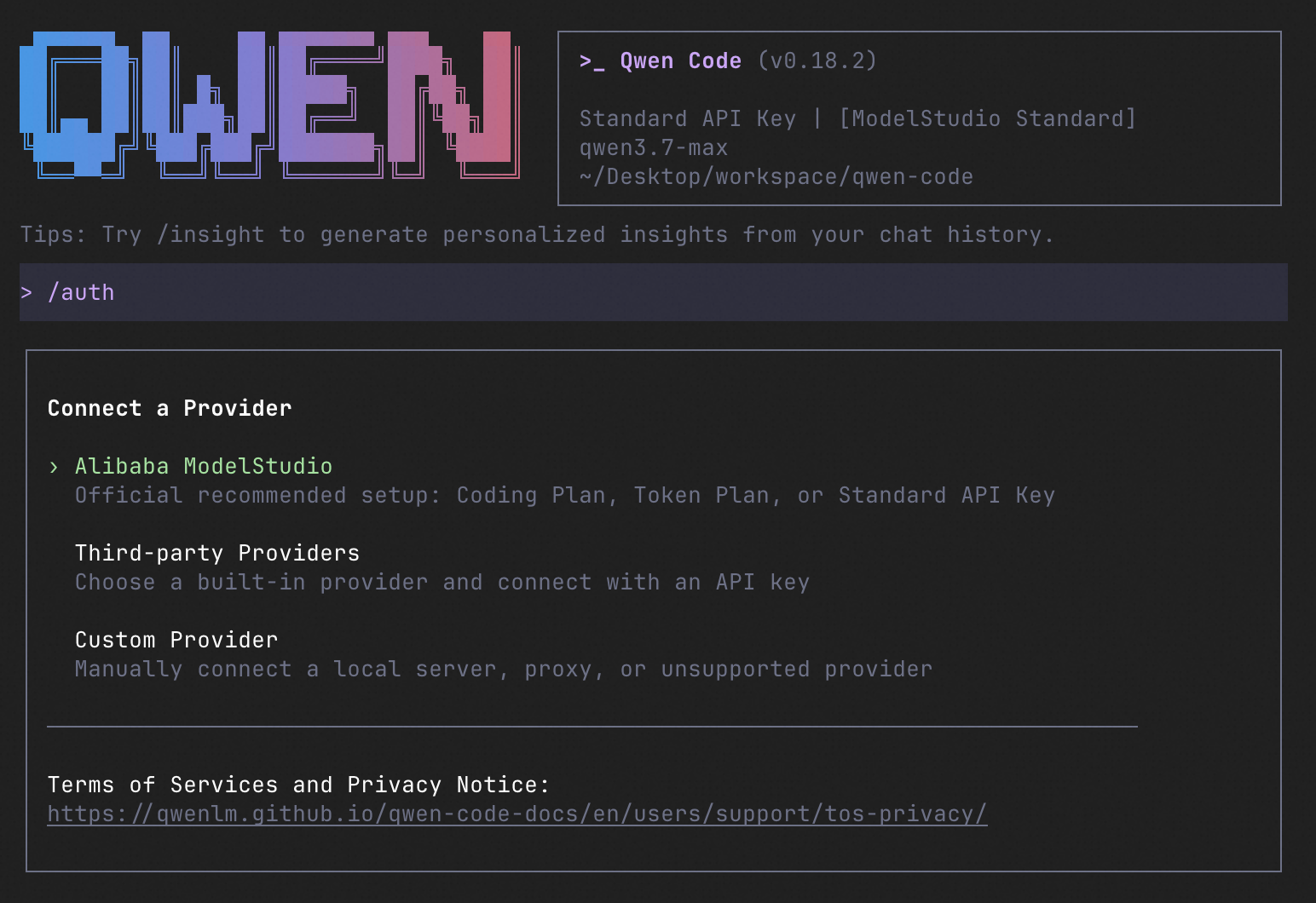
/auth         # Configure your provider and API key
See the Authentication Guide and Settings Reference for detailed setup.
How to Use Qwen Code
| Mode | Command | Use Case |
|---|---|---|
| Interactive | qwen |
Terminal UI with rich rendering, @file references, slash commands |
| Headless | qwen -p "..." |
Scripts, CI/CD, batch processing — no UI |
| IDE | — | VS Code, Zed, JetBrains |
| Desktop | — | Qwen Code Desktop — GUI for macOS, Windows, Linux |
| Daemon | qwen serve |
Shared agent session over HTTP+SSE (ACP). Multiple clients, one agent. (experimental) Docs |
| SDK | — | TypeScript, Python, Java |
| IM Bot | qwen channel |
Connect to Telegram, DingTalk, WeChat, or Feishu |
SDK example (Python)
import asyncio

from qwen_code_sdk import is_sdk_result_message, query


async def main() -> None:
    result = query(
        "Summarize the repository layout.",
        {
            "cwd": "/path/to/project",
            "path_to_qwen_executable": "qwen",
        },
    )

    async for message in result:
        if is_sdk_result_message(message):
            print(message["result"])


asyncio.run(main())
Capabilities
If you know Claude Code, you already know Qwen Code — and then some. We've put significant effort into bringing Qwen Code to feature parity with Claude Code, improving both breadth and reliability across the board.
| Feature | Qwen Code | Claude Code |
|---|---|---|
| SubAgents, Agent Teams, Dynamic Workflows | ✓ | ✓ |
| Auto-Memory, Auto-Skills, Hooks | ✓ | ✓ |
| Built-in Skills (/review, /batch, /loop, /bugfix…) | ✓ | ✓ |
| MCP, Plan Mode, LSP Integration | ✓ | ✓ |
| Auto Mode, Sandbox, Git Worktrees | ✓ | ✓ |
| Computer Use (desktop automation) | ✓ | ✓ |
| IDE Plugins (VS Code / JetBrains / Zed) | ✓ | ✓ |
| SDK | ✓ | ✓ |
| Headless Mode, Session Management | ✓ | ✓ |
| Open-source — model and framework | ✓ | — |
| Multi-protocol (OpenAI / Anthropic / Gemini / Qwen + any provider) | ✓ | — |
| Agent Arena (multi-model head-to-head on same task) | ✓ | — |
Daemon Mode — qwen serve (multi-client shared agent) |
✓ | — |
| IM Channels (Telegram / DingTalk / WeChat / Feishu) | ✓ | — |
Ecosystem
-
Qwen Code Desktop — Official desktop app for macOS, Windows, and Linux
-
AionUi — A modern GUI for command-line AI tools including Qwen Code
-
Gemini CLI Desktop — A cross-platform desktop/web/mobile UI for Qwen Code
-
🦞 Qwen Code Claw — Let other agents (Claude, Codex, etc.) delegate coding tasks to Qwen Code via ACP. Paste this prompt into your agent:
Use Qwen Code as a coding agent. First, fetch and read this skill reference:
https://raw.githubusercontent.com/QwenLM/qwen-code/refs/heads/main/.qwen/skills/qwen-code-claw/SKILL.md
Then follow the instructions inside to install, authenticate, and use Qwen Code via acpx for all coding tasks.
Contributing
Contributions are welcome! See CONTRIBUTING.md for guidelines.
Acknowledgments
This project was originally based on Google Gemini CLI v0.8.2. We gratefully acknowledge the Gemini CLI team's excellent work. Starting from Qwen Code v0.1, we stopped syncing with upstream and began independent development as a multi-protocol, multi-platform agent framework with deep integrations for Qwen models and beyond.