 0957e18ea2
* fix(cli): apply FETCH_TIMEOUT_MS to /update version check and log fetchInfo results (#6857) The FETCH_TIMEOUT_MS = 2000 constant in updateCheck.ts was defined but never wired up. update-notifier's fetchInfo() takes no timeout option, so slow/unreachable registries (corporate proxies, offline networks, scoped .npmrc mirrors without auth) would either hang the check or fall back to whatever update-notifier internally decides — sometimes a stale configstore cache, reported by users as '/update reports up-to-date on 0.19.9 when 0.19.10 is available.' Race fetchInfo() against a bounded timer via Promise.race and surface a new UpdateCheckTimeoutError when it fires, so '/update' returns the existing 'error' status instead of silently reporting 'up to date.' Also log the fetchInfo return value under the UPDATE_CHECK debug tag so the next round of reports can distinguish 'registry returned the wrong version' from 'we compared incorrectly' without adding more speculation. Refs #6857 * fix(cli): carry dist-tag on UpdateCheckTimeoutError and cover nightly timeout paths Address bot review on #6887: - `UpdateCheckTimeoutError` now takes an optional `distTag` argument that is threaded through by `fetchInfoWithTimeout` and appended to the message. The nightly path fires `nightly` and `latest` fetches concurrently via `Promise.all`; without a dist-tag on the error, an oncall reading logs cannot tell which registry endpoint stalled (e.g. a corporate proxy that lets `nightly` through but blocks `latest`). The tag also lands on the error instance as a public `distTag` field so callers can branch on it programmatically. - Add two regression tests for the nightly `Promise.all` timeout path: a single stalled dist-tag (asserts Promise.all propagates the timeout and names the exact tag) and both stalled (full outage — asserts we still surface a typed error with a valid tag). The non-nightly test now also asserts the message contains `for latest`. |
||
|---|---|---|
| .github | ||
| .husky | ||
| .qwen | ||
| .vscode | ||
| docs | ||
| docs-site | ||
| eslint-rules | ||
| integration-tests | ||
| packages | ||
| patches | ||
| scripts | ||
| .dockerignore | ||
| .editorconfig | ||
| .gitattributes | ||
| .gitignore | ||
| .npmrc | ||
| .nvmrc | ||
| .prettierignore | ||
| .prettierrc.json | ||
| .yamllint.yml | ||
| AGENTS.md | ||
| CHANGELOG.md | ||
| CLAUDE.md | ||
| CONTRIBUTING.md | ||
| Dockerfile | ||
| esbuild.config.js | ||
| eslint.config.js | ||
| eslint.legacy-filenames.mjs | ||
| LICENSE | ||
| Makefile | ||
| package-lock.json | ||
| package.json | ||
| README.md | ||
| SECURITY.md | ||
| tsconfig.json | ||
| vitest.config.ts | ||




The open-source AI coding agent that lives in your terminal.
中文 | Deutsch | français | 日本語 | Русский | Português (Brasil)
Why Qwen Code?
- Agentic out of the box — Auto-Memory, Auto-Skills, SubAgents, Agent Teams, and MCP. Dynamic workflows, zero setup.
- Open-source, inside and out — The framework and the Qwen models are open-source. They evolve together. No vendor lock-in.
- Multi-protocol — Supports OpenAI, Anthropic, Gemini, and Qwen APIs. Any third-party provider or local model (Ollama / vLLM). Switch at runtime.
- Beyond the terminal — IDE plugins, Desktop app, daemon mode, SDKs, and IM bots (Telegram / DingTalk / WeChat / Feishu).
Tip
Qwen Code is actively iterating on itself — using its own agent and models to file issues, submit PRs, review code, and run tests. Powered by the community, driven by AI.
Installation
Linux / macOS:
curl -fsSL https://qwen-code-assets.oss-cn-hangzhou.aliyuncs.com/installation/install-qwen-standalone.sh | bash
Windows:
irm https://qwen-code-assets.oss-cn-hangzhou.aliyuncs.com/installation/install-qwen-standalone.ps1 | iex
Restart your terminal after installation to ensure environment variables take effect.
NPM / Homebrew
NPM (requires Node.js 22+):
npm install -g @qwen-code/qwen-code@latest
Homebrew (macOS / Linux):
brew install qwen-code
Quick Start
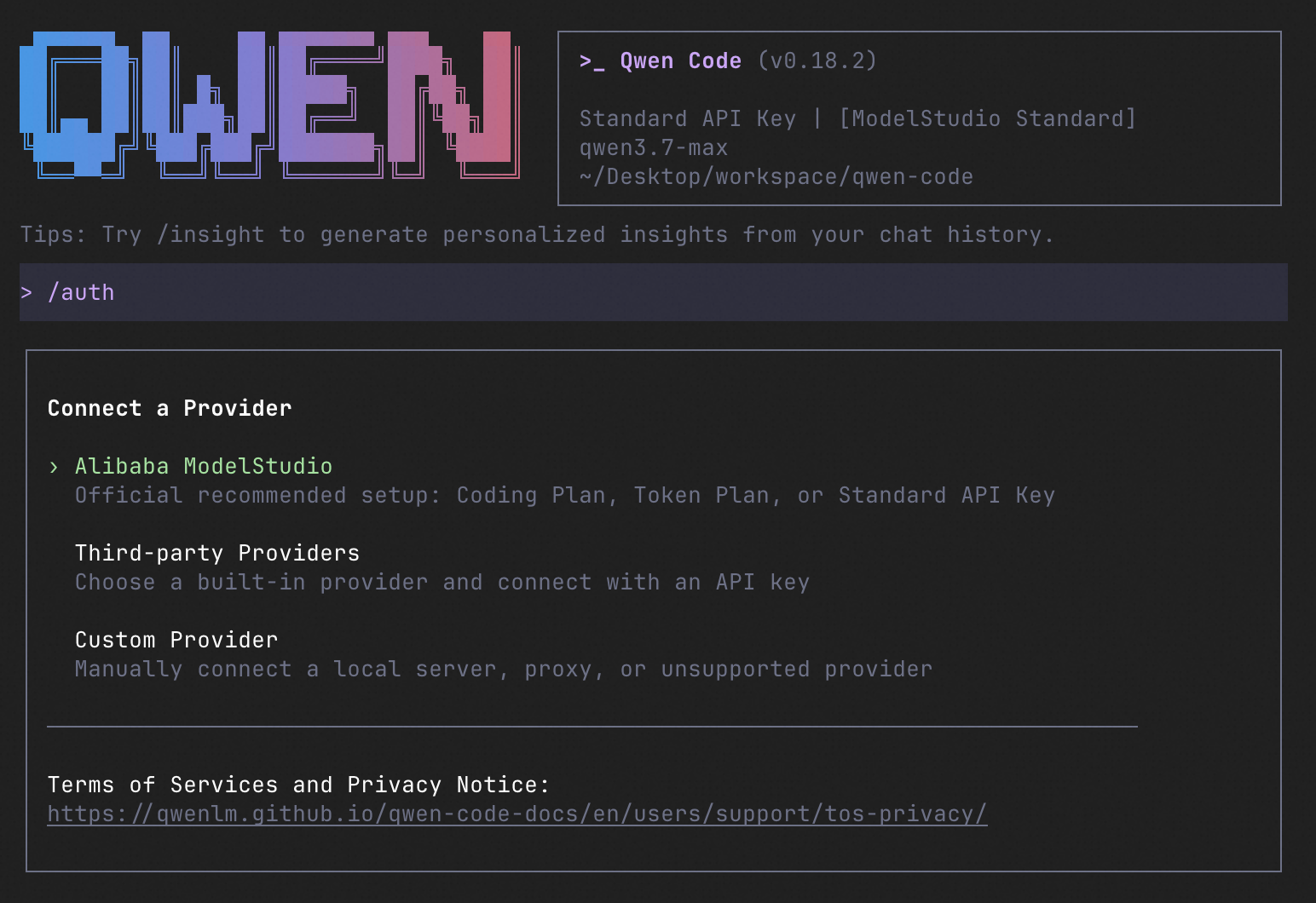
qwen          # Launch interactive terminal UI
# Inside the session:
/auth         # Configure your provider and API key
See the Authentication Guide and Settings Reference for detailed setup.
How to Use Qwen Code
| Mode | Command | Use Case |
|---|---|---|
| Interactive | qwen |
Terminal UI with rich rendering, @file references, slash commands |
| Headless | qwen -p "..." |
Scripts, CI/CD, batch processing — no UI |
| IDE | — | VS Code, Zed, JetBrains |
| Desktop | — | Qwen Code Desktop — GUI for macOS, Windows, Linux |
| Daemon | qwen serve |
Shared agent session over HTTP+SSE (ACP). Multiple clients, one agent. (experimental) Docs |
| SDK | — | TypeScript, Python, Java |
| IM Bot | qwen channel |
Connect to Telegram, DingTalk, WeChat, or Feishu |
SDK example (Python)
import asyncio

from qwen_code_sdk import is_sdk_result_message, query


async def main() -> None:
    result = query(
        "Summarize the repository layout.",
        {
            "cwd": "/path/to/project",
            "path_to_qwen_executable": "qwen",
        },
    )

    async for message in result:
        if is_sdk_result_message(message):
            print(message["result"])


asyncio.run(main())
Capabilities
If you know Claude Code, you already know Qwen Code — and then some. We've put significant effort into bringing Qwen Code to feature parity with Claude Code, improving both breadth and reliability across the board.
| Feature | Qwen Code | Claude Code |
|---|---|---|
| SubAgents, Agent Teams, Dynamic Workflows | ✓ | ✓ |
| Auto-Memory, Auto-Skills, Hooks | ✓ | ✓ |
| Built-in Skills (/review, /batch, /loop, /bugfix…) | ✓ | ✓ |
| MCP, Plan Mode, LSP Integration | ✓ | ✓ |
| Auto Mode, Sandbox, Git Worktrees | ✓ | ✓ |
| Computer Use (desktop automation) | ✓ | ✓ |
| IDE Plugins (VS Code / JetBrains / Zed) | ✓ | ✓ |
| SDK | ✓ | ✓ |
| Headless Mode, Session Management | ✓ | ✓ |
| Open-source — model and framework | ✓ | — |
| Multi-protocol (OpenAI / Anthropic / Gemini / Qwen + any provider) | ✓ | — |
| Agent Arena (multi-model head-to-head on same task) | ✓ | — |
Daemon Mode — qwen serve (multi-client shared agent) |
✓ | — |
| IM Channels (Telegram / DingTalk / WeChat / Feishu) | ✓ | — |
Ecosystem
-
Qwen Code Desktop — Official desktop app for macOS, Windows, and Linux
-
AionUi — A modern GUI for command-line AI tools including Qwen Code
-
Gemini CLI Desktop — A cross-platform desktop/web/mobile UI for Qwen Code
-
🦞 Qwen Code Claw — Let other agents (Claude, Codex, etc.) delegate coding tasks to Qwen Code via ACP. Paste this prompt into your agent:
Use Qwen Code as a coding agent. First, fetch and read this skill reference:
https://raw.githubusercontent.com/QwenLM/qwen-code/refs/heads/main/.qwen/skills/qwen-code-claw/SKILL.md
Then follow the instructions inside to install, authenticate, and use Qwen Code via acpx for all coding tasks.
Contributing
Contributions are welcome! See CONTRIBUTING.md for guidelines.
Acknowledgments
This project was originally based on Google Gemini CLI v0.8.2. We gratefully acknowledge the Gemini CLI team's excellent work. Starting from Qwen Code v0.1, we stopped syncing with upstream and began independent development as a multi-protocol, multi-platform agent framework with deep integrations for Qwen models and beyond.