 01db559623
* fix(clipboard): use platform-native tools for image paste on Linux

Replace @teddyzhu/clipboard native module with wl-paste/xclip on Linux
to fix image paste in WSL2+Wayland environments.

The native module uses X11 protocol and cannot read clipboard images
when the session uses Wayland (common in WSL2 with WSLg). This causes
clipboardHasImage() to return false even when the clipboard contains
an image.

Changes:
- Use wl-paste --list-types to detect images (Wayland)
- Use xclip -selection clipboard -t TARGETS -o to detect images (X11)
- Handle image/bmp format from Windows clipboard (WSL2 exposes BMP)
- Convert BMP to PNG using Python PIL when available
- Detect clipboard tool via WAYLAND_DISPLAY when XDG_SESSION_TYPE is unset
- Keep @teddyzhu/clipboard as fallback for macOS/Windows

Fixes QwenLM/qwen-code#3517
Fixes QwenLM/qwen-code#2885

* test: update clipboard tests for platform-native tools

The tests were mocking @teddyzhu/clipboard but the implementation now
uses platform-native tools (wl-paste/xclip) on Linux. Update mocks
to test the spawn-based implementation.

* fix: address critical review comments

1. Fix command injection in Python BMP-to-PNG conversion
   - Use sys.argv instead of string interpolation
   - Prevents path traversal via single-quote injection

2. Fix BMP fallback dead code
   - When PIL is not available, return BMP file path instead of
     deleting the only copy and returning false
   - Update saveClipboardImage to handle non-PNG return paths

* fix: address review suggestions for resource leaks and robustness

- #3: Add proper cleanup in saveFromCommand error paths (kill child, destroy stream)
- #4: Add 5s timeout for all spawned processes to prevent TUI hangs
- #7: Check exit code in checkClipboardForImage (code === 0)
- #8: Move fs.mkdir inside try/catch in saveClipboardImage
- #10: Merge checkWlPasteForImage/checkXclipForImage into checkClipboardForImage

* fix: address all remaining review comments

Source code fixes:
- #25: Add timeout to getWlPasteImageTypes (PROCESS_TIMEOUT_MS)
- #26: Add timeout to python3 spawn in BMP-to-PNG conversion
- #27: Wrap child.kill() in try-catch in timeout handlers
- #28: Replace dynamic import('node:fs/promises') with static statSync
- #30: Export resetLinuxClipboardTool() for testability
- Add try-catch around spawn in checkClipboardForImage
- Use stdio: ['ignore', 'ignore', 'ignore'] for python3 spawn

Test fixes:
- #24: Use vi.hoisted() for mock functions (avoids hoisting issue)
- #31: Stub process.platform = 'linux' in beforeEach
- Add default export to node:child_process mock
- Use EventEmitter-based mock child for async behavior
- All 7 tests passing

* perf: cache wl-paste --list-types result to avoid redundant calls

Avoid spawning wl-paste twice on the paste hot path:
1. clipboardHasImage calls wl-paste --list-types (check)
2. saveClipboardImage calls getWlPasteImageTypes (get types)

Now the result is cached after the first call and reused.
Cache is reset via resetLinuxClipboardTool() for testing.

* fix: address remaining review suggestions

- #1: Add child.stdout error handler in saveFromCommand
- #2: Add macOS/Windows test coverage for @teddyzhu/clipboard fallback
- #3: Fix .replace('.png', '.bmp') to use regex /\.png$/ to prevent path corruption

* fix: address critical cache invalidation and other review feedback

- #1 Critical: Reset cachedWlPasteImageTypes at start of clipboardHasImage
  to prevent stale data between paste operations
- #1 Critical: Check exit code in getWlPasteImageTypes close handler,
  do not cache failed results
- #2: Replace statSync with async fs.stat to avoid blocking event loop
- #3: Remove async from close handler, use promise chain instead
- #4: Return false instead of bmpPath when PIL conversion fails,
  as downstream expects .png files
- #5: Capture stderr from spawned processes for diagnostics

* fix: address remaining code review issues

- #1: Narrow detection to only report supported formats (png/bmp)
- #2: Do not cache results on timeout or error
- #3: Use line-level matching instead of includes('image/')
- #4: Replace execSync with execFileSync to avoid shell injection
- #5: Upgrade BMP→PNG failure log to warn level with install hint

* fix: restore getClipboardModule import caching (regression fix)

The original Qwen Code cached the @teddyzhu/clipboard module import via
getClipboardModule() with cachedClipboardModule and clipboardLoadAttempted.
Our refactoring removed this caching, causing the module to be re-imported
on every clipboardHasImage/saveClipboardImage call.

Restored the original caching mechanism for macOS/Windows fallback path.

* test: add saveClipboardImage success path and cache behavior tests

- Add test for successful PNG save path
- Add test for cache invalidation between clipboardHasImage calls
- All 11 tests passing

* fix: revert execSync to fix WSL2 clipboard detection

execFileSync('command', ['-v', 'wl-paste']) fails because 'command'
is a shell built-in, not an executable. execSync runs through a shell
so it can find 'command'. Reverted to execSync to restore clipboard
tool detection on WSL2.

Also fixed TypeScript errors in tests by using (child as any) for
mock event emitter properties.

* fix: address critical file leak and filter issues from review

- #1: Clean up bmpPath in catch block when PIL conversion fails
- #2: Narrow getWlPasteImageTypes filter to only image/png and image/bmp
- #3: Clean up empty PNG file when size guard fails
- #3b: Fix typo python3-pyl → python3-pil

* test: add xclip, BMP, error path test coverage; fix weak assertion

- Add xclip/X11 path tests (detection, no image, not found)
- Add BMP-to-PNG conversion tests (PIL failure, prefer PNG over BMP)
- Add saveFromCommand error path tests (timeout, spawn error, stdout error)
- Replace tautological 'successful PNG save' assertion with proper null-on-error tests
- Fix ESLint: add no-explicit-any suppressions, prefix unused setupWaylandEnv

Note: xclip save success path requires createWriteStream mock that vitest
cannot fully support with ...actual spread. Detection and error paths verified.

19 tests passing.

* fix: remove unused _setupWaylandEnv function that breaks TS build

Fixes TS6133 error caused by noUnusedLocals: true in tsconfig.json.
The function was generated by test agent but never called.

* fix: clean up tempFilePath on PIL conversion failure

When python3 PIL conversion fails mid-write, tempFilePath (the target
.png) may have been partially written. Add fs.unlink(tempFilePath) in
the catch block to prevent partial file leakage.

Suggested by wenshao in PR review.

* fix: address review feedback on file leaks and test coverage

- Add tempFilePath cleanup when python3 PIL conversion fails mid-write
- Restore image/bmp detection with clarifying comment (WSL2 Wayland)
- Fix stat mock syntax (remove debug console.log, simplify)
- Fix originalPlatform scope (was undefined in afterEach)

Co-authored-by: Shaojin Wen <shaojin.wensj@alibaba-inc.com>

19 tests passing, tsc + eslint clean.

* ci: retrigger tests

* fix: address review feedback on test coverage and defensive guard

- Replace tautological saveClipboardImage assertion with meaningful
  spawn-argument verification
- Wrap clipboardHasImage Linux branch in try/catch guard (preserve
  'never throw, return false' contract)
- Fix node:fs/promises mock to use importOriginal for indirect deps
- Add readFile/writeFile/appendFile/access/copyFile/rename/rm/rmdir
  to mock (required by indirect deps like chatCompressionService)
- Remove node:fs root mock to avoid cross-test pollution

19 tests passing, tsc + eslint clean.

* fix: address review feedback on test coverage and defensive guard

- Replace tautological saveClipboardImage assertion with spawn-arg
  verification (prefer PNG over BMP test)
- Wrap clipboardHasImage Linux branch in try/catch guard
- Fix node:fs/promises mock to use importOriginal for indirect deps
- Add missing fs/promises methods (readFile etc.) required by deps
- Remove node:fs root mock entirely to avoid cross-test pollution
- Document xclip/BMP save success path: blocked by vitest built-in
  module mock limitation

19 tests passing, tsc + eslint clean.

* fix: secure clipboard temp filename with random UUID suffix

Add random UUID to temp filename to prevent predictable path
symlink attacks (Critical review feedback). The UUID makes the
path unguessable, eliminating the symlink attack vector.

19 tests passing, tsc + eslint clean.

* fix: add O_EXCL protection against symlink attacks in saveFromCommand

Use fs.open with O_EXCL flag (O_WRONLY|O_CREAT|O_EXCL) to atomically
create the file, refusing to follow symlinks. Combined with the random
UUID filename from the previous commit, this fully addresses the
symlink attack vector identified in review.

Also update 'prefer PNG over BMP' test: with O_EXCL, the save path
fails when mkdir is mocked (directory doesn't exist), so the test
now verifies format detection only rather than the full save pipeline.

19 tests passing, tsc + eslint clean.

* fix: capture python3 stderr for BMP conversion errors

Use stdio 'pipe' for stderr instead of 'ignore' so users see useful
diagnostic messages (e.g. ModuleNotFoundError: No module named PIL)
when python3 BMP-to-PNG conversion fails.

19 tests passing, tsc + eslint clean.
|
||
|---|---|---|
| .github | ||
| .husky | ||
| .qwen | ||
| .vscode | ||
| docs | ||
| docs-site | ||
| eslint-rules | ||
| integration-tests | ||
| packages | ||
| patches | ||
| scripts | ||
| .dockerignore | ||
| .editorconfig | ||
| .gitattributes | ||
| .gitignore | ||
| .npmrc | ||
| .nvmrc | ||
| .prettierignore | ||
| .prettierrc.json | ||
| .yamllint.yml | ||
| AGENTS.md | ||
| CONTRIBUTING.md | ||
| Dockerfile | ||
| esbuild.config.js | ||
| eslint.config.js | ||
| LICENSE | ||
| Makefile | ||
| package-lock.json | ||
| package.json | ||
| README.md | ||
| SECURITY.md | ||
| tsconfig.json | ||
| vitest.config.ts | ||




An open-source AI agent that lives in your terminal.
中文 | Deutsch | français | 日本語 | Русский | Português (Brasil)
🎉 News
-
2026-04-15: Qwen OAuth free tier has been discontinued. To continue using Qwen Code, switch to Alibaba Cloud Coding Plan, OpenRouter, Fireworks AI, or bring your own API key. Run
qwen authto configure. -
2026-04-13: Qwen OAuth free tier policy update: daily quota adjusted to 100 requests/day (from 1,000).
-
2026-04-02: Qwen3.6-Plus is now live! Get an API key from Alibaba Cloud ModelStudio to access it through the OpenAI-compatible API.
-
2026-02-16: Qwen3.5-Plus is now live!
Why Qwen Code?
Qwen Code is an open-source AI agent for the terminal, optimized for Qwen series models. It helps you understand large codebases, automate tedious work, and ship faster.
- Multi-protocol, flexible providers: use OpenAI / Anthropic / Gemini-compatible APIs, Alibaba Cloud Coding Plan, OpenRouter, Fireworks AI, or bring your own API key.
- Open-source, co-evolving: both the framework and the Qwen3-Coder model are open-source—and they ship and evolve together.
- Agentic workflow, feature-rich: rich built-in tools (Skills, SubAgents) for a full agentic workflow and a Claude Code-like experience.
- Terminal-first, IDE-friendly: built for developers who live in the command line, with optional integration for VS Code, Zed, and JetBrains IDEs.
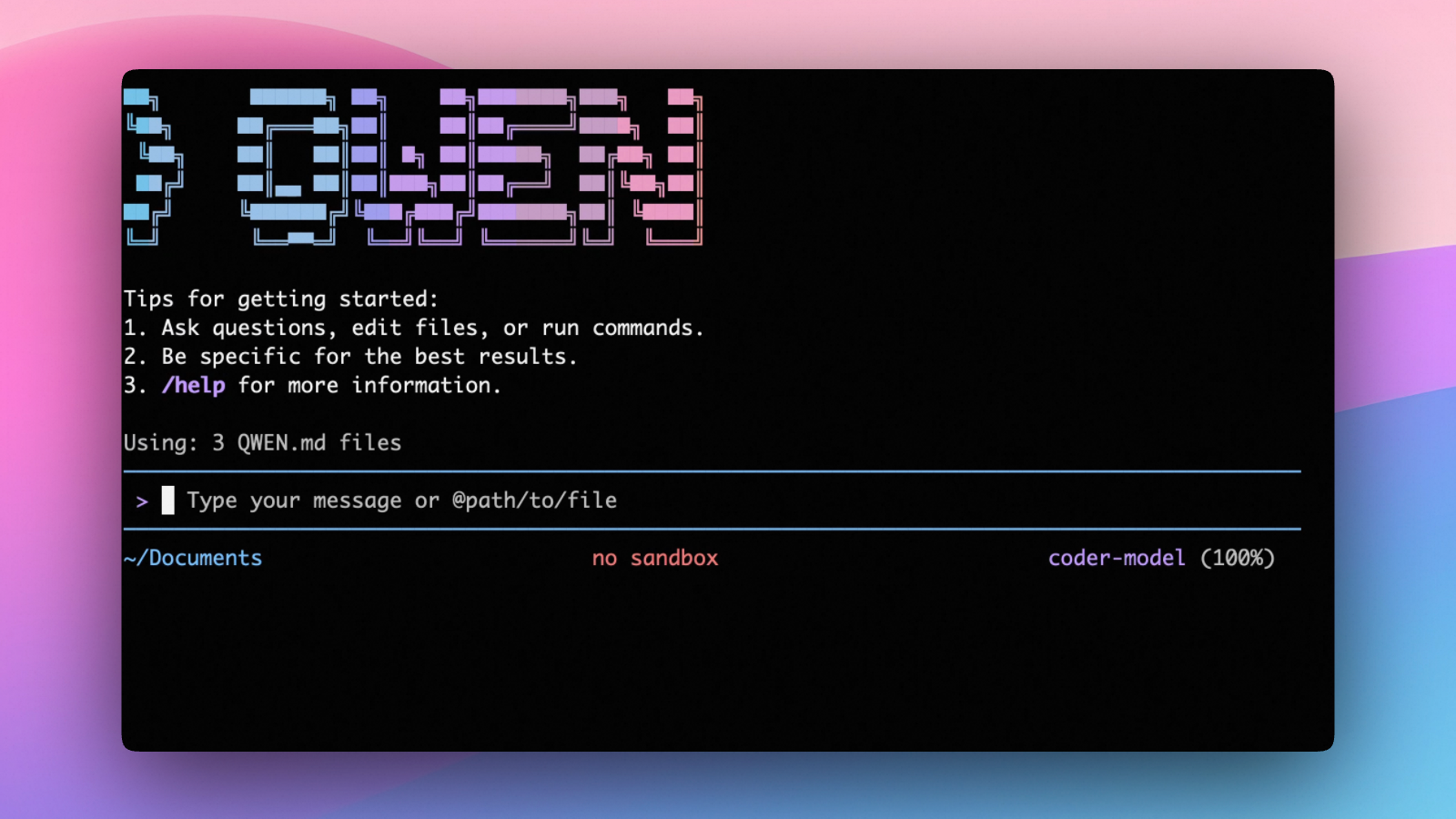
Installation
Quick Install (Recommended)
Linux / macOS
curl -fsSL https://qwen-code-assets.oss-cn-hangzhou.aliyuncs.com/installation/install-qwen-standalone.sh | bash
Windows
irm https://qwen-code-assets.oss-cn-hangzhou.aliyuncs.com/installation/install-qwen-standalone.ps1 | iex
Note
: It's recommended to restart your terminal after installation to ensure environment variables take effect.
Manual Installation
Prerequisites
Make sure you have Node.js 22 or later installed. Download it from nodejs.org.
NPM
npm install -g @qwen-code/qwen-code@latest
Homebrew (macOS, Linux)
brew install qwen-code
Quick Start
# Start Qwen Code (interactive)
qwen

# Then, in the session:
/help
/auth
On first use, you'll be prompted to sign in. You can run /auth anytime to switch authentication methods.
Example prompts:
What does this project do?
Explain the codebase structure.
Help me refactor this function.
Generate unit tests for this module.
Click to watch a demo video
🦞 Use Qwen Code for Coding Tasks in Claw
Copy the prompt below and paste it into your agent:
Use Qwen Code as a coding agent. First, fetch and read this skill reference:
https://raw.githubusercontent.com/QwenLM/qwen-code/refs/heads/main/.qwen/skills/qwen-code-claw/SKILL.md
Then follow the instructions inside to install, authenticate, and use Qwen Code via acpx for all coding tasks.
Authentication
Qwen Code supports the following authentication methods:
- API Key (recommended): use an API key from Alibaba Cloud Model Studio (Beijing / intl) or any supported provider (OpenAI, Anthropic, Google GenAI, and other compatible endpoints).
- Coding Plan: subscribe to the Alibaba Cloud Coding Plan (Beijing / intl) for a fixed monthly fee with higher quotas.
⚠️ Qwen OAuth was discontinued on April 15, 2026. If you were previously using Qwen OAuth, please switch to one of the methods above. Run
qwenand then/authto reconfigure.
API Key (recommended)
Use an API key to connect to Alibaba Cloud Model Studio or any supported provider. Supports multiple protocols:
- OpenAI-compatible: Alibaba Cloud ModelStudio, ModelScope, OpenAI, OpenRouter, and other OpenAI-compatible providers
- Anthropic: Claude models
- Google GenAI: Gemini models
The recommended way to configure models and providers is by editing ~/.qwen/settings.json (create it if it doesn't exist). This file lets you define all available models, API keys, and default settings in one place.
Quick Setup in 3 Steps
Step 1: Create or edit ~/.qwen/settings.json
Here is a complete example:
{
  "modelProviders": {
    "openai": [
      {
        "id": "qwen3.6-plus",
        "name": "qwen3.6-plus",
        "baseUrl": "https://dashscope.aliyuncs.com/compatible-mode/v1",
        "description": "Qwen3-Coder via Dashscope",
        "envKey": "DASHSCOPE_API_KEY"
      }
    ]
  },
  "env": {
    "DASHSCOPE_API_KEY": "sk-xxxxxxxxxxxxx"
  },
  "security": {
    "auth": {
      "selectedType": "openai"
    }
  },
  "model": {
    "name": "qwen3.6-plus"
  }
}
Step 2: Understand each field
| Field | What it does |
|---|---|
modelProviders |
Declares which models are available and how to connect to them. Keys like openai, anthropic, gemini represent the API protocol. |
modelProviders[].id |
The model ID sent to the API (e.g. qwen3.6-plus, gpt-4o). |
modelProviders[].envKey |
The name of the environment variable that holds your API key. |
modelProviders[].baseUrl |
The API endpoint URL (required for non-default endpoints). |
env |
A fallback place to store API keys (lowest priority; prefer .env files or export for sensitive keys). |
security.auth.selectedType |
The protocol to use on startup (openai, anthropic, gemini, vertex-ai). |
model.name |
The default model to use when Qwen Code starts. |
Step 3: Start Qwen Code — your configuration takes effect automatically:
qwen
Use the /model command at any time to switch between all configured models.
More Examples
Coding Plan (Alibaba Cloud ModelStudio) — fixed monthly fee, higher quotas
{
  "modelProviders": {
    "openai": [
      {
        "id": "qwen3.6-plus",
        "name": "qwen3.6-plus (Coding Plan)",
        "baseUrl": "https://coding.dashscope.aliyuncs.com/v1",
        "description": "qwen3.6-plus from ModelStudio Coding Plan",
        "envKey": "BAILIAN_CODING_PLAN_API_KEY"
      },
      {
        "id": "qwen3.5-plus",
        "name": "qwen3.5-plus (Coding Plan)",
        "baseUrl": "https://coding.dashscope.aliyuncs.com/v1",
        "description": "qwen3.5-plus with thinking enabled from ModelStudio Coding Plan",
        "envKey": "BAILIAN_CODING_PLAN_API_KEY",
        "generationConfig": {
          "extra_body": {
            "enable_thinking": true
          }
        }
      },
      {
        "id": "glm-4.7",
        "name": "glm-4.7 (Coding Plan)",
        "baseUrl": "https://coding.dashscope.aliyuncs.com/v1",
        "description": "glm-4.7 with thinking enabled from ModelStudio Coding Plan",
        "envKey": "BAILIAN_CODING_PLAN_API_KEY",
        "generationConfig": {
          "extra_body": {
            "enable_thinking": true
          }
        }
      },
      {
        "id": "kimi-k2.5",
        "name": "kimi-k2.5 (Coding Plan)",
        "baseUrl": "https://coding.dashscope.aliyuncs.com/v1",
        "description": "kimi-k2.5 with thinking enabled from ModelStudio Coding Plan",
        "envKey": "BAILIAN_CODING_PLAN_API_KEY",
        "generationConfig": {
          "extra_body": {
            "enable_thinking": true
          }
        }
      }
    ]
  },
  "env": {
    "BAILIAN_CODING_PLAN_API_KEY": "sk-xxxxxxxxxxxxx"
  },
  "security": {
    "auth": {
      "selectedType": "openai"
    }
  },
  "model": {
    "name": "qwen3.6-plus"
  }
}
Subscribe to the Coding Plan and get your API key at Alibaba Cloud ModelStudio(Beijing) or Alibaba Cloud ModelStudio(intl).
Multiple providers (OpenAI + Anthropic + Gemini)
{
  "modelProviders": {
    "openai": [
      {
        "id": "gpt-4o",
        "name": "GPT-4o",
        "envKey": "OPENAI_API_KEY",
        "baseUrl": "https://api.openai.com/v1"
      }
    ],
    "anthropic": [
      {
        "id": "claude-sonnet-4-20250514",
        "name": "Claude Sonnet 4",
        "envKey": "ANTHROPIC_API_KEY"
      }
    ],
    "gemini": [
      {
        "id": "gemini-2.5-pro",
        "name": "Gemini 2.5 Pro",
        "envKey": "GEMINI_API_KEY"
      }
    ]
  },
  "env": {
    "OPENAI_API_KEY": "sk-xxxxxxxxxxxxx",
    "ANTHROPIC_API_KEY": "sk-ant-xxxxxxxxxxxxx",
    "GEMINI_API_KEY": "AIzaxxxxxxxxxxxxx"
  },
  "security": {
    "auth": {
      "selectedType": "openai"
    }
  },
  "model": {
    "name": "gpt-4o"
  }
}
Enable thinking mode (for supported models like qwen3.5-plus)
{
  "modelProviders": {
    "openai": [
      {
        "id": "qwen3.5-plus",
        "name": "qwen3.5-plus (thinking)",
        "envKey": "DASHSCOPE_API_KEY",
        "baseUrl": "https://dashscope.aliyuncs.com/compatible-mode/v1",
        "generationConfig": {
          "extra_body": {
            "enable_thinking": true
          }
        }
      }
    ]
  },
  "env": {
    "DASHSCOPE_API_KEY": "sk-xxxxxxxxxxxxx"
  },
  "security": {
    "auth": {
      "selectedType": "openai"
    }
  },
  "model": {
    "name": "qwen3.5-plus"
  }
}
Tip: You can also set API keys via
exportin your shell or.envfiles, which take higher priority thansettings.json→env. See the authentication guide for full details.
Security note: Never commit API keys to version control. The
~/.qwen/settings.jsonfile is in your home directory and should stay private.
Local Model Setup (Ollama / vLLM)
You can also run models locally — no API key or cloud account needed. This is not an authentication method; instead, configure your local model endpoint in ~/.qwen/settings.json using the modelProviders field.
Set generationConfig.contextWindowSize inside the matching provider entry
and adjust it to the context length configured on your local server.
Ollama setup
- Install Ollama from ollama.com
- Pull a model:
ollama pull qwen3:32b - Configure
~/.qwen/settings.json:
{
  "modelProviders": {
    "openai": [
      {
        "id": "qwen3:32b",
        "name": "Qwen3 32B (Ollama)",
        "baseUrl": "http://localhost:11434/v1",
        "description": "Qwen3 32B running locally via Ollama",
        "generationConfig": {
          "contextWindowSize": 131072
        }
      }
    ]
  },
  "security": {
    "auth": {
      "selectedType": "openai"
    }
  },
  "model": {
    "name": "qwen3:32b"
  }
}
vLLM setup
- Install vLLM:
pip install vllm - Start the server:
vllm serve Qwen/Qwen3-32B - Configure
~/.qwen/settings.json:
{
  "modelProviders": {
    "openai": [
      {
        "id": "Qwen/Qwen3-32B",
        "name": "Qwen3 32B (vLLM)",
        "baseUrl": "http://localhost:8000/v1",
        "description": "Qwen3 32B running locally via vLLM",
        "generationConfig": {
          "contextWindowSize": 131072
        }
      }
    ]
  },
  "security": {
    "auth": {
      "selectedType": "openai"
    }
  },
  "model": {
    "name": "Qwen/Qwen3-32B"
  }
}
Usage
As an open-source terminal agent, you can use Qwen Code in five primary ways:
- Interactive mode (terminal UI)
- Headless mode (scripts, CI)
- IDE integration (VS Code, Zed)
- SDKs (TypeScript, Python, Java)
- Daemon mode —
qwen serveexposes ACP over HTTP+SSE so multiple clients share one agent (experimental)
Interactive mode
cd your-project/
qwen
Run qwen in your project folder to launch the interactive terminal UI. Use @ to reference local files (for example @src/main.ts).
Headless mode
cd your-project/
qwen -p "your question"
Use -p to run Qwen Code without the interactive UI—ideal for scripts, automation, and CI/CD. Learn more: Headless mode.
IDE integration
Use Qwen Code inside your editor (VS Code, Zed, and JetBrains IDEs):
Daemon mode (qwen serve, experimental)
cd your-project/
qwen serve
# → qwen serve listening on http://127.0.0.1:4170 (mode=http-bridge)
Run Qwen Code as a local HTTP daemon so IDE plugins, web UIs, CI scripts and custom CLIs all share one agent session over HTTP+SSE — instead of each spawning their own subprocess. Loopback bind has no auth by default (set QWEN_SERVER_TOKEN to enable bearer auth even on loopback); remote binds (--hostname 0.0.0.0) require a token — boot refuses without one. See:
SDKs
Build on top of Qwen Code with the available SDKs:
- TypeScript: Use the Qwen Code SDK
- Python: Use the Python SDK
- Java: Use the Java SDK
Python SDK example:
import asyncio

from qwen_code_sdk import is_sdk_result_message, query


async def main() -> None:
    result = query(
        "Summarize the repository layout.",
        {
            "cwd": "/path/to/project",
            "path_to_qwen_executable": "qwen",
        },
    )

    async for message in result:
        if is_sdk_result_message(message):
            print(message["result"])


asyncio.run(main())
Commands & Shortcuts
Session Commands
/help- Display available commands/clear- Clear conversation history/compress- Compress history to save tokens/stats- Show current session information/bug- Submit a bug report/exitor/quit- Exit Qwen Code
Keyboard Shortcuts
Ctrl+C- Cancel current operationCtrl+D- Exit (on empty line)Up/Down- Navigate command history
Learn more about Commands
Tip: In YOLO mode (
--yolo), vision switching happens automatically without prompts when images are detected. Learn more about Approval Mode
Configuration
Qwen Code can be configured via settings.json, environment variables, and CLI flags.
| File | Scope | Description |
|---|---|---|
~/.qwen/settings.json |
User (global) | Applies to all your Qwen Code sessions. Recommended for modelProviders and env. |
.qwen/settings.json |
Project | Applies only when running Qwen Code in this project. Overrides user settings. |
The most commonly used top-level fields in settings.json:
| Field | Description |
|---|---|
modelProviders |
Define available models per protocol (openai, anthropic, gemini, vertex-ai). |
env |
Fallback environment variables (e.g. API keys). Lower priority than shell export and .env files. |
security.auth.selectedType |
The protocol to use on startup (e.g. openai). |
model.name |
The default model to use when Qwen Code starts. |
See the Authentication section above for complete
settings.jsonexamples, and the settings reference for all available options.
Benchmark Results
Terminal-Bench Performance
| Agent | Model | Accuracy |
|---|---|---|
| Qwen Code | Qwen3-Coder-480A35 | 37.5% |
| Qwen Code | Qwen3-Coder-30BA3B | 31.3% |
Ecosystem
Looking for a graphical interface?
- AionUi A modern GUI for command-line AI tools including Qwen Code
- Gemini CLI Desktop A cross-platform desktop/web/mobile UI for Qwen Code
Troubleshooting
If you encounter issues, check the troubleshooting guide.
Common issues:
Qwen OAuth free tier was discontinued on 2026-04-15: Qwen OAuth is no longer available. Runqwen→/authand switch to API Key or Coding Plan. See the Authentication section above for setup instructions.
To report a bug from within the CLI, run /bug and include a short title and repro steps.
Connect with Us
- Discord: https://discord.gg/RN7tqZCeDK
- Dingtalk: https://qr.dingtalk.com/action/joingroup?code=v1,k1,+FX6Gf/ZDlTahTIRi8AEQhIaBlqykA0j+eBKKdhLeAE=&_dt_no_comment=1&origin=1
Acknowledgments
This project is based on Google Gemini CLI. We acknowledge and appreciate the excellent work of the Gemini CLI team. Our main contribution focuses on parser-level adaptations to better support Qwen-Coder models.