---
title: "Intro"
description: "Get started with OpenCode."
---
[**OpenCode**](https://opencode.ai) is an open source AI coding agent. It's available as a terminal-based interface or
desktop app.
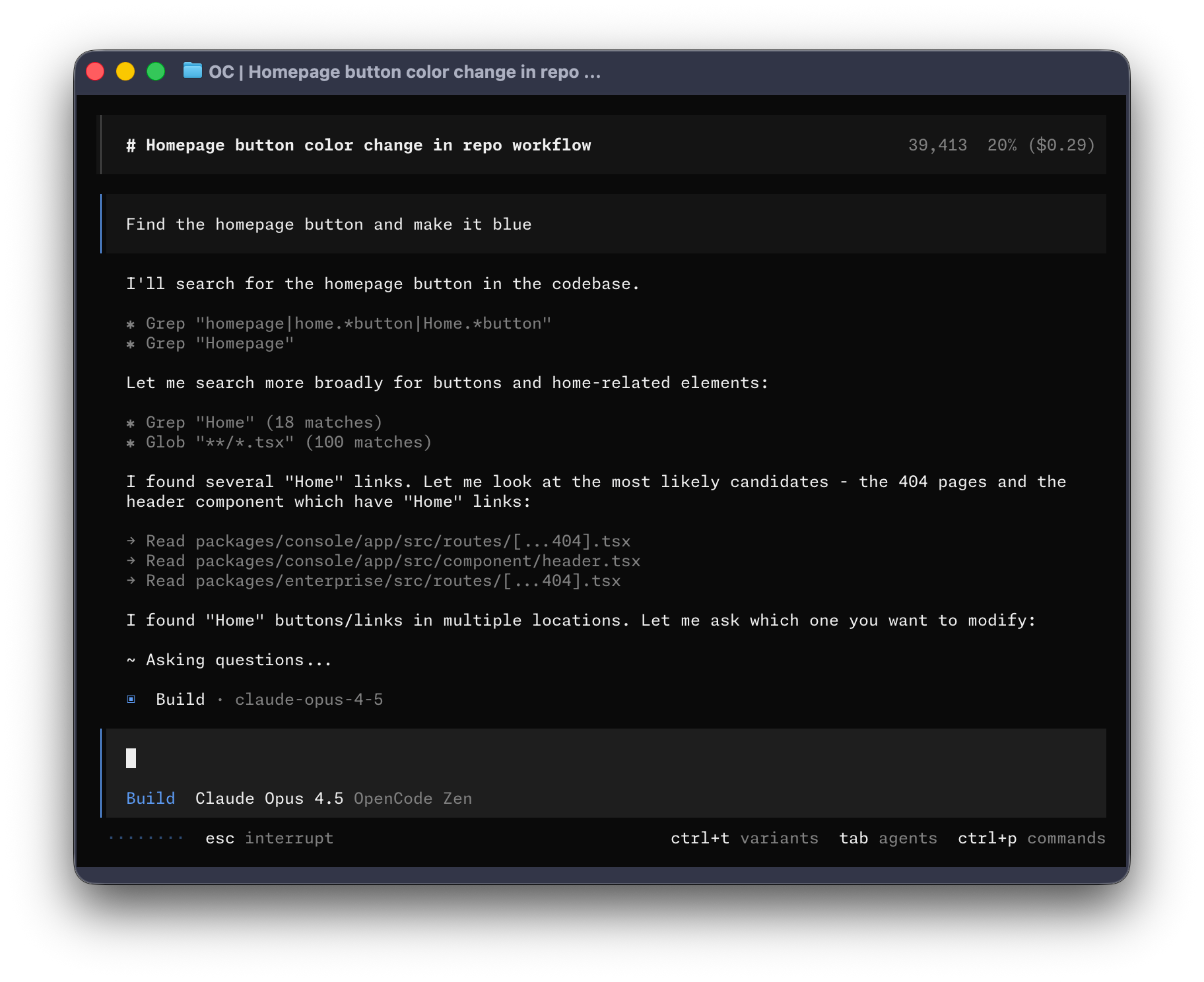 Let's get started.
---
#### Prerequisites
To use OpenCode in your terminal, you'll need:
1. A modern terminal emulator like:
- [Ghostty](https://ghostty.org), Linux and macOS
- [WezTerm](https://wezterm.org), cross-platform
- [Alacritty](https://alacritty.org), cross-platform
- [Kitty](https://sw.kovidgoyal.net/kitty/), Linux and macOS
2. API keys for the LLM providers you want to use.
---
## Install
The curl install script is not available in beta.
You can also install it with the following package managers.
```bash
npm install -g @opencode-ai/cli@next
```
```bash
bun install -g @opencode-ai/cli@next
```
```bash
pnpm install -g @opencode-ai/cli@next
```
```bash
yarn global add @opencode-ai/cli@next
```
During beta, the executable is named `opencode2`.
### Homebrew
Homebrew installation is not available in beta.
### Arch Linux
Arch Linux installation is not available in beta.
### Windows
For the best experience on Windows, use [Windows Subsystem for Linux
(WSL)](https://opencode.ai/docs/windows-wsl). It provides better performance and full compatibility with OpenCode's
features.
Chocolatey installation is not available in beta.
Scoop installation is not available in beta.
Mise installation is not available in beta.
Docker installation is not available in beta.
Standalone binaries are not available in beta.
---
## Connect
With OpenCode you can use any LLM provider by configuring its API key.
Run `/connect` in the TUI and select your provider.
```text
/connect
```
If you'd like easy access to all the best coding models you can try out
[OpenCode Console](https://console.opencode.ai).
You can also try [OpenCode Go](https://opencode.ai/go) a $10/month subscription
plan that grants you access to the best open source models.
See the current [provider directory](https://opencode.ai/docs/providers#directory).
---
## Usage
You are now ready to use OpenCode in your project. Here are a few common workflows.
### Ask questions
Ask OpenCode to explain your codebase.
Use `@` to fuzzy search for files in the project.
```text
How is authentication handled in @packages/functions/src/api/index.ts
```
### Add features
Ask OpenCode to add a feature by describing the desired behavior and providing relevant context.
```text
When a user deletes a note, flag it as deleted in the database.
Create a screen that shows recently deleted notes.
From this screen, the user can restore a note or permanently delete it.
```
Give OpenCode plenty of context and examples.
### Undo changes
Use `/undo` when a change isn't what you wanted.
```text
/undo
```
OpenCode reverts the changes and restores your original message so you can revise it. Run `/undo` multiple times to undo
multiple changes, or use `/redo` to reapply them.
```text
/redo
```
---
## Customize
Make OpenCode your own by [picking a theme](https://opencode.ai/docs/themes), [customizing
keybinds](https://opencode.ai/docs/keybinds), [configuring formatters](https://opencode.ai/docs/formatters), [creating
commands](https://opencode.ai/docs/commands), or editing the [OpenCode config](https://opencode.ai/docs/config).
Let's get started.
---
#### Prerequisites
To use OpenCode in your terminal, you'll need:
1. A modern terminal emulator like:
- [Ghostty](https://ghostty.org), Linux and macOS
- [WezTerm](https://wezterm.org), cross-platform
- [Alacritty](https://alacritty.org), cross-platform
- [Kitty](https://sw.kovidgoyal.net/kitty/), Linux and macOS
2. API keys for the LLM providers you want to use.
---
## Install
The curl install script is not available in beta.
You can also install it with the following package managers.
```bash
npm install -g @opencode-ai/cli@next
```
```bash
bun install -g @opencode-ai/cli@next
```
```bash
pnpm install -g @opencode-ai/cli@next
```
```bash
yarn global add @opencode-ai/cli@next
```
During beta, the executable is named `opencode2`.
### Homebrew
Homebrew installation is not available in beta.
### Arch Linux
Arch Linux installation is not available in beta.
### Windows
For the best experience on Windows, use [Windows Subsystem for Linux
(WSL)](https://opencode.ai/docs/windows-wsl). It provides better performance and full compatibility with OpenCode's
features.
Chocolatey installation is not available in beta.
Scoop installation is not available in beta.
Mise installation is not available in beta.
Docker installation is not available in beta.
Standalone binaries are not available in beta.
---
## Connect
With OpenCode you can use any LLM provider by configuring its API key.
Run `/connect` in the TUI and select your provider.
```text
/connect
```
If you'd like easy access to all the best coding models you can try out
[OpenCode Console](https://console.opencode.ai).
You can also try [OpenCode Go](https://opencode.ai/go) a $10/month subscription
plan that grants you access to the best open source models.
See the current [provider directory](https://opencode.ai/docs/providers#directory).
---
## Usage
You are now ready to use OpenCode in your project. Here are a few common workflows.
### Ask questions
Ask OpenCode to explain your codebase.
Use `@` to fuzzy search for files in the project.
```text
How is authentication handled in @packages/functions/src/api/index.ts
```
### Add features
Ask OpenCode to add a feature by describing the desired behavior and providing relevant context.
```text
When a user deletes a note, flag it as deleted in the database.
Create a screen that shows recently deleted notes.
From this screen, the user can restore a note or permanently delete it.
```
Give OpenCode plenty of context and examples.
### Undo changes
Use `/undo` when a change isn't what you wanted.
```text
/undo
```
OpenCode reverts the changes and restores your original message so you can revise it. Run `/undo` multiple times to undo
multiple changes, or use `/redo` to reapply them.
```text
/redo
```
---
## Customize
Make OpenCode your own by [picking a theme](https://opencode.ai/docs/themes), [customizing
keybinds](https://opencode.ai/docs/keybinds), [configuring formatters](https://opencode.ai/docs/formatters), [creating
commands](https://opencode.ai/docs/commands), or editing the [OpenCode config](https://opencode.ai/docs/config).