 d2b4a449de
Bumps the vendored cozy-proxy chart and image tag from v0.2.0 to v0.3.0 by running `make update` in `packages/system/cozy-proxy`. cozy-proxy v0.3.0 release: https://github.com/cozystack/cozy-proxy/releases/tag/v0.3.0 ## Why cozy-proxy v0.3.0 is the companion of #2501. The chart fix in #2501 finally honors the documented PortList semantics (only `externalPorts` reachable, ICMP preserved by default), but only takes effect once cozy-proxy v0.3.0 is in place — v0.2.0 has no port-aware logic, so the chart fix silently no-ops on it. This PR ships that runtime side. ## Upgrade impact For cozystack users this is a **bug fix, not a breaking change**. cozy-proxy v0.3.0 introduces two contract changes upstream — (1) label-only selector via `service.kubernetes.io/service-proxy-name: cozy-proxy`, and (2) port-filter as the default ingress mode — both of which are absorbed by the vm-instance chart (label landed in #2357, `wholeIP` + `allowICMP` wired in #2501). - **`externalMethod: WholeIP`** (default) — chart renders label + `wholeIP: "true"` in both old and new versions. cozy-proxy keeps passthrough. **No change.** - **`externalMethod: PortList`** — previously the chart always rendered `wholeIP: "true"` regardless of method, and cozy-proxy v0.2.0 had no port-aware logic, so PortList was silently a no-op (all ports reachable). After this bump + #2501, PortList behaves as documented: only ports listed in `externalPorts` reach the VM. Users who configured PortList but reached undeclared ports (relying on the silent no-op) will see those ports become unreachable — that's the documented intent of PortList finally taking effect. ICMP keeps working by default thanks to `externalAllowICMP: true`. - **DaemonSet rollover** — re-init of the nft table during cozy-proxy pod restart is a brief blip on existing flows; same as any DaemonSet upgrade. Out-of-tree consumers using cozy-proxy directly (without the `service-proxy-name` label, or relying on the absent-annotation passthrough default) need to migrate per the upstream v0.3.0 release notes — not a cozystack concern. ## Order of operations This PR is functionally complete on its own (image bump), but the user-facing PortList fix it enables only happens when #2501 also lands. Recommended merge order: 1. #2501 first (chart adapts to the new contract) 2. This PR second (cozy-proxy DaemonSet picks up the new image) The reverse order is also safe — cozy-proxy v0.3.0 with the unmodified vm-instance chart still produces correct results for `externalMethod: WholeIP` (most common case) and keeps PortList silently broken until #2501 lands. ## Test plan - [ ] `helm template packages/system/cozy-proxy` — image tag `v0.3.0` rendered - [ ] `make unit-tests` passes - [ ] After #2501 lands, end-to-end: `externalMethod: PortList` with `externalPorts: [22]` filters all other ports, ping works - [ ] WholeIP-method VM Service unchanged after upgrade ## Companion PRs - #2501 — vm-instance chart wires `wholeIP` / `allowICMP` per `externalMethod` - cozystack/cozy-proxy#13 (merged) — label-only selector + port-filter default - cozy-proxy v0.3.0 release notes — https://github.com/cozystack/cozy-proxy/releases/tag/v0.3.0 <!-- This is an auto-generated comment: release notes by coderabbit.ai --> ## Summary by CodeRabbit * **Chores** * Released version 0.3.0 with updated Helm chart metadata and container image configuration. <!-- end of auto-generated comment: release notes by coderabbit.ai --> |
||
|---|---|---|
| .gemini | ||
| .github | ||
| api | ||
| cmd | ||
| dashboards | ||
| docs | ||
| examples/backups/vmi | ||
| hack | ||
| img | ||
| internal | ||
| packages | ||
| pkg | ||
| tools/openapi-gen | ||
| .coderabbit.yaml | ||
| .gitignore | ||
| .pre-commit-config.yaml | ||
| ADOPTERS.md | ||
| AGENTS.md | ||
| CODE_OF_CONDUCT.md | ||
| CONTRIBUTING.md | ||
| CONTRIBUTOR_LADDER.md | ||
| go.mod | ||
| go.sum | ||
| GOVERNANCE.md | ||
| LICENSE | ||
| MAINTAINERS.md | ||
| Makefile | ||
| README.md | ||
| SECURITY.md | ||







Cozystack
Cozystack is a free platform and framework for building clouds.
Cozystack is a CNCF Sandbox Level Project that was originally built and sponsored by Ænix.
With Cozystack, you can transform a bunch of servers into an intelligent system with a simple REST API for spawning Kubernetes clusters, Database-as-a-Service, virtual machines, load balancers, HTTP caching services, and other services with ease.
Use Cozystack to build your own cloud or provide a cost-effective development environment.
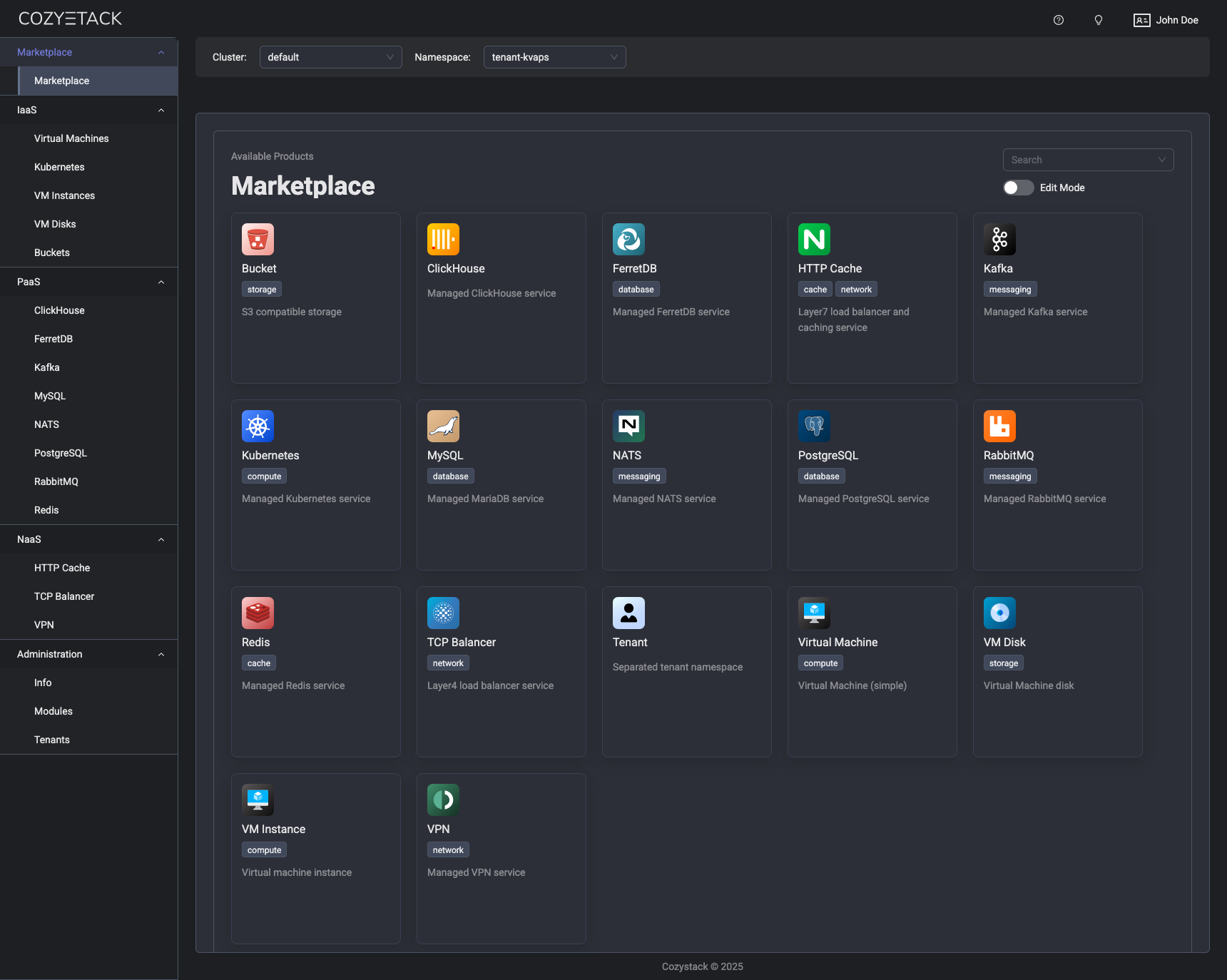
Use-Cases
-
Using Cozystack to build a public cloud
You can use Cozystack as a backend for a public cloud -
Using Cozystack to build a private cloud
You can use Cozystack as a platform to build a private cloud powered by Infrastructure-as-Code approach -
Using Cozystack as a Kubernetes distribution
You can use Cozystack as a Kubernetes distribution for Bare Metal
Documentation
The documentation is located on the cozystack.io website.
Read the Getting Started section for a quick start.
If you encounter any difficulties, start with the troubleshooting guide and work your way through the process that we've outlined.
Versioning
Versioning adheres to the Semantic Versioning principles.
A full list of the available releases is available in the GitHub repository's Release section.
Contributions
Contributions are highly appreciated and very welcomed!
In case of bugs, please check if the issue has already been opened by checking the GitHub Issues section. If it isn't, you can open a new one. A detailed report will help us replicate it, assess it, and work on a fix.
You can express your intention to on the fix on your own. Commits are used to generate the changelog, and their author will be referenced in it.
If you have Feature Requests please use the Discussion's Feature Request section.
Community
You are welcome to join our Telegram group and come to our weekly community meetings. Add them to your Google Calendar or iCal for convenience.
License
Cozystack is licensed under Apache 2.0.
The code is provided as-is with no warranties.
Commercial Support
A list of companies providing commercial support for this project can be found on official site.